217
Adjusting knitting machine 4
Advanced adjustments
6. For wide coupling (tandem machine), push the right carriage to the right
until the coupling rod (1) can be mounted.
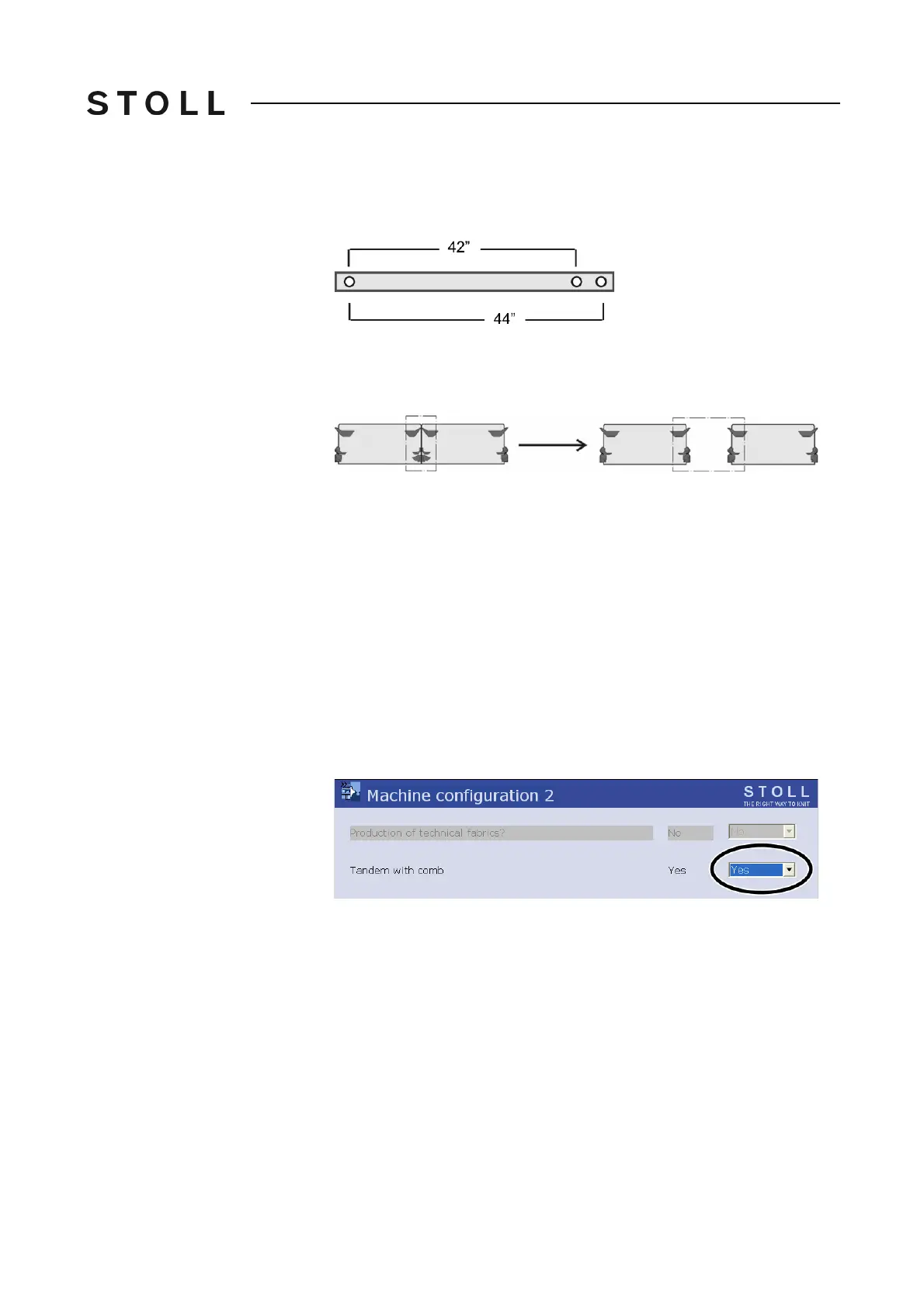
Coupling widths for C MS 822
Coupling widths for CMS 822
7. Insert the screws (2) and tighten.
8. Remove the carriage part in order to replace the cams.
Replace c ams for wi de coupling
Replace cams for wide coupling
9. Place carriage part on contact surface and assembly with carriage
assembly.
10. Close the rear panel.
11. Switch on 40 V power supply.
12. Call up the "Main menu".
13. Call up the "Service" menu.
14. Call up the "Basic settings" menu.
15. Call up the "Machine configura
tion 2" menu. Ch
eck the setting in the
"Tandem with comb" field and change if necessary.
"Yes" - Machine works with the comb take-d
own
"No" - Machine is working without comb take-down
Tandem with comb settin g
"Tandem with comb" setting
16. Confirm input.
17. Call up the "Reference runs" menu f
rom the "Service" menu.
18. Press the "SR!>" key and start the
machine with the engaging rod.
The carriage assembly runs in t
he creep speed until it automatically
stops and the message "Reconfiguration" appears on the display. The
control adjusts to the new coupling width. After a short time the
message disappears again.
19. Move the carriage to the left. Thereby in the window "Reference runs" tap
on the key "S<" and start machine with the engaging rod.



 To Next Page