230
4 Adjusting knitting machine
Advanced adjustments
Correcting the stopping position of the yarn carrier:
The knitting program must not be started (the "SP from line 1" key in the
"Machine start " window must not be activated)
1. Call up the "Yarn carrier" window.
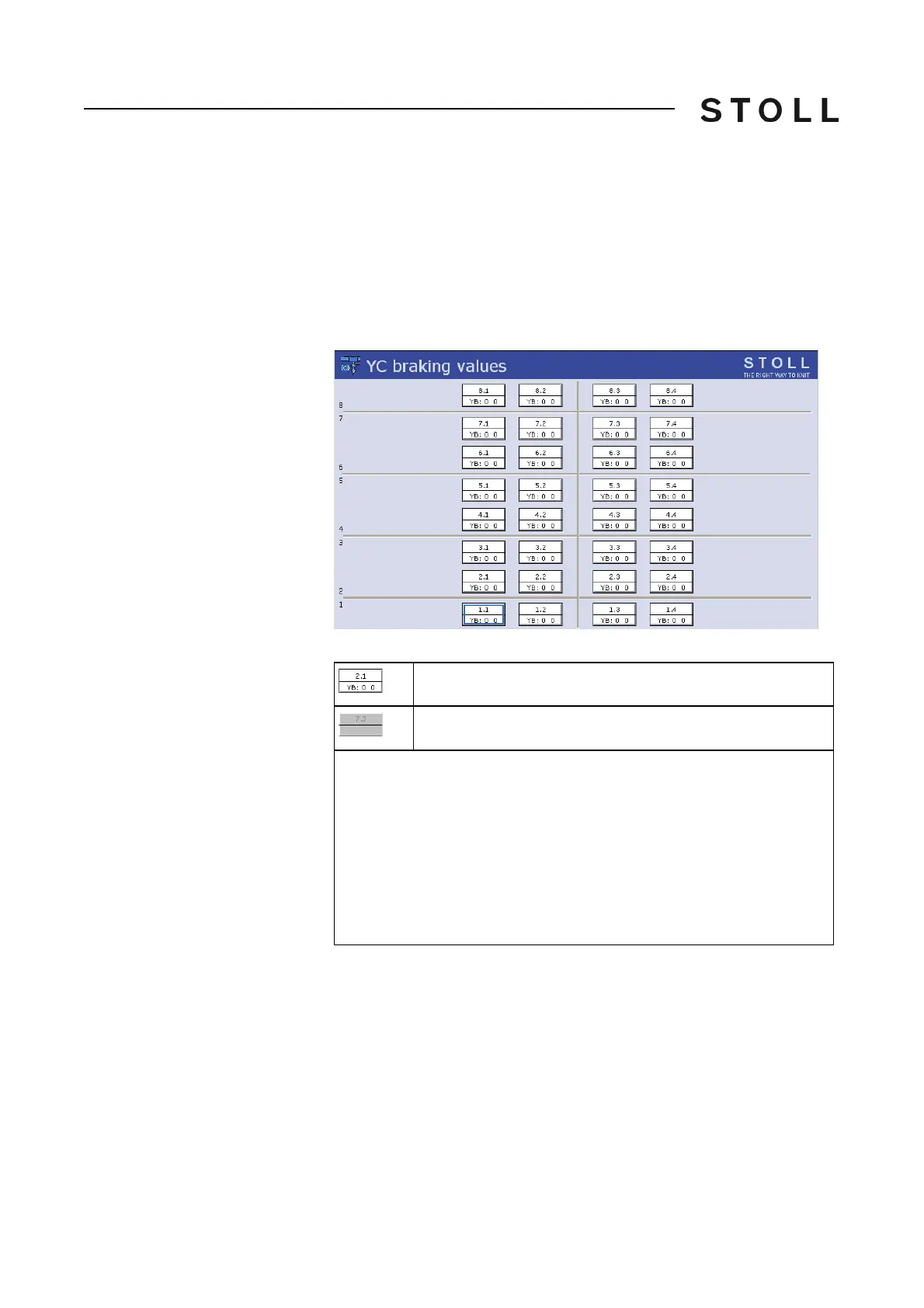
2. Call up the "Yarn carrier braking
values" window.
The last yarn carrier equipment saved is displayed.
Yarn carrier braking values window
"Yarn carrier braking values window"
3. Check the displayed yarn carrier equipment.
4. If necessary adapt the yarn carrier equipment to
the new pattern (yarn
carrier home position).
Yarn carrier present.
The yarn carrier is not present. It has been deleted manually.
◆ A maximum of 4 yarn carriers can be located on each yarn carrier track.
The counting is carried out from the left to the right: n.1, n.2, n.3, n.4. (This
is called a physical numbering.)
◆ If a yarn carrier is present, then its braking values are displayed.
◆ In the middle of the window you can see a vertical separating line.
at the left of the separating line: The yarn carriers are positioned on the left
machine side
at the right of the separating line: The yarn carriers are positioned on the
right machine side



 To Next Page