X35 Console Monitoring & Managing Files
10.5
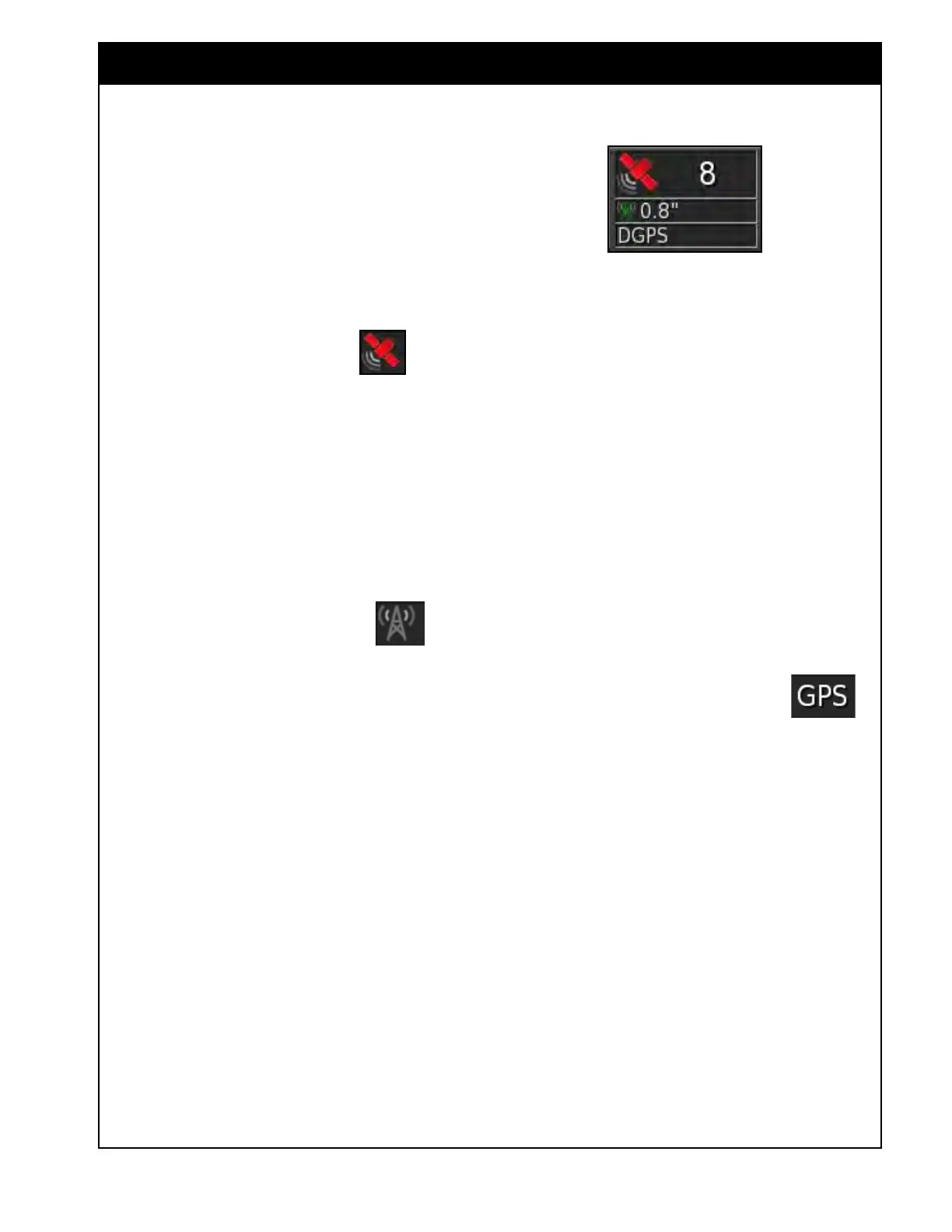
To display GPS information select GPS from the
Customize Dashboard menu, refer to Figure 10.6.
6. GPS
(E) - displays information related to the
GPS. This view can be customized to display
up to three parameters:
a. Number
of Satellites - indicates system
readiness and the number of satellite
signals available.
i. The satellite symbol
will
be displayed in different colors
depending on the reported accuracy
of the GPS:
ii. Gr
een - good accuracy
iii. Y
ellow - average accuracy
iv. Red - poor accuracy
v
. Grey - no signal
b. HMRS - displays correction quality and
position
accuracy.
i. The correction symbol
can
display different colors:
ii. Gr
ey - if correction source is set to
Autonomous.
iii. Gr
een - if the correction source
received and accurate.
iv. Yellow - if correction source
received, but not accurate enough to
engage steering.
v. Red - if the correction source is
dif
ferent from the one that was
selected during setup.
Figure 10.6 - GPS Panel
Note
If the GPS receiver type is set as Source
NMEA, the differential fix indicator will be:
- Red, if receiving autonomous
- Green, if it has differential or RTK fix.
c. Differential correction - displays the
correction source in use - DGPS, PPS,
RTK, Omnistar etc.
i. If the correction source is set to
Autonomous during setup,
will be displayed on the panel.



 To Next Page