Installing the Mid-Mounting Brackets on an SH1R Shelf
Installing the Mid-Mounting Brackets on an
SH1R Shelf
If you are installing the shelf in a four-post rack, you can skip this step.
This procedure assumes that:
l You want to install the shelf in a two-post rack;
l The shelf is unpacked and inspected;
l It is damage-free; and
l The shelf is on a static-dissipative mat.
1. Verify that you are properly grounded with an anti-static wrist strap or heel strap
connected to the grounded ESDjack.
2. Select the appropriate mounting brackets.
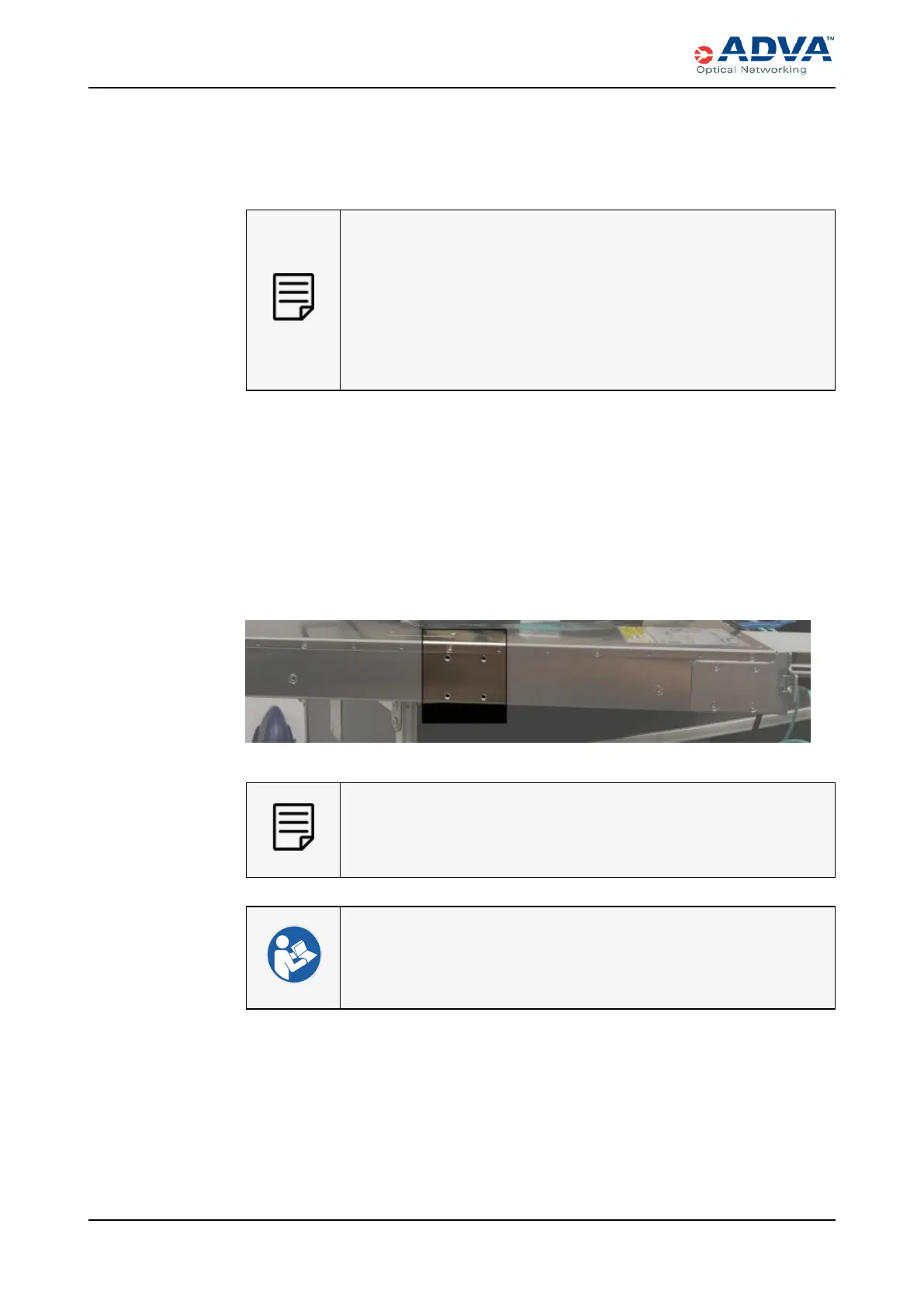
3. Use a Pozidriv screwdriver and four M3x6screws to attach the left mounting bracket
to the left side of the SH1R.
4. Use a Pozidriv screwdriver and four M3x6screws to attach the right mounting
bracket to the right side of the SH1R.
Figure 70: Mid-Mount Bracket Installation Point for SH1R — Side View
Save the remaining mounting brackets and packaging material for future
use.
l Installation Overview — SH1R Shelf
l Site Preparation Checklist
263 FSP 3000R7 High-Density Subshelf Guide - R17.2 - Issue:B



 To Next Page