Installing the SH12 Lower Front Cover
l Installing the SH12 Lower Front Cover
l Electrostatic Discharge Damage Prevention and Warning
l Cooling and Airflow
l Shelf Front Covers
Installing the SH12 Lower Front Cover
This procedure assumes that the physical installation of the HD
components and connections is complete.
This front cover houses an air filter for the PSM-DCs and it must be
installed.
If the PSM-AC6 modulesare installed in your SH12, the lower front cover
must be removed.
1. Verify that you are properly grounded with an anti-static wrist strap or heel strap
connected to the grounded ESD jack.
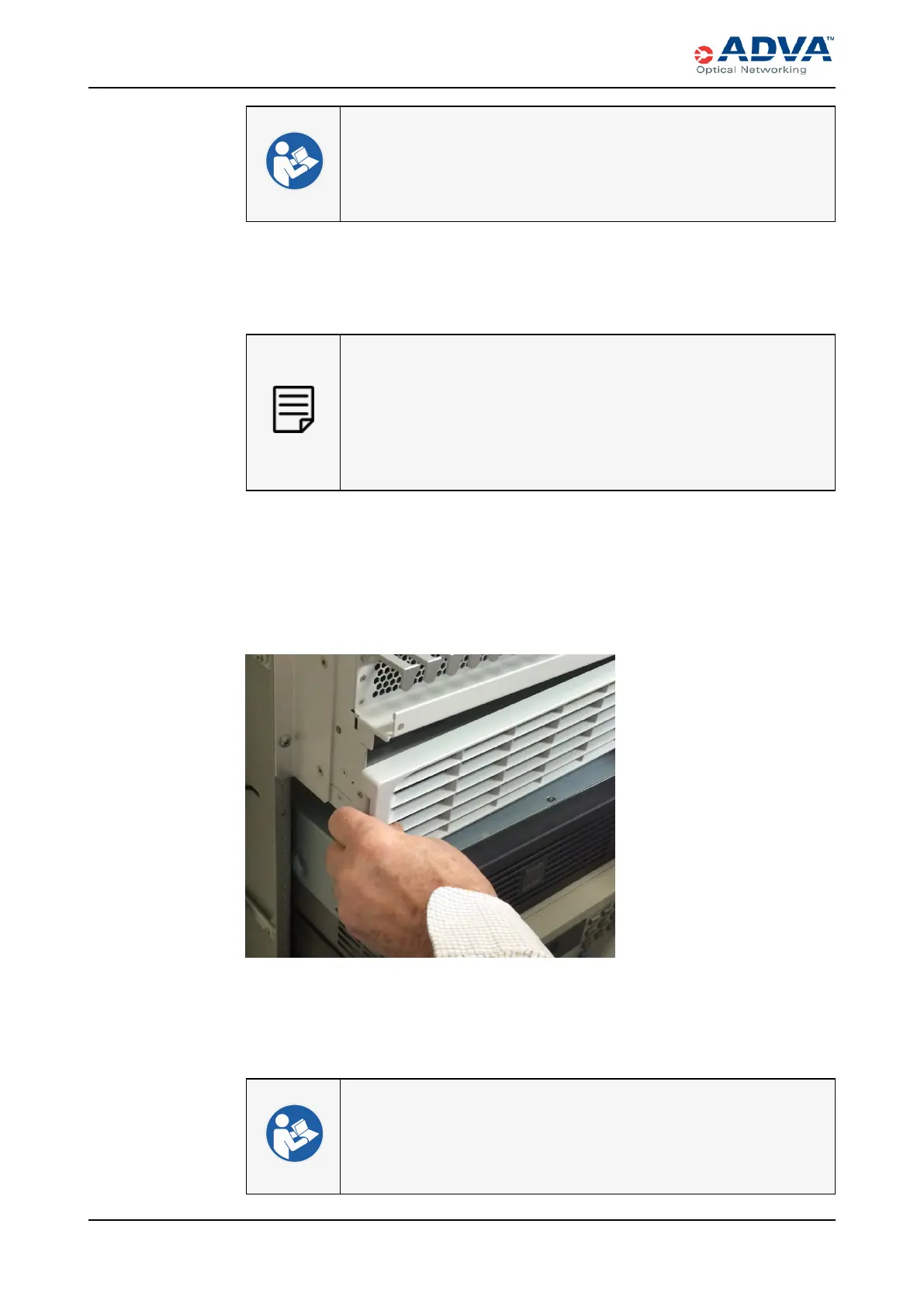
2. With the filter side of the lower front cover down, insert the tabs on the right side of
the cover into the receiving holes in the shelf.
Figure 112: Positioning the Lower Front Cover
3. Swing the left side of the lower front cover into place.
4. Press the cover inward until the latch snaps into place. Be careful not to pinch any
power cables.
l Installing the SH12 Upper Front Cover
l Electrostatic Discharge Damage Prevention and Warning
l Cooling and Airflow
l Shelf Front Covers
353 FSP 3000R7 High-Density Subshelf Guide - R17.2 - Issue:B



 To Next Page