Required Tools and Equipment
Required Tools and Equipment
l ESD-preventive wrist strap or other personal grounding device
l Suitable grounded surface or a static-dissipative mat
l Appropriate rack size for your installation (customer provided)
l Grounding cable (provided by ADVA Optical Networking
l Grounding terminal and two ground screws (included on shelf)
l Wrench or box spanner (wrench size of 7 mm or 0.276 in.)
l Appropriate screwdriver or wrench to attach the grounding cable to the rack
A grounding cable with ring lug terminals on either end is available from
ADVA Optical Networking and can be ordered separately.
l Installation Overview — SH12 Shelf
l Installation Overview — SH4R and SH4R-2 Shelves
l Installation Overview — SH1R Shelf
l Grounding Cable — SH12
l Grounding Cable — SH4R and SH4R-2
l Grounding Cable — SH1R
l General Power and Grounding Guidelines
l Electrical Safety Guidelines and Warnings
Connecting aSH12 to the Grounding
Terminals
1. Verify that you are properly grounded with an anti-static wrist strap or heel strap
connected to the grounded ESD jack.
2. Locate the ground terminal on the shelf to be grounded.
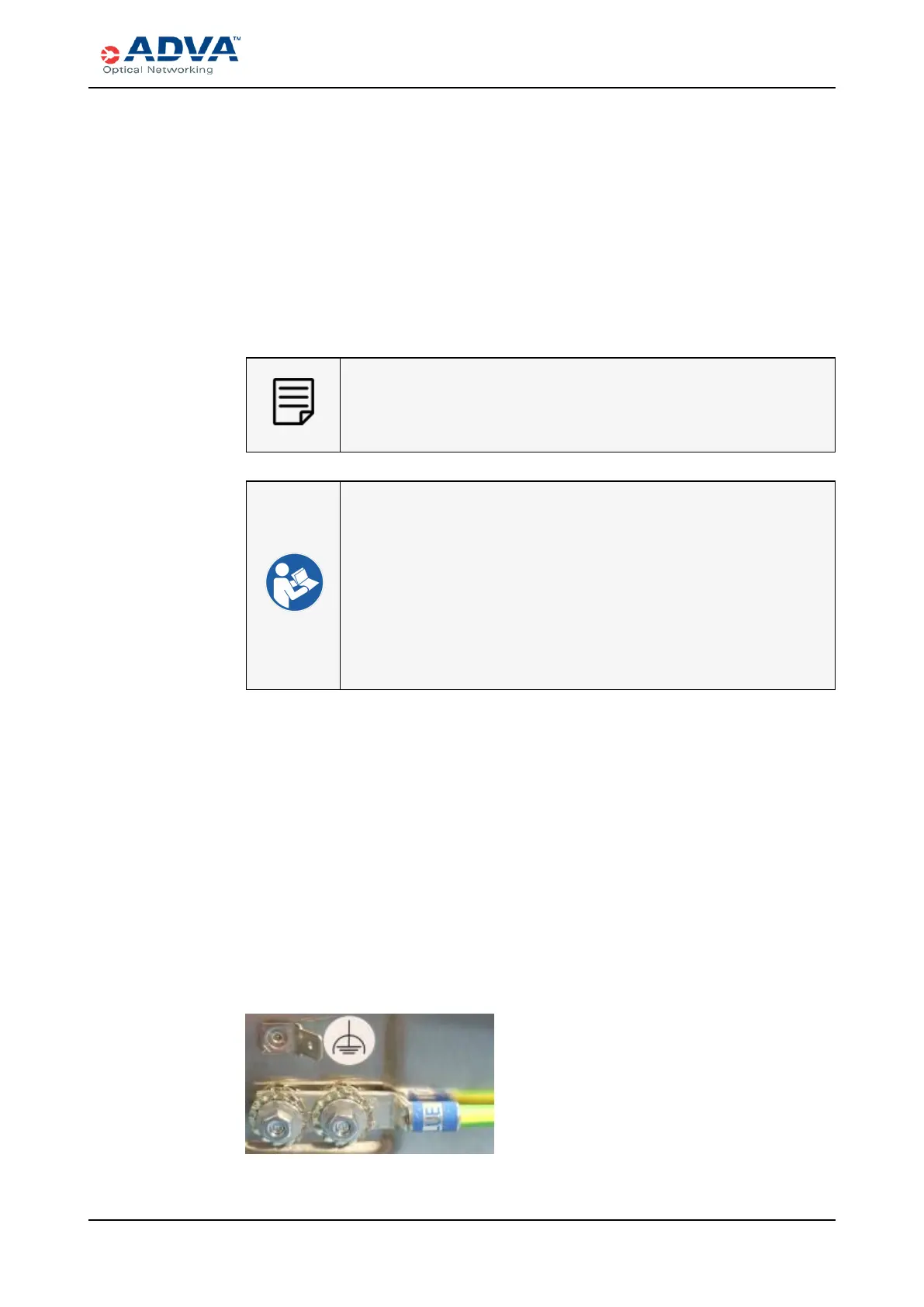
3. Use the two screws and washers to attach the two-hole lug terminal of the
appropriate grounding cable to the grounding terminal location.
Figure 89: Example - Connecting a Functional Grounding Cable with Two Hole
Lug Terminal to a Shelf
FSP 3000R7 High-Density Subshelf Guide - R17.2 - Issue:B 280



 To Next Page