Required Tools and Equipment
Required Tools and Equipment
l ESD-preventive wrist strap or other personal grounding device
l Suitable grounded surface or a static-dissipative mat
l Torx T10 screwdriver
l Installation Overview — SH12 Shelf
l Handling Shelves
l Site Preparation Checklist
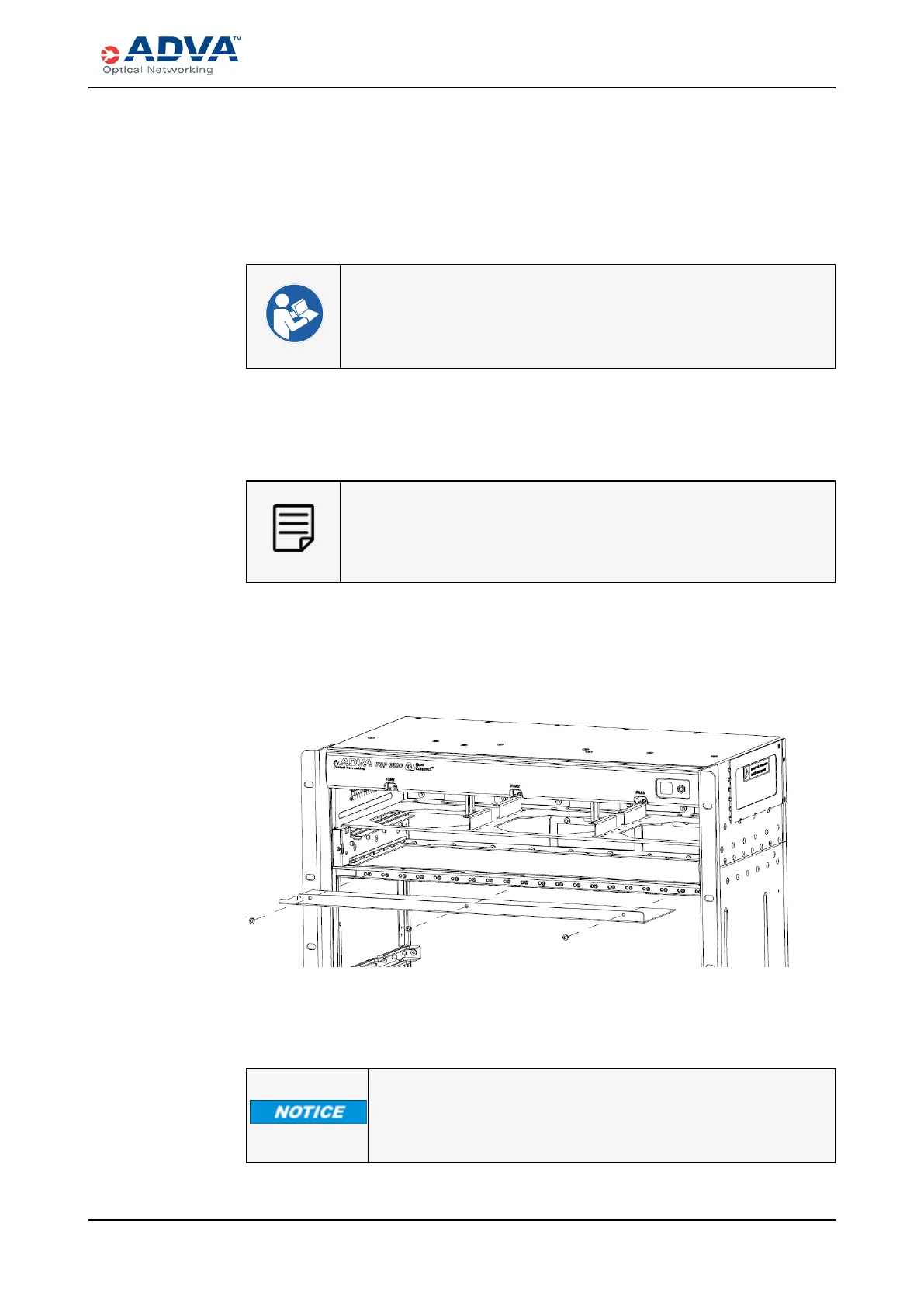
Removing the Protection Plate
This procedure assumes that:
l The shelf is mounted in the rack; and
l The modules are not installed.
1. Verify that you are properly grounded with an anti-static wrist strap or heel strap
connected to the grounded ESD jack.
2. Use the Torx T10 screwdriver to remove the three screws, as shown in this figure.
3. With both hands, carefully remove the protection plate.
4. Store the screws and protection plate for later use.
If you need to remove the shelf from the rack for any reason, re-install
the protection plate over the honeycomb area for safe shelf removal
before removing the shelf.
FSP 3000R7 High-Density Subshelf Guide - R17.2 - Issue:B 296



 To Next Page