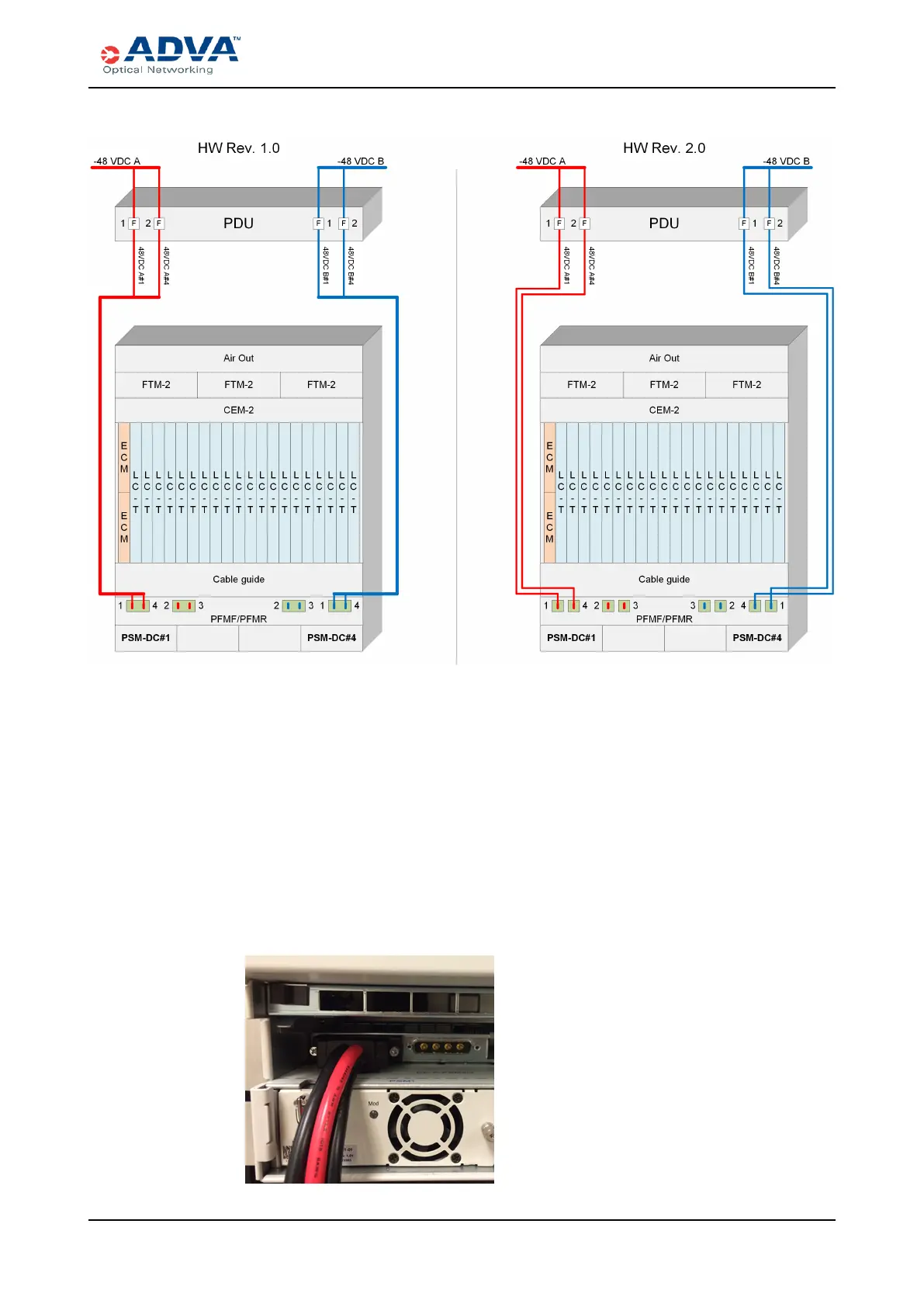
Connecting DC Power to the SH12 Shelf
Figure 100: 1+1 Configuration Wiring
5. Based on your configuration, identify the Power A input power connector(s) you will
use.
6. Connect the D-sub plug of the DC power cable to the appropriate power input
connector on the shelf (such as DC-A-PSM 1/4):
a. Holding the plug body, match the D-shaped metal shield on the plug with the D-
shaped shell of the power input connector on the shelf.
b. Push the plug straight in.
c. Use a Phillips screwdriver size 1 to turn the locking bolt on each side of the plug
to secure it. Do not overtighten the bolts. This figure shows the power cable
connected to the shelf.
Figure 101: DCpower connection
FSP 3000R7 High-Density Subshelf Guide - R17.2 - Issue:B 328



 To Next Page