Replacing the SH12 Air Filter Pad
7. Insert a replacement air filter pad of the same type and dimensions as the one you
removed into the air filter unit.
8. Close the air filter unit by pressing both unit parts together.
9. Insert the air filter unit into the shelf.
10. Slightly push the slide latches inwards, and then carefully slide the air filter unit to the
back.
11. Reinstall the lower front cover as described in Removing and Installing Front Covers.
12. Properly dispose of the dirty air filter pad.
To replace the air filter pad inside the lower front cover:
1. Verify that you are properly grounded with an anti-static wrist strap or heel strap
connected to the grounded ESD jack.
2. If installed, remove the lower front cover from the shelf as described in Removing
and Installing Front Covers.
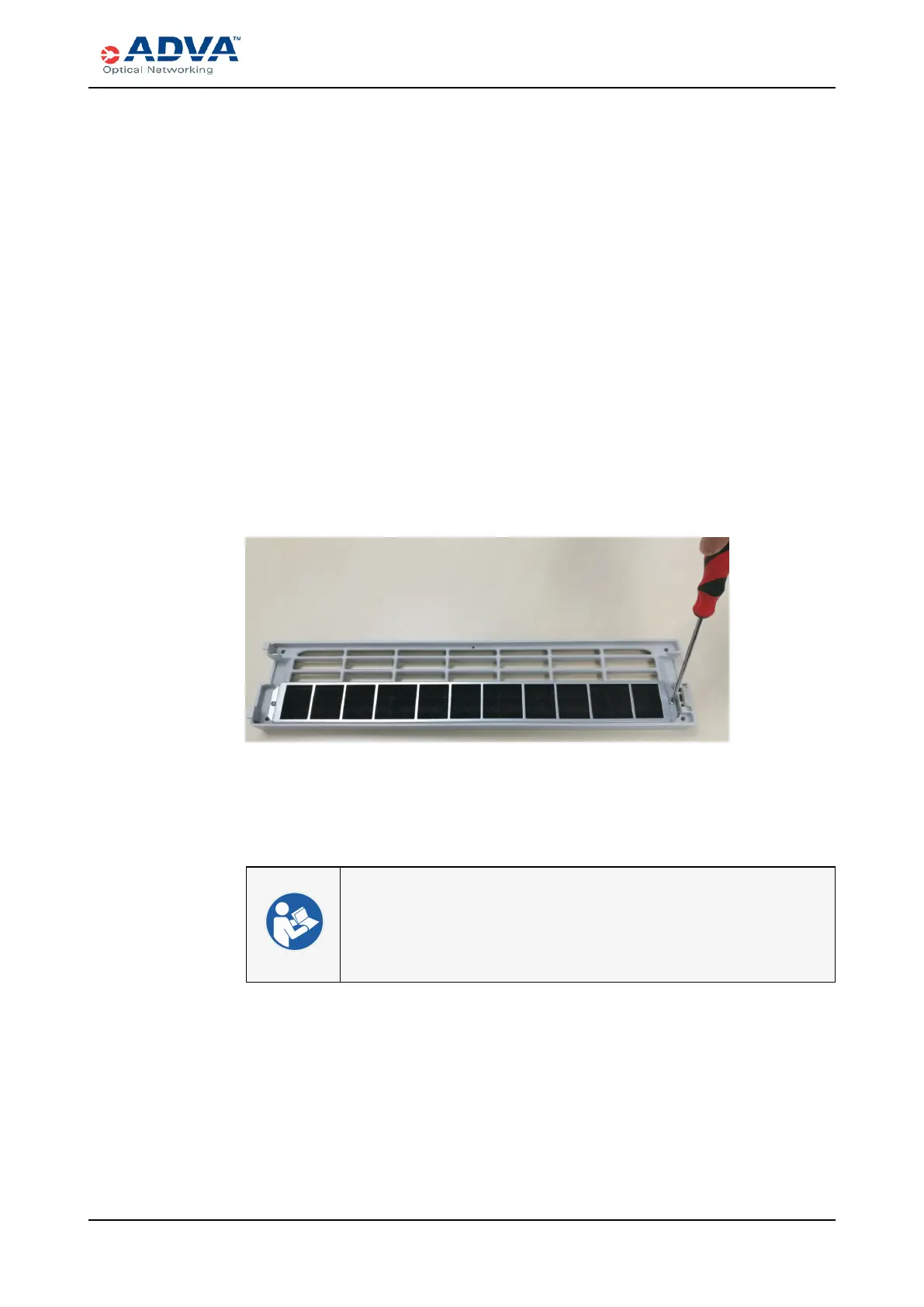
3. Use a screwdriver to remove the existing air filter pad from the inside of the lower
front cover.
4. Align the holes of the new air filter pad with the holes on the lower front cover.
Figure 116: Installing an Air Filter Pad
5. Use a screwdriver to insert the screws and secure the air filter pad to the cover.
6. Reinstall the lower front cover as described in Removing and Installing Front Covers.
7. Properly dispose of the dirty air filter pad.
l Cooling and Airflow
l Clearance Requirements
l Air Filter Pads
l Side Air Covers
FSP 3000R7 High-Density Subshelf Guide - R17.2 - Issue:B 358



 To Next Page