Replacing a Pluggable Transceiver
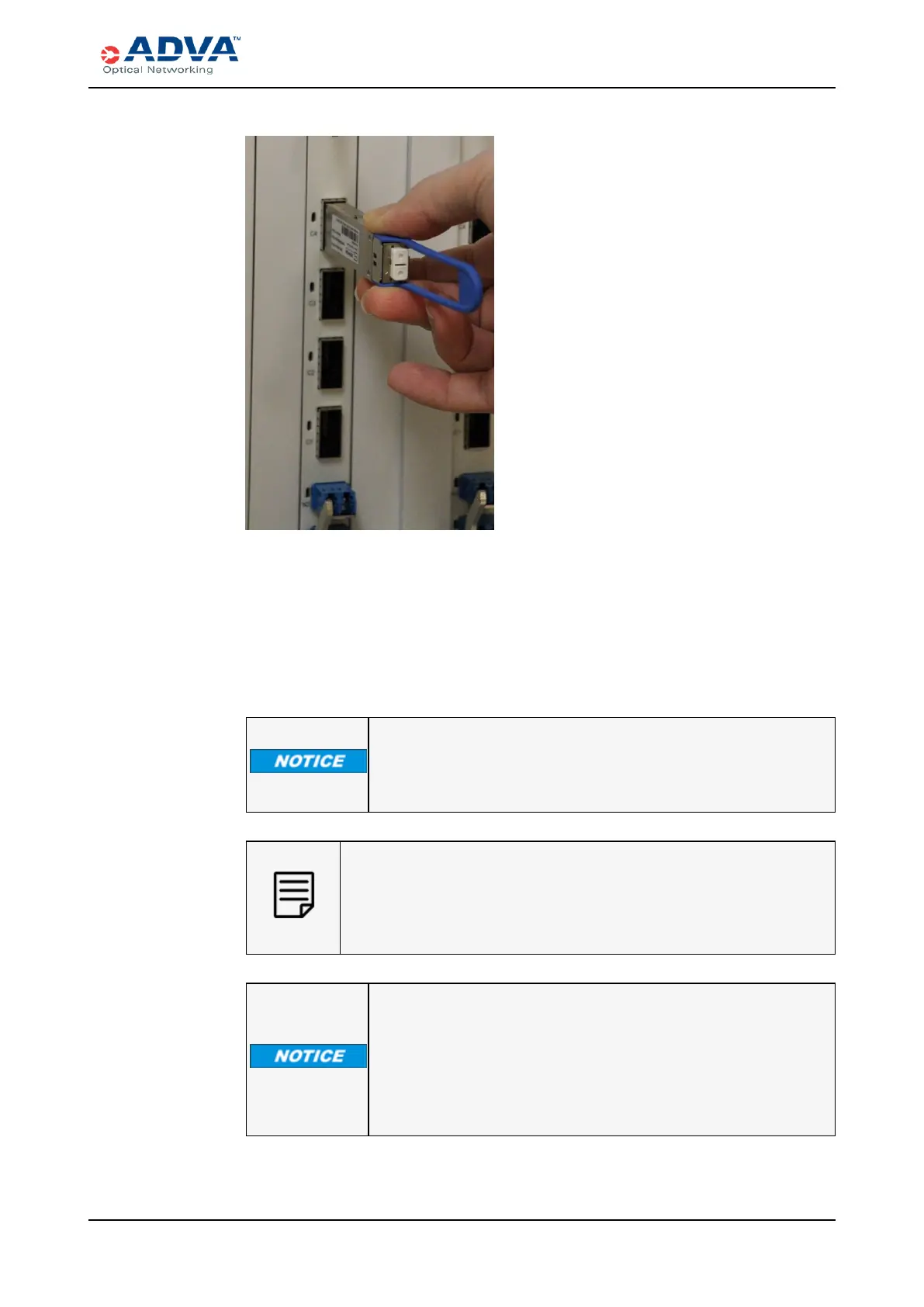
Figure 125: Inserting a QSFPPluggable Transceiver
6. Clean the fiber-optic connectors before you reconnect them.
7. Reconnect the various cables.
8. Look at the module LEDs to ensure they are operating correctly. For
LEDinformation, see Troubleshooting with Component LEDs .
9. Return the defective pluggable transceiver to ADVA Optical Networking as
described in Returning Equipment
Do not remove and insert a pluggable transceiver more often than
necessary. Frequent installation and removal of a pluggable
transceiver can shorten its lifespan.
After you remove a pluggable transceiver from the interface cage, wait for
at least one second before you reinsert it or insert another one.
Be sure to clean the fiber-optic connectors before you reconnect them
into the optical ports of the replacement transceiver module.
Always keep dust plugs on any open ports on the pluggable
transceivers. Strong airflow and pressure within the shelf could
cause open ports to become contaminated with dust.
If you disconnect optical cables to clean fiber-optic connectors and
receptacles, reattach the cables as soon as possible after cleaning to
help prevent dust contamination.
FSP 3000R7 High-Density Subshelf Guide - R17.2 - Issue:B 442



 To Next Page