xStack
®
DGS-3120 Series Layer 3 Managed Gigabit Ethernet Switch CLI Reference Guide
309
25-20 config dhcp_relay option_82 circuit_id
Description
This command is used to configure the DHCP relay option 82 circuit ID.
Format
config dhcp_relay option_82 circuit_id [default | user_define <sentence 32> | vendor1 |
vendor2 | vendor3 | vendor4 | vendor5 | vendor6]
Parameters
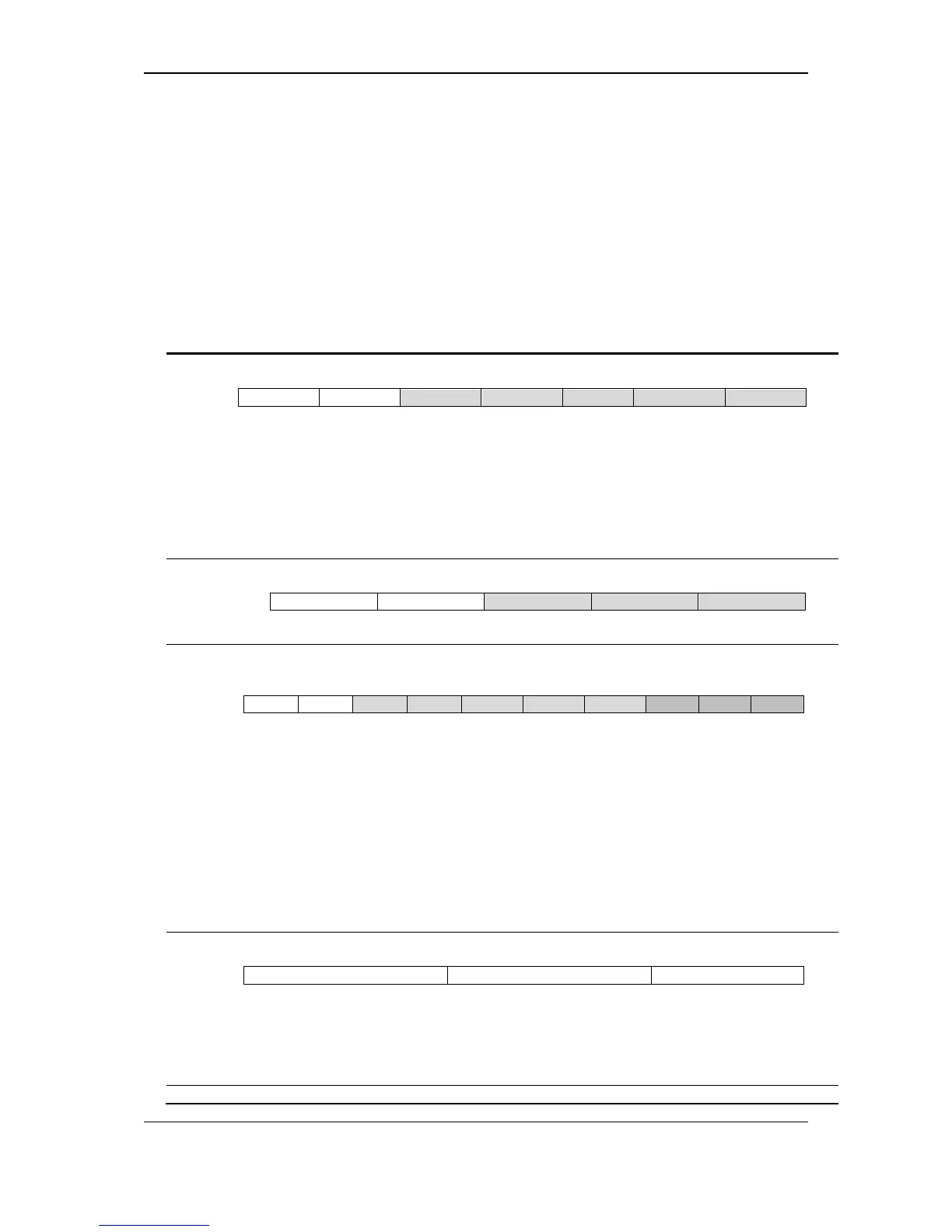
default - If configured to default, the circuit ID use the original format:
a. Sub-option type (1 means circuit ID)
b. Length, it should be 6.
c. Circuit ID’s sub-option, it should be 0.
d. Sub-option’s length, it should be 4
e. VLAN ID (S-VID)
f. Module ID, for standalone switch, it is 0; for stacking switch, it is the box ID that
assigned by stacking.
g. Port ID: port number of each box.
user_define - Use user-defined string as the circuit ID.
<sentence 32> - Enter the user-defined ID. Space is allowed in the string.
vendor1 - If configured to vendor1, the circuit ID uses the following format to communicate with
a. Sub-option type (1 means circuit ID)
b. Length
c. Circuit ID’s sub-option’s first tag, it should be 0.
d. First tag’s length, it should be 6
e. VLAN ID
f. Slot ID, for standalone switch, it is 1; for stacking switch, it is the box ID that assigned
by stacking.
g. Port ID: port number of each box
h. Circuit ID’s sub-option’s second tag, it should be 1.
i. Second tag’s length, it should be 6.
j. MAC address: System’s MAC address
vendor2 - If configured to vendor2, the circuit ID uses the following format:
a. Sub-option type, 1 indicates this is the Circuit ID.
b. Length: length of value
c. Value: Character string. The incoming port number of DHCP client packet, start with
character “p”. Ex: p02 means port 2. (No Circuit ID sub-option type, directly fill the
value.) For stacking port(1~768), The format of port 129(port 1 of box3) is p129.
vendor3 – If configured to vendor3, the circuit ID uses the following format:












 To Next Page