KRONE ISOBUS Terminal
181
Pos: 48.199 /BA/Inf o-Center/CCI-I SOBUS-Terminal/CCI- Rundballenpressen/ Hauptmenüs/Hauptmenü 7/ Menü 7-1 VT nur CF/CV @ 214\mod_139 0481128895_78.doc x @ 1757038 @ 33 @ 1
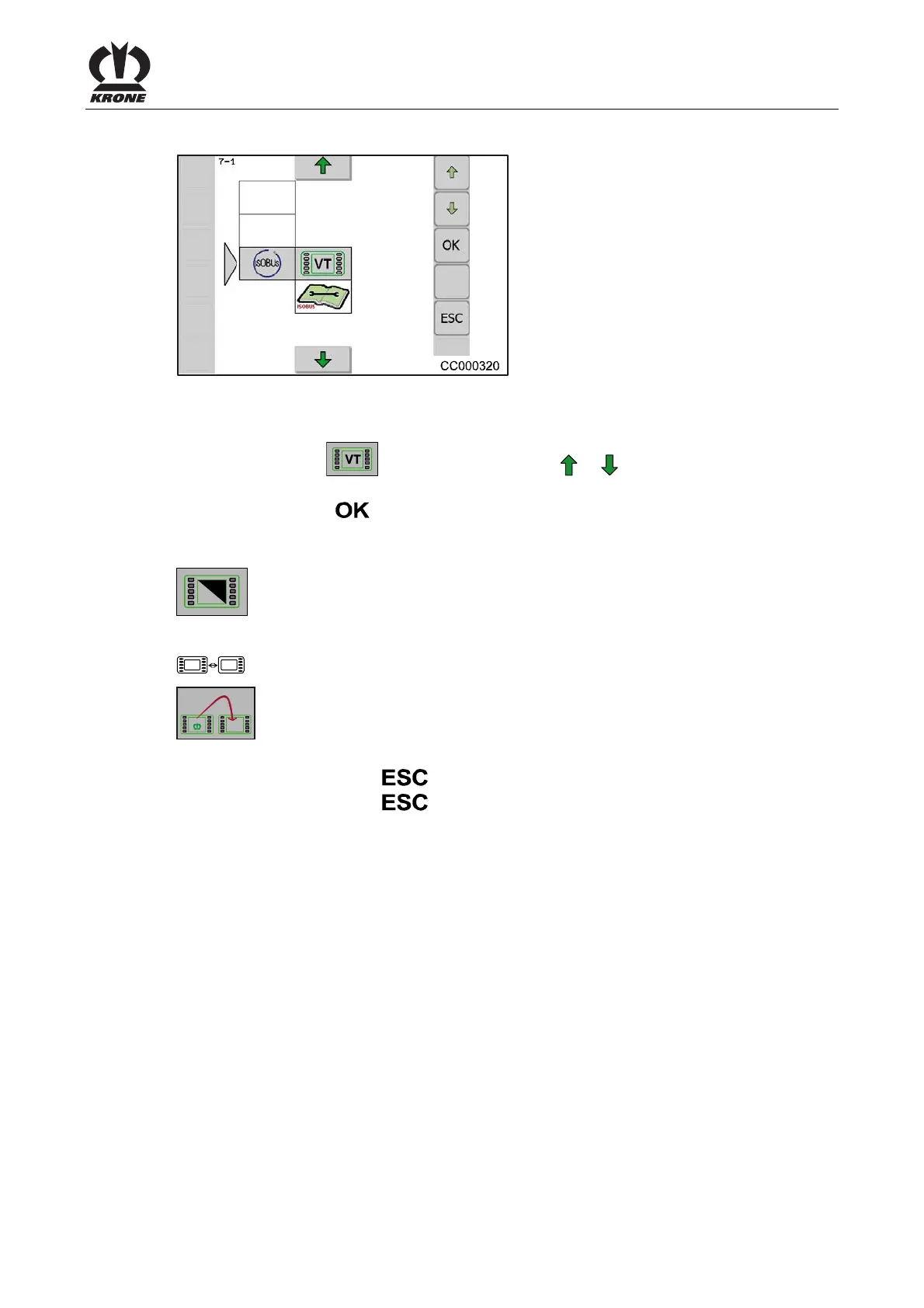
8.16.1 Menu 7-1 Virtual Terminal (VT)
Fig. 137
Calling main menu
Main menu 7 “ISOBUS” is called.
• Select menu 7-1 (
) by pressing function key or , the symbol is highlighted in
colours
• Press function key
The display shows menu level 7-1 “Virtual Terminal (VT)”.
The menu “Virtual Terminal (VT)” is divided into the following menus:
= Menu 1-7-1 „Switching Day-Night Lighting Display”
= Menu 1-7-3
“Softkeys ISO Terminal” (only appears on terminals with less
than 10 keys)
= Menu 1-7-4 “Switching to a Further Terminal”
Pos: 48.200 /BA/Inf o-Center/CCI-I SOBUS-Terminal/CCI- Rundballenpressen/ESC dr ücken @ 117\mod_13414117 37511_78.docx @ 1023 593 @ @ 1
• Pressing the function key closes the called up menu
• Pressing the function key
and holding it down brings up the basic screen
Pos: 48.201 /Layout Mod ule /---------- -----Seitenumbruc h------------- --- @ 0\mod_1196175311226_ 0.docx @ 4165 @ @ 1







 To Next Page