KRONE ISOBUS Terminal
145
Pos: 48.106 /BA/Inf o-Center/CCI-I SOBUS-Terminal/CCI- Press-Wickelvorric htung/Hauptmenüs/ Hauptmenü 2 Zähler/Menü 2-2 Gesamtballenzähler @ 53\mod_1289906858656 _78.docx @ 506964 @ 33 @ 1
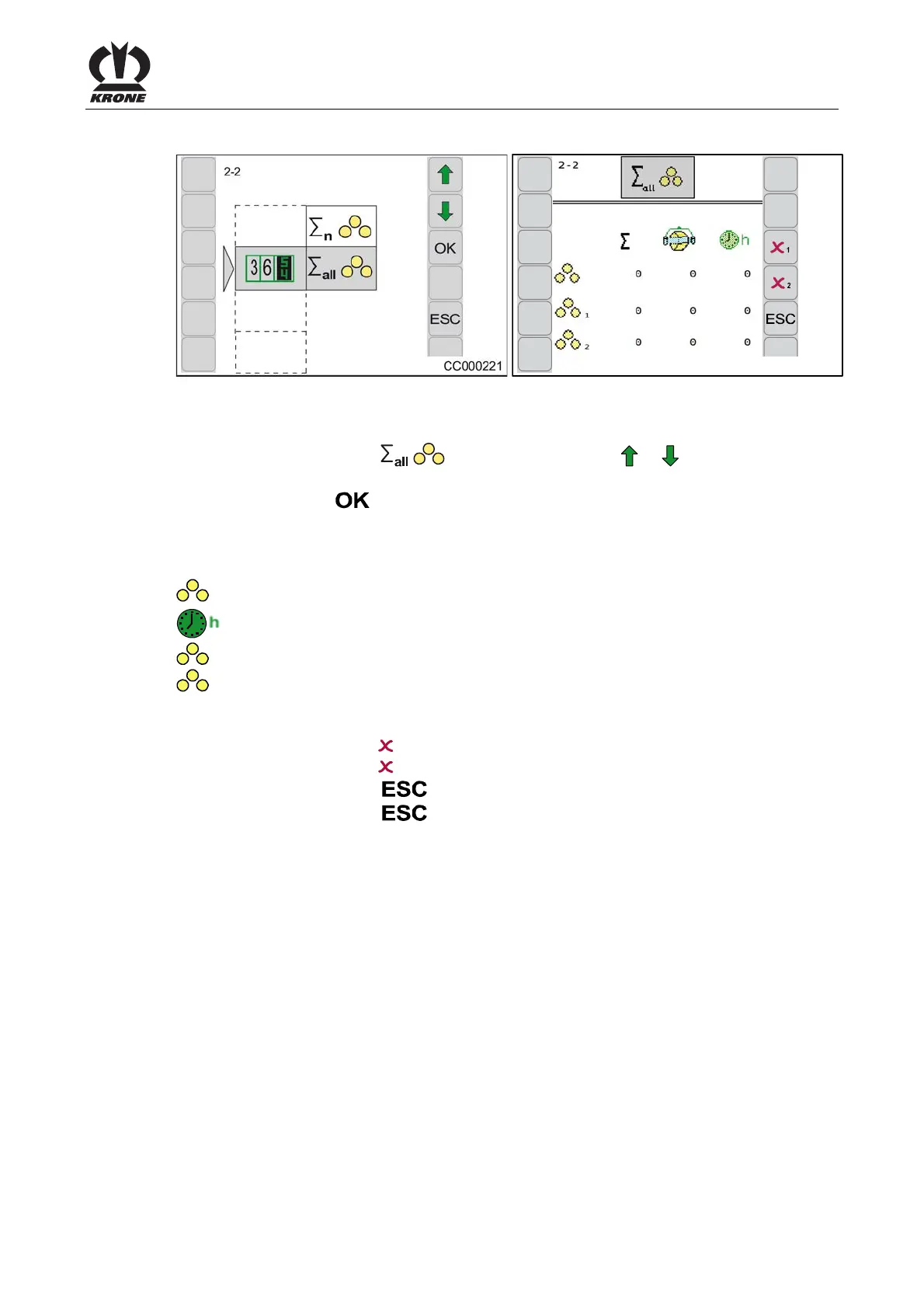
8.9.2 Menu 2-2 Total bale counter
CC000222
Fig. 107
Calling the menu
Main menu 2 "Counters" is displayed
• You can select menu 2-2
by pressing function key or . the symbol is
highlighted in grey.
• Press function key
.
The display shows menu 2- 2 "Total bale counter". The total number of bales is the sum of all
bales pressed. They are not assigned to any customer counter.
Meaning of the icons:
= Bale counters (cannot be deleted)
= Operating hours counter (counts only when P.T.O. shaft is running)
1
= Season counter 1 (can be deleted)
2
= Season counter 2 (can be deleted)
Deleting season counter 1 or daily counter 2
• Pressing the function key
1 sets season counter 1 to zero.
• Pressing the function key
2 sets season counter 2 to zero.
• Pressing the function key
closes the called up menu.
• Pressing the function key
and holding it down brings up the basic screen.
Pos: 48.107 /Layout Mod ule /---------- -----Seitenumbruc h------------- --- @ 0\mod_1196175311226_ 0.docx @ 4165 @ @ 1







 To Next Page