ISOBUS operation
200
Pos: 51.12 /Übersc hriften/Überschri ften 1/A-E/ISOBUS „Au xiliary“-Funktion ( AUX) @ 48\mod_1286278825265 _78.docx @ 460508 @ 22 @ 1
9.3 ISOBUS „Auxiliary“-function (AUX)
Pos: 51.13 /BA/Inf o-Center/Iso-Bedi enung/Hinweis Termina l die Auxilliary unterst ützen @ 48\mod_12862784 20671_78.docx @ 460483 @ @ 1
Note
There are terminals which support the additional function “auxiliary” (AUX). With this function,
programmable keys of the peripheral equipment (e.g. multi-function levers ...) can be assigned
with functions of the connected job computers. A programmable key can also be assigned with
several different functions. If key assignments are saved, accordant menus will appear on the
screen when switching on the terminal.
Pos: 51.14 /BA/Inf o-Center/Iso-Bedi enung/Rundballenpr essen/Folgende Funktione n für Auxiliary zur Verfügung CF/CV @ 219\mod_13 91087934324_78.doc x @ 1777309 @ @ 1
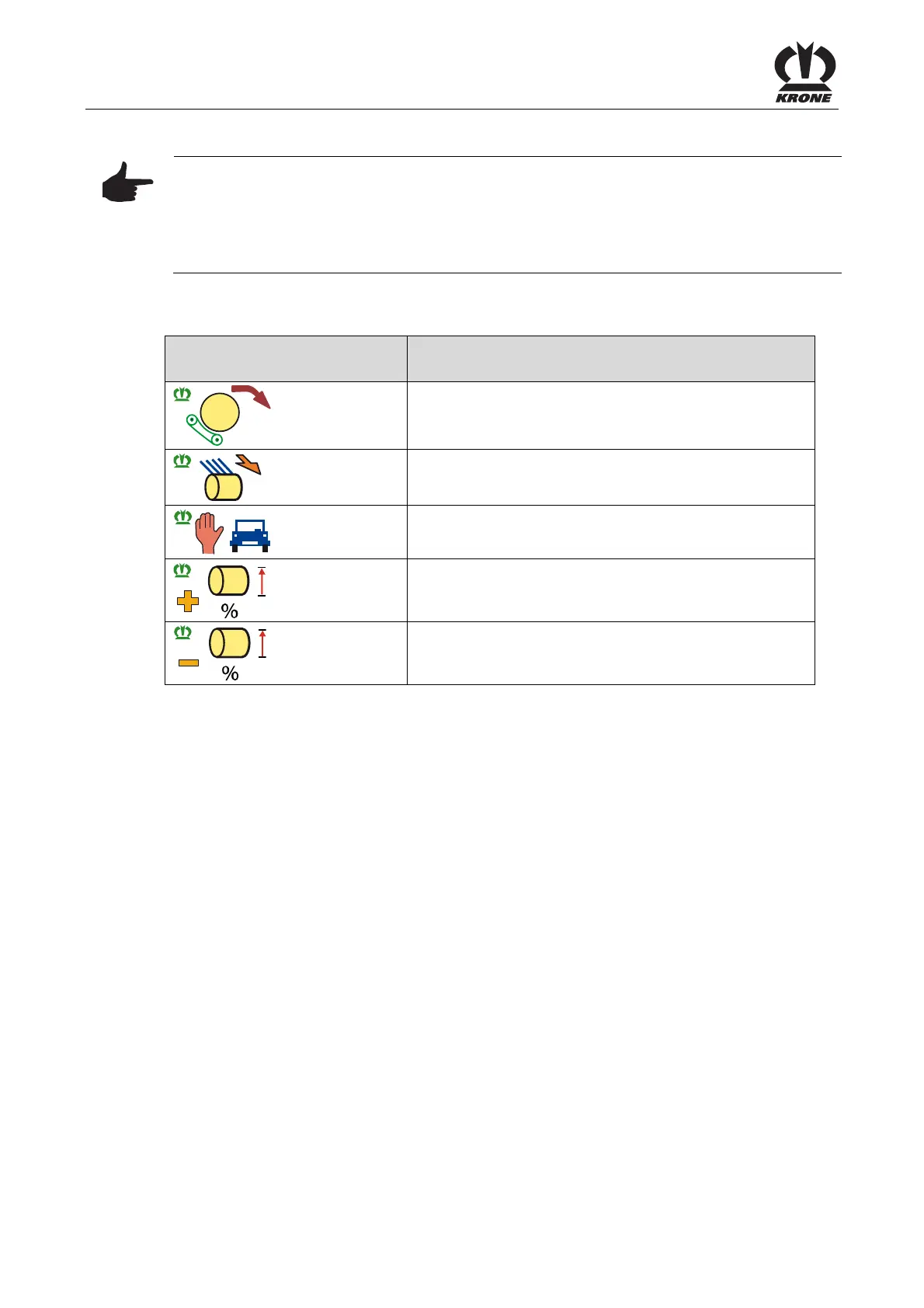
The following functions are available in the Auxiliary (AUX) menu:
Auxiliary functions
(graphic display)
Function
Put bale down
Start tying
Start tying auto/manual
Reduce set filling
Increase set filling
Pos: 51.15 /Layout Module /---------------Seitenumbruch---------------- @ 0\mod_1196175311226_0. docx @ 4165 @ @ 1







 To Next Page