REV 0, June 2005 Page 81
Operation Manual SUPREMA
4. Operation of the System
Maintain
Calibration
To calibrate the individual gas detection inputs a manual or semi-automatic (not yet available)
calibration procedure can be used. After a calibration process has been started using the MDO
operation/display unit, a ‘Zero’ gas must be introduced by maintenance personnel. Then a
‘Test’ (span) gas must be introduced. The results of a calibration are then displayed and are
considered valid thereafter.
Calibration parameters for the individual inputs can be set in the calibration menu. From that
point on the calibration is controlled.
The menu is divided into two submenus:
• “Start calibration“
• “End calibration“
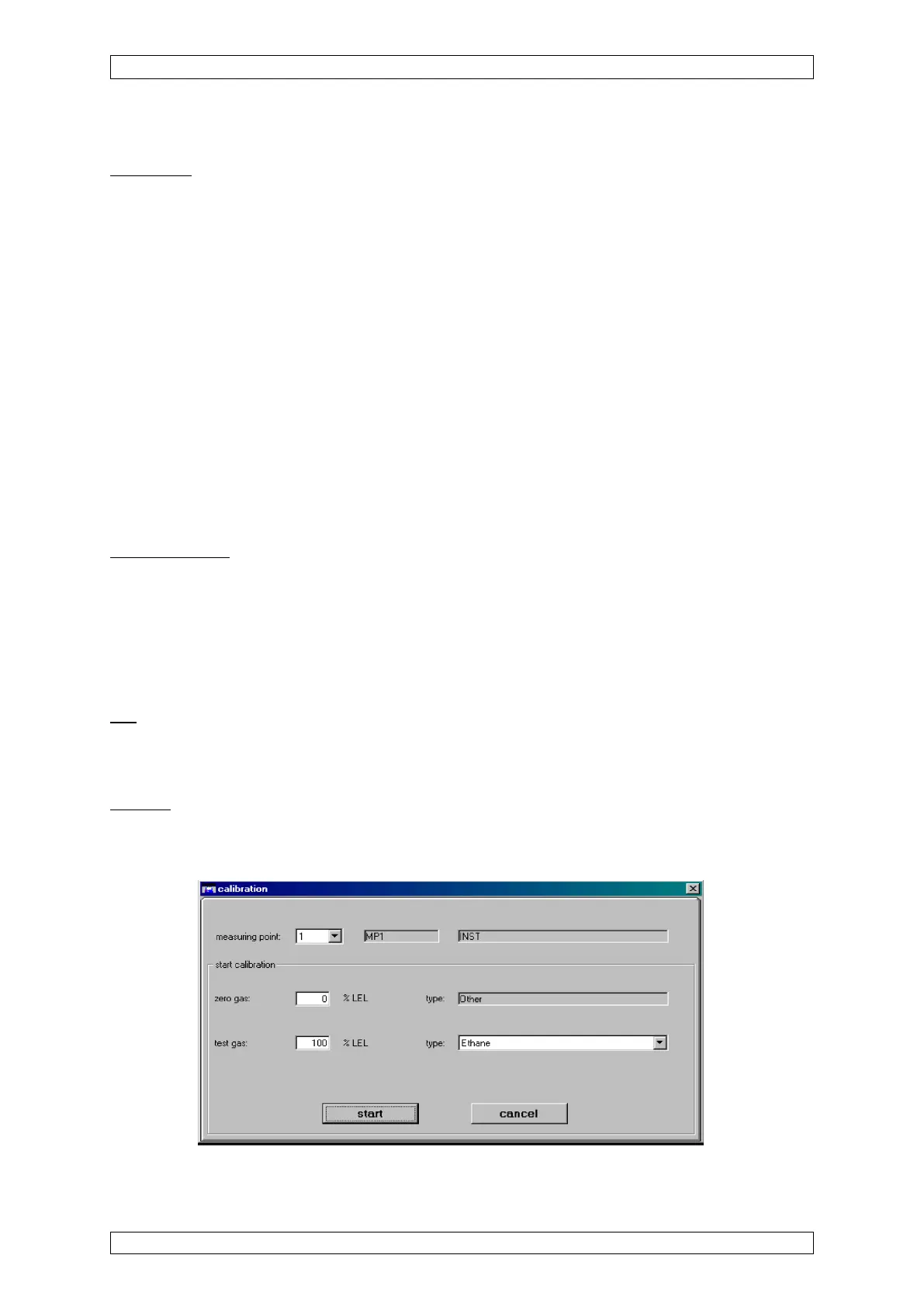
If an input is selected that is not already in calibration mode, the “Start calibration” menu appears.
If an input is selected that is already in calibration mode, the “End calibration” menu appears.
The functions of the individual menu items are described below.
The “measuring point”, “Tag” and “Marking” fields are contained in both submenus.
Measuring point
Field type: Selection
The field contains a list of all configured inputs. After an input number is selected, the rest of the
menu is filled, depending upon whether or not the input is in calibration mode.
Global parameter changes and actions using the menu items described below apply to
the input selected in this field.
Tag
Field type: Display
The field shows the customer-specific designation of the selected input.
Marking
Field type: Display
The field shows the customer-specific description for the selected input.
Figure 4-29: “Start calibration“ submenu



 To Next Page