REV 0, June 2005 Page 65
Operation Manual SUPREMA
4. Operation of the System
Signal UY:
Field type: Display
When passive sensors and MPI modules are used the amplified sensor signal UY (mV) is
displayed. The signal consists of a fixed gain that depends on the MPI module type and an
offset voltage.
When active sensors and MCI modules are used, dashes are displayed in this field.
4.3 PC Operation
4.3.1General
Connecting a PC to serial interface A of the integral operation/display unit (see section 9.1
Connection of a PC/Laptop) provides a user friendly operator interface.
The PC operating program described below runs under the existing Windows platform. The
user should already have general knowledge about working in the Windows environment.
4.3.2 Entering system parameters
Structure of the PC operating program
The operating program is divided into four windows:
• Measure
• Setup
• Maintainance
• Diagnosis
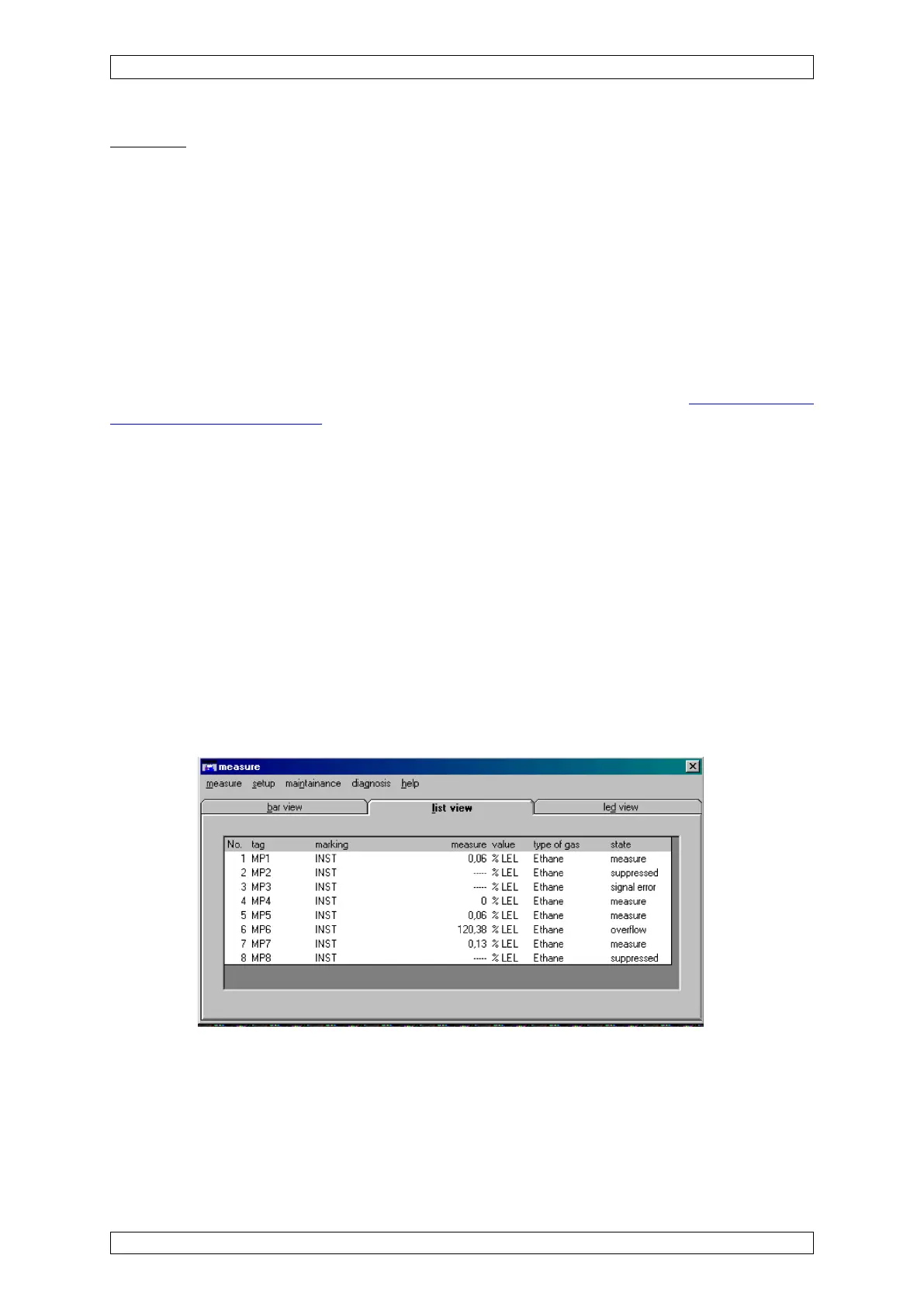
When the program is started, the “Measure” main window appears and displays the
measurement data.
Figure 4-18: “Measure” main window
The other windows can be called up from the menu list in this window.
Access Authorisation
In the “Setup” and “Maintain” submenus, data can be displayed and entered and certain actions
can be initiated by pressing buttons (e.g., starting a calibration procedure). However, the last



 To Next Page