REV 0, June 2005 Page 45
Operation Manual SUPREMA
4. Operation of the System
No
Number of the input in the system. This number is set by the System and
cannot be changed by the user.
Tag
The customer-defined input number is displayed here.
Value
Numerical value and unit of measurement. The measured values are dis-
played in intervals, as long as they are within the measuring range. If the
measuring range is exceeded, the highest value reached is retained. In the
case of signal failure or an alarm supression (during warm-up period of spe
cific sensor types), dashes are displayed instead of the measured value.
Status
Current status of the input
The status is updated at intervals and the following values can be displayed:
- Measure
- Calib. (calibrating)
- inhibit
- Overflow (Measured value above full scale)
- Signal Err. (Measuring value below measurement range, measuring value
missing)
- Suppressed (alarm suppression during warm-up period of specific sensor
types)
- 1st to 4th alams
- Free (sensor has not yet been installed)
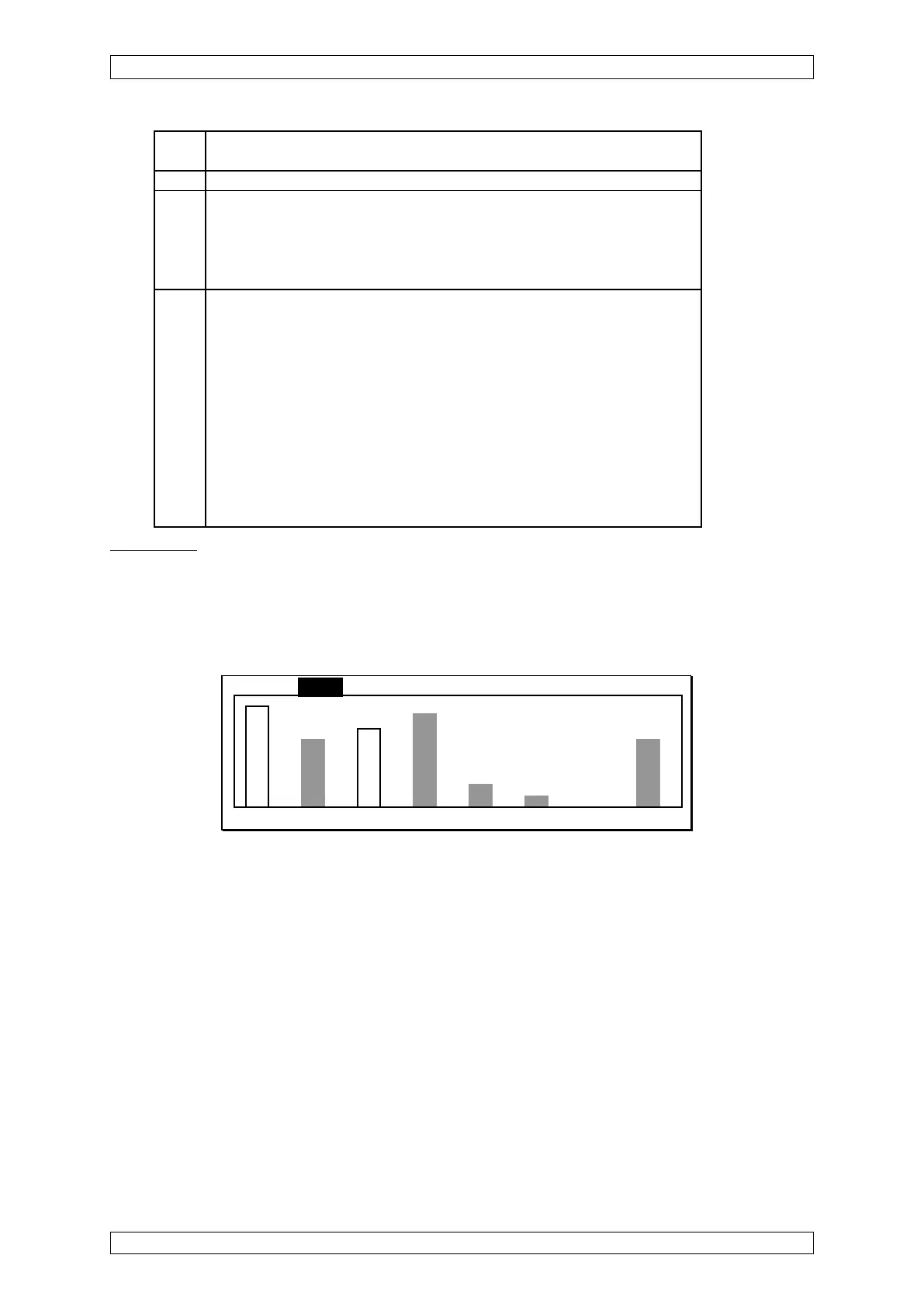
Bar Display
This display shows the measurement values as vertical bars, where each bar represents the
relative measurement value of an input with respect to full scale. The value range that can be
displayed is 0 ... 100%.
The corresponding input number is shown under each bar.
List Bars LEDs Menu
F F S
1 2 3 4 5 6 7 8
Figure 4-4: Bar display
Measurement values are normally displayed as solid bars. In error-free operation with no alarms,
they are grey. Any alarm will cause the corresponding bar to change to black.
When a status message occurs for an input, the affected bar is shown only as an outline and
there is an identification letter for the status value.
Legend:
L Inhibit
C calibrating
F Fault (measuring value below range, measuring value missing)
O measurement range exceeded (overflow)
S Alarm suppressed
(during the warm-up period of special sensor types)



 To Next Page