REV 0, June 2005Page 212
Operation Manual SUPREMA
9. Connection of Peripherals
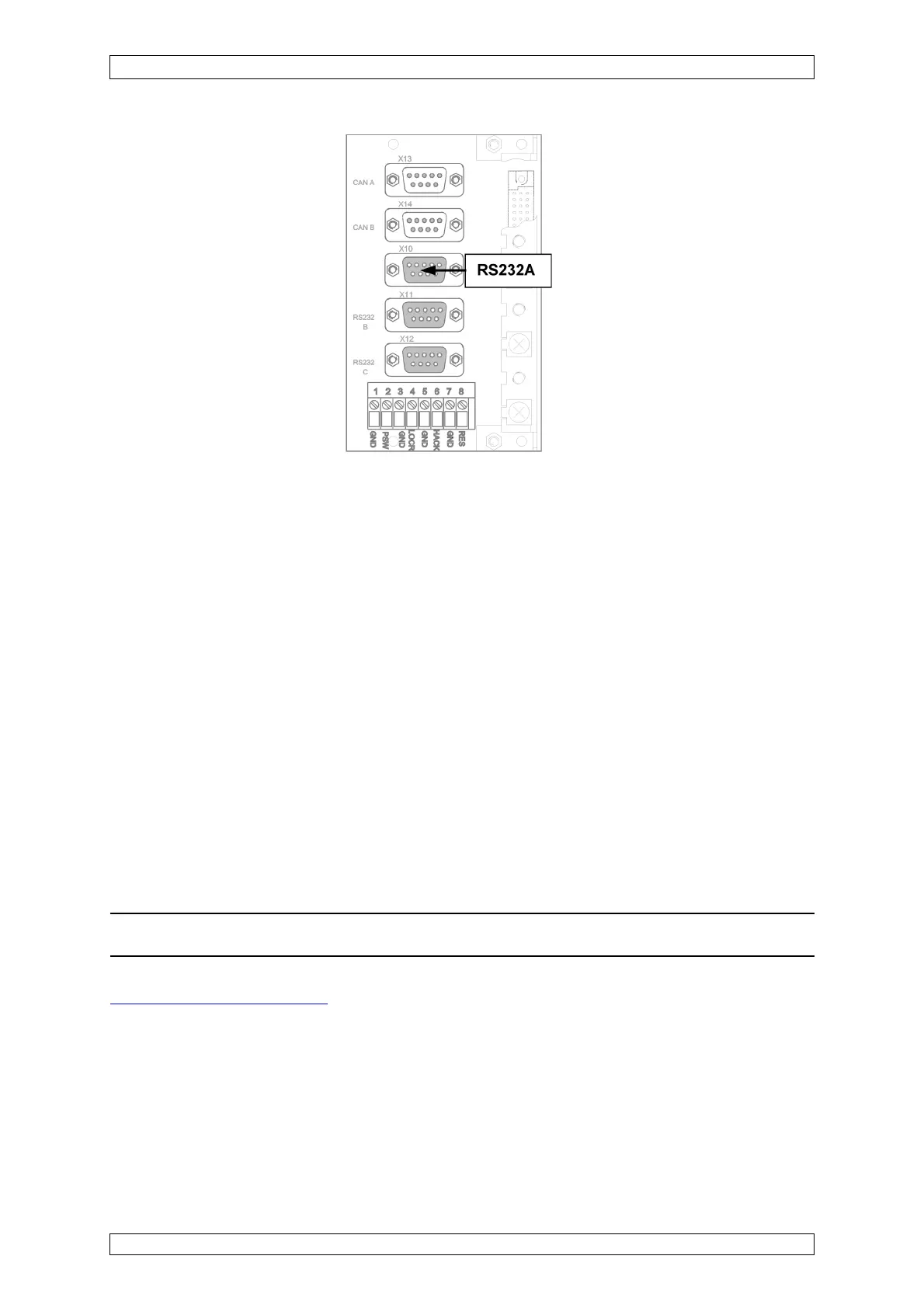
Figure 9-2: MST module, RS 232-A port
The PC/laptop is connected via the serial interface (RS 232). The necessary settings for the
interface are described in the following sections.
9.1.1Operating Software
PC operating software is available as an option to improve the convenience of the operation
and configuration of the SUPREMA system. The software is available on CD-ROM. It is installed
on the PC/laptop by running the setup program (Setup.exe) from the CD.
The PC should satisfy the following minimum requirements:
• Pentium I/200 Mhz/32 MB of RAM
The operating software runs under the following operating systems:
• Windows 95/98/ NT4.0
The serial interface of the PC/laptop must be configured in accordance with the following
specifications:
• RS 232 configuration (COM1): 19200 baud, 8 data bits, 1 stop bit, parity none
Note: The operating software can be connected over COM 1–4!
Section 4.3 Operating by PC describes in detail how to use the software.
9.1.2Display Software
On request, display software customized to customer specifications can be provided.
The program is made available on CD-ROM.
How to use the software is described in detail at the enclosed operation instructions.



 To Next Page