REV 0, June 2005 Page 39
Operation Manual SUPREMA
4. Operation of the System
4. Operation of the System
4.1 Operation
4.1.1 General
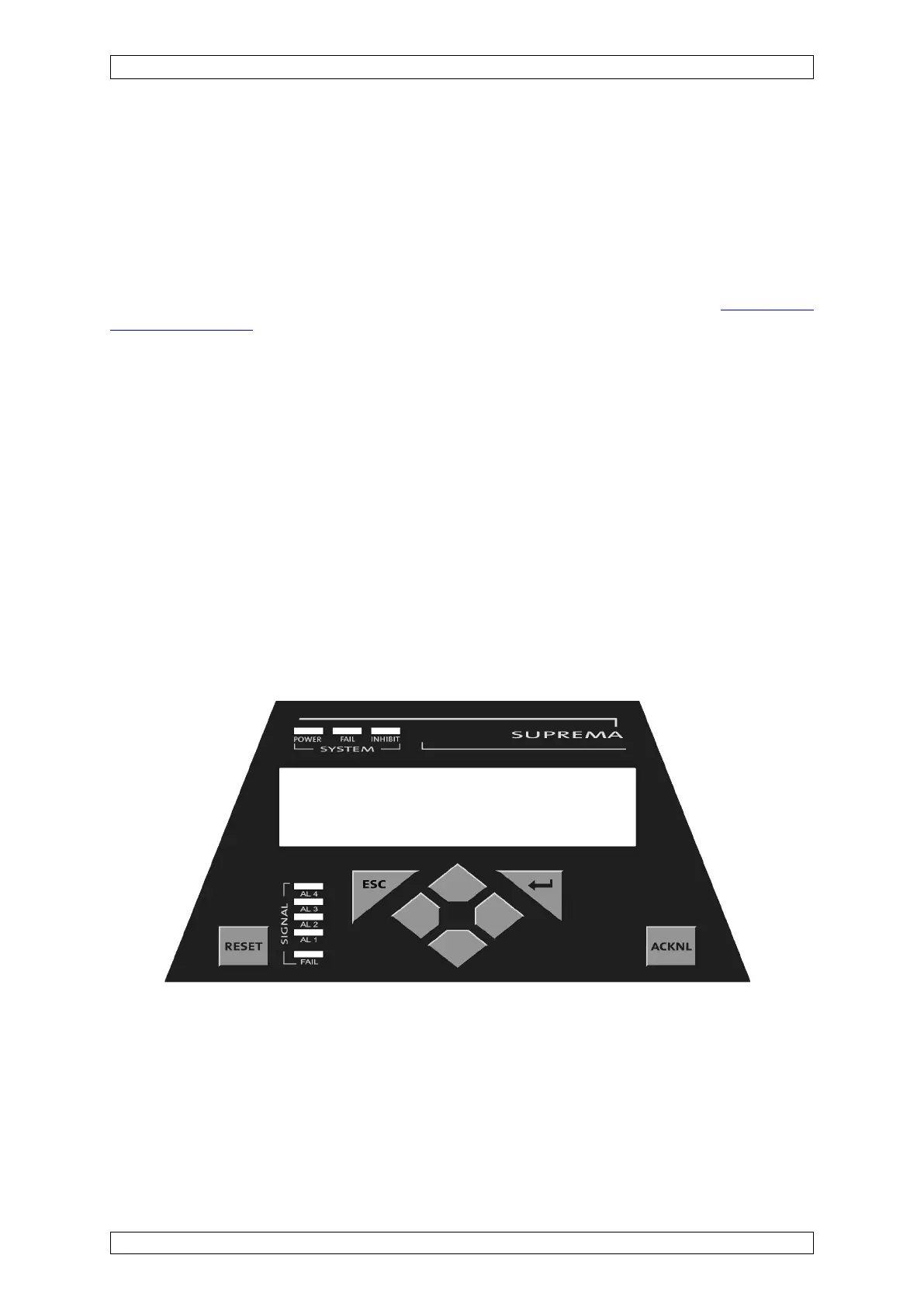
The modular control system’s user interface is the integrated operation/display unit (MDO-
module – see section 4.2). This unit displays alarms and warnings as well as system parameters.
Connecting the operating unit to a PC permits a user friendly operator interface
(see section
4.3 PC Operation).
Both the PC program and the SUPREMA system use window-based operating platforms. The
input fields are set up as selection fields as much as possible, with all known inputs displayed.
Selection is cursor-controlled, which makes use of the integrated operation/display unit very
easy.
4.2 Integrated Operation/Display unit MDO10
4.2.1General
The integrated operation/display unit includes the following display and operation components:
• LCD with 240 x 64 resolution
• 8 keys
• 8 LED’s
The LCD screen has 8 rows with 40 characters per row. Character height is approximately 4
mm. The menus and output lists are structured so that operation is similar to that on a PC.
Figure 4-1: Integrated operation/Display unit-MDO-module



 To Next Page