REV 0, June 2005 Page 59
Operation Manual SUPREMA
4. Operation of the System
Start
Field type: Button
Pressing this button starts the calibration process and automatically inhibits the output. After
the button is pressed, the parameters are immediately checked to see if they are valid. If the
parameters are valid and the selected input is not in alarm mode or inhibited, the calibration
process begins and the “Calibration end” submenu appears.
Cancel
Field type: Button
Pressing this button cancels the parameter changes and closes the menu.
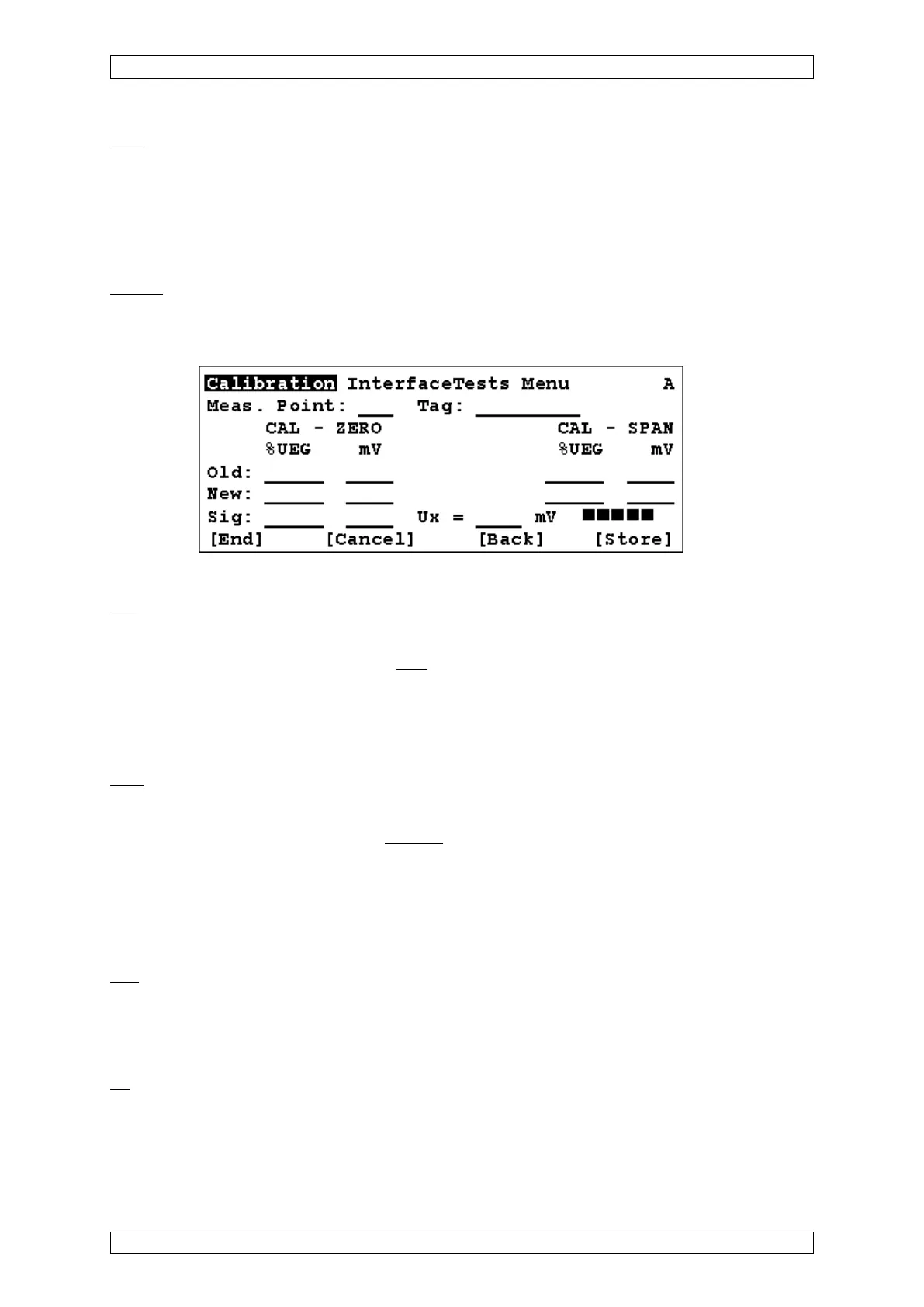
Figure 4-14: “End calibration” submenu
Old
Field type: Display
These fields display the data from the
last calibration, if the input has already been calibrated.
• Measurement value and internal signal UA for zero gas (CAL-ZERO)
• Measurement value and internal signal UA for test gas (CAL-SPAN)
The dimensions of the values are shown directly above the values.
New
Field type: Display
These fields display the data for the
current calibration process.
In the case of semi-automatic calibration (not available at present), the system automatically
fills the signal values (mV) captured for zero gas (CAL-ZERO) and span gas (CAL-SPAN) in
the fields “value” and “internal signal UA”, as soon as the calibration phase has finished. In
manual calibration, the current measurement value is captured and placed in the corresponding
field when the “Store” button is pressed, depending on the calibration phase.
Sig.
Field type: Display
The current measured value and the current internal signal UA are displayed and updated every
second.
Ux
Field type: Display
Display of the current difference signal Ux at passive sensors, if the measure point has already
been calibrated. Otherwise no value is displayed (which means: no preliminary calibration done)
or ***** (active sensor) is shown.



 To Next Page