REV 0, June 2005 Page 77
Operation Manual SUPREMA
4. Operation of the System
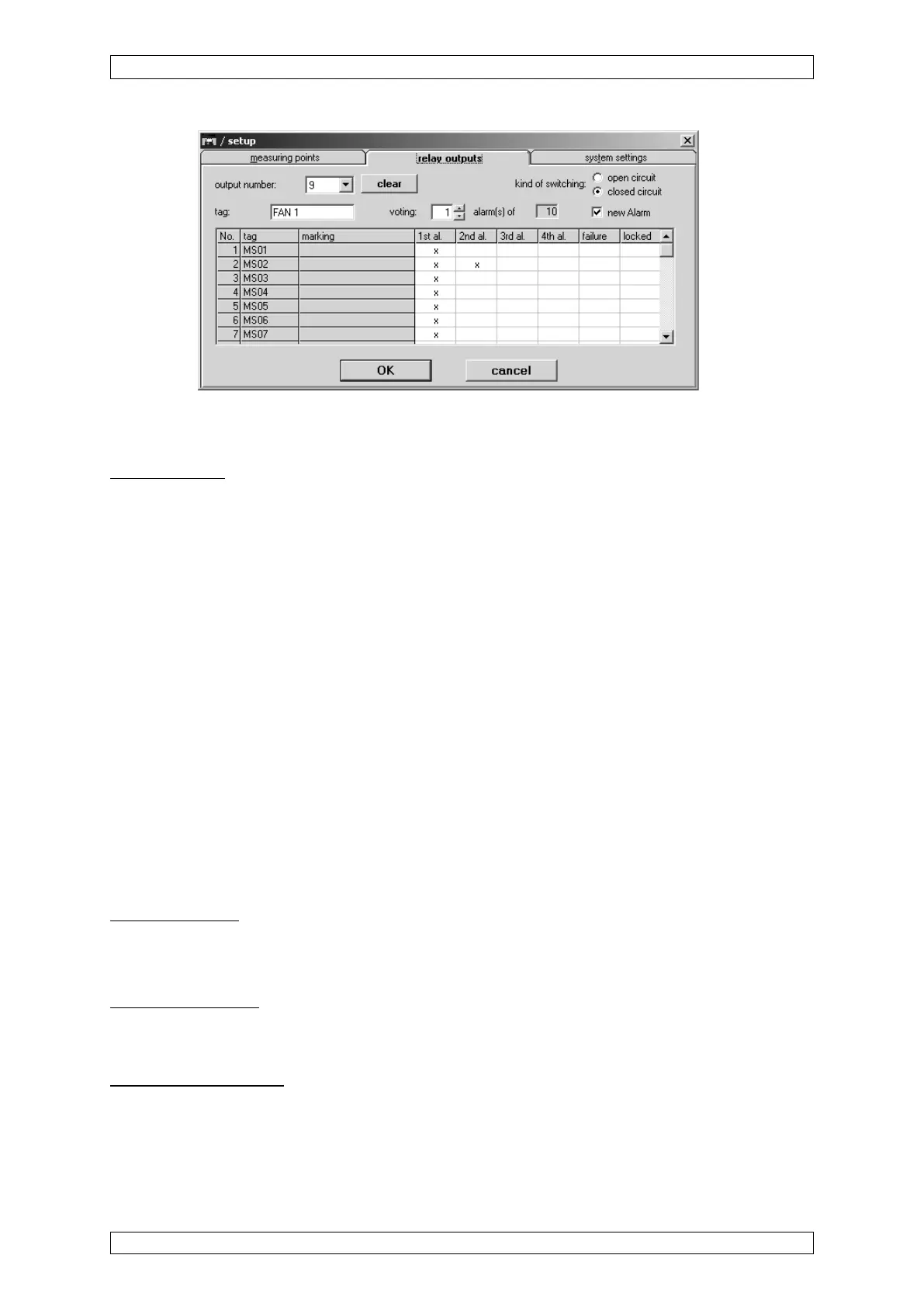
Figure 4-27: Relay output menu
The functions for the individual menu elements are described below:
Output number
Field type: Selection
This field contains a list of the physical available relay outputs. Futher the relay outputs who
are no more physical available whose parameter however are stored in the system yet are
contained. The latter can be remove from the selection only then when the user cancel the
field.
After an output number is selected, the rest of the menu is filled, if settings have already been
entered for that output.
If an output number is selected that has not been configured before, the settings from the last
displayed output remain and are used as the preliminary settings for the new output. This
makes it easy to copy the settings from one output to another.
This input field can be accessed without a key switch or password if an output is entered for
which parameters have already been set. If a number is entered that has not been used before,
authorisation by means of password or key switch is required.
If an output is displayed that has not yet been configured, default values are used as the
preliminary settings for the input fields.
All parameter changes using the menu items described below apply to the selected
relay in this field.
Kind of switching
Field type: Option
Set the operating mode for the selected relay output:
Normaly energised:
The relay output delivers in the set-condition (Alarm, Failure) a LOW-Signal, this is called a
connected relay is not energised.
Normaly de-energised:
The relay output delivers in the set-condition (Alarm, Failure) a HIGH-Signal, this is called a
connected relay is energised.



 To Next Page