REV 0, June 2005Page 70
Operation Manual SUPREMA
4. Operation of the System
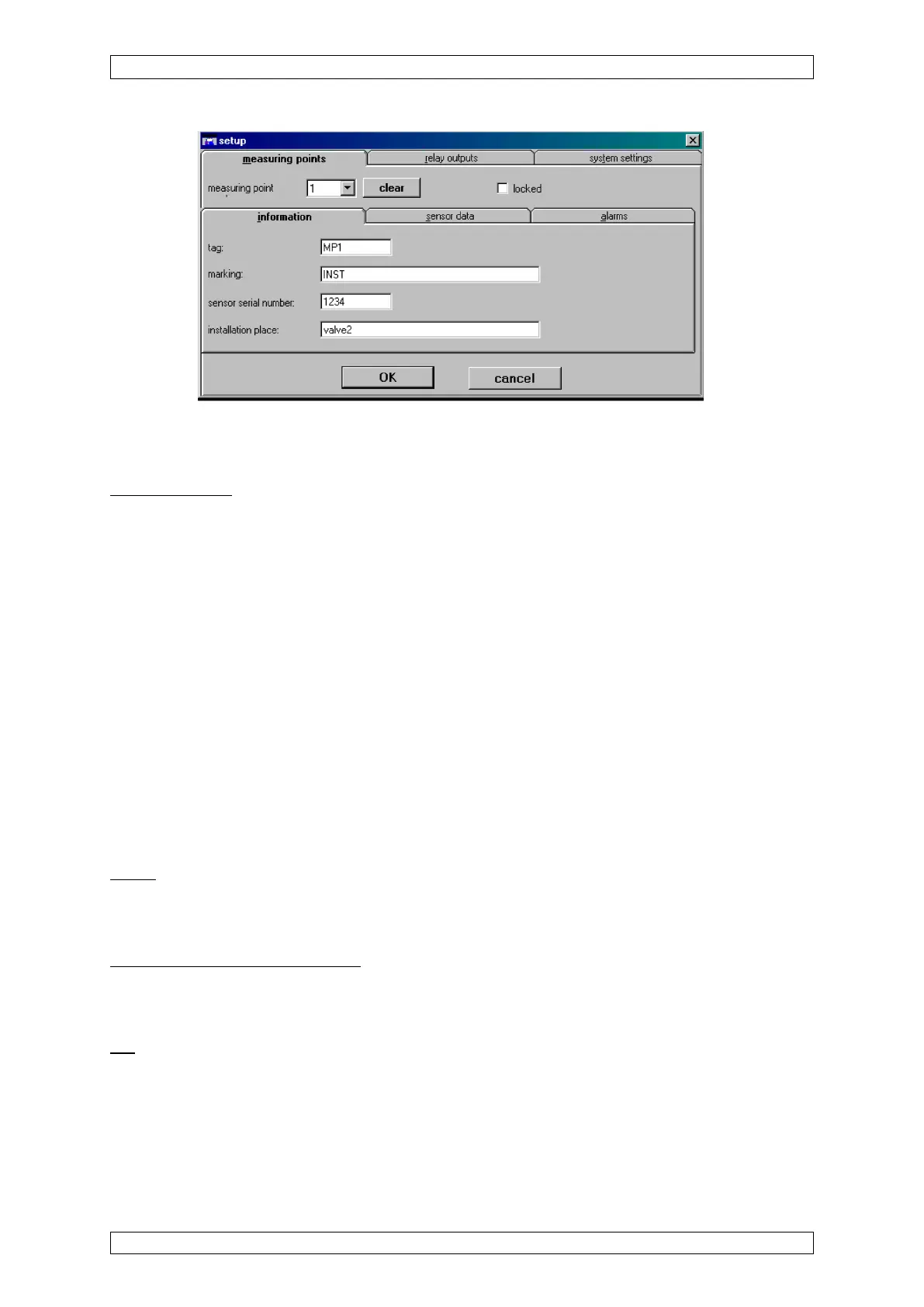
Figure 4-22: Measure point menu
The functions of the individual menu items are described below. The first items discussed are
those that are identical in all three sub-menus.
Measuring point
Field type: Selection
The field contains a list of all configured inputs. It also contains inputs which no longer physically
exist, but whose parameters are still stored in the system. Those inputs are only removed from
selection when the user deletes them in the Measure Point menu.
After an input number is selected, the rest of the window is filled, if settings have already been
entered for that input. If an input number is selected that has not been configured before, the
settings from the last displayed input remain and are used as the preliminary settings for the
new input. This makes it easy to copy the settings from one input to another. If an input is
displayed that has not yet been configured, default values are used as the preliminary settings
for the input of certain fields.
This selection field can be accessed without a key switch or password if an input is entered for
which input parameters have already been set. If a number is entered that has not been used
before, authorisation by means of password or key switch is required.
All parameter changes using the window items described below apply to the inputs
selected in that field.
Inhibit
Field type: Check box
If this check box is enabled, the selected inputs cannot trigger alarms.
Information, Sensor data, Alarms
Field type: List
Selecting the appropriate item will display the corresponding submenu.
OK
Field type: Button
Press this button to accept the settings entered in all three submenus for the selected input.
After the button is pressed, the parameters are immediately checked to see if they are valid. If
the parameters are valid, they become part of the system’s parameter set. If not, a warning
appears and the user can correct the settings.



 To Next Page