Do a basic copy job
Introduction
The main steps of a basic copy job are described below.
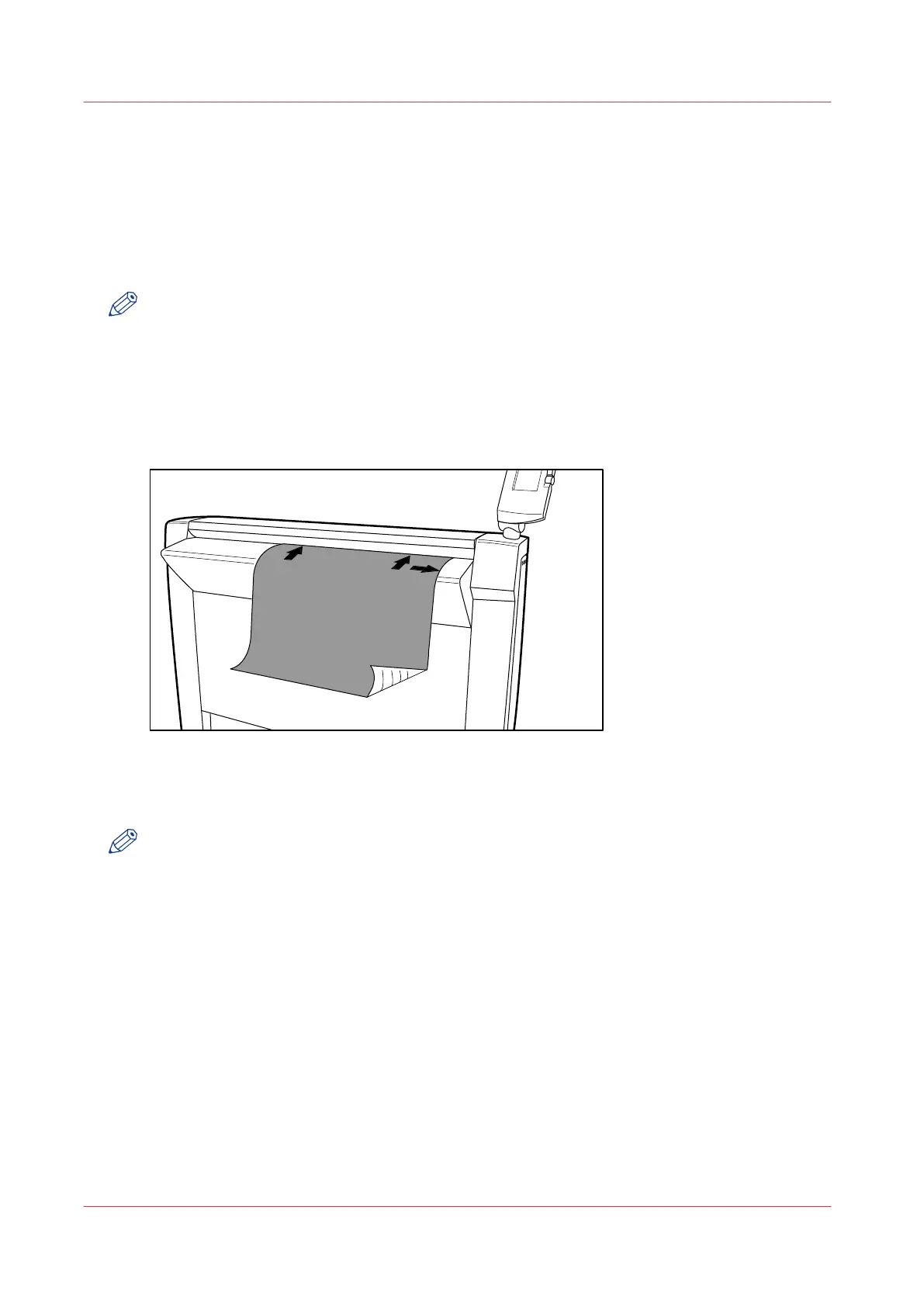
• Place your original face-down, right aligned along the original guide. Keep the legend at your
right-hand side.
• Press the green start key.
NOTE
To detect the width of the drawing, the scanner will feed the original in and out once before it
feeds in the complete drawing (auto width detection).
Procedure
1.
Place the original face down and right aligned as illustrated below.
The scanner takes the original.
[36] Place the original face down and right aligned
2.
Press the green start key.
The scanner operator panel shows the copy job number and the status of the copy job.
NOTE
You can copy faster when you feed the original in landscape direction.
Result
The scanner makes a copy. The copy is sent to the Océ PlotWave 750 printer and will be printed
immediately or stored in the Smart Inbox in Océ Express WebTools.
Do a basic copy job
184
Chapter 5 - Use the Océ TC4 scanner for copy and scan-to-file jobs



 To Next Page