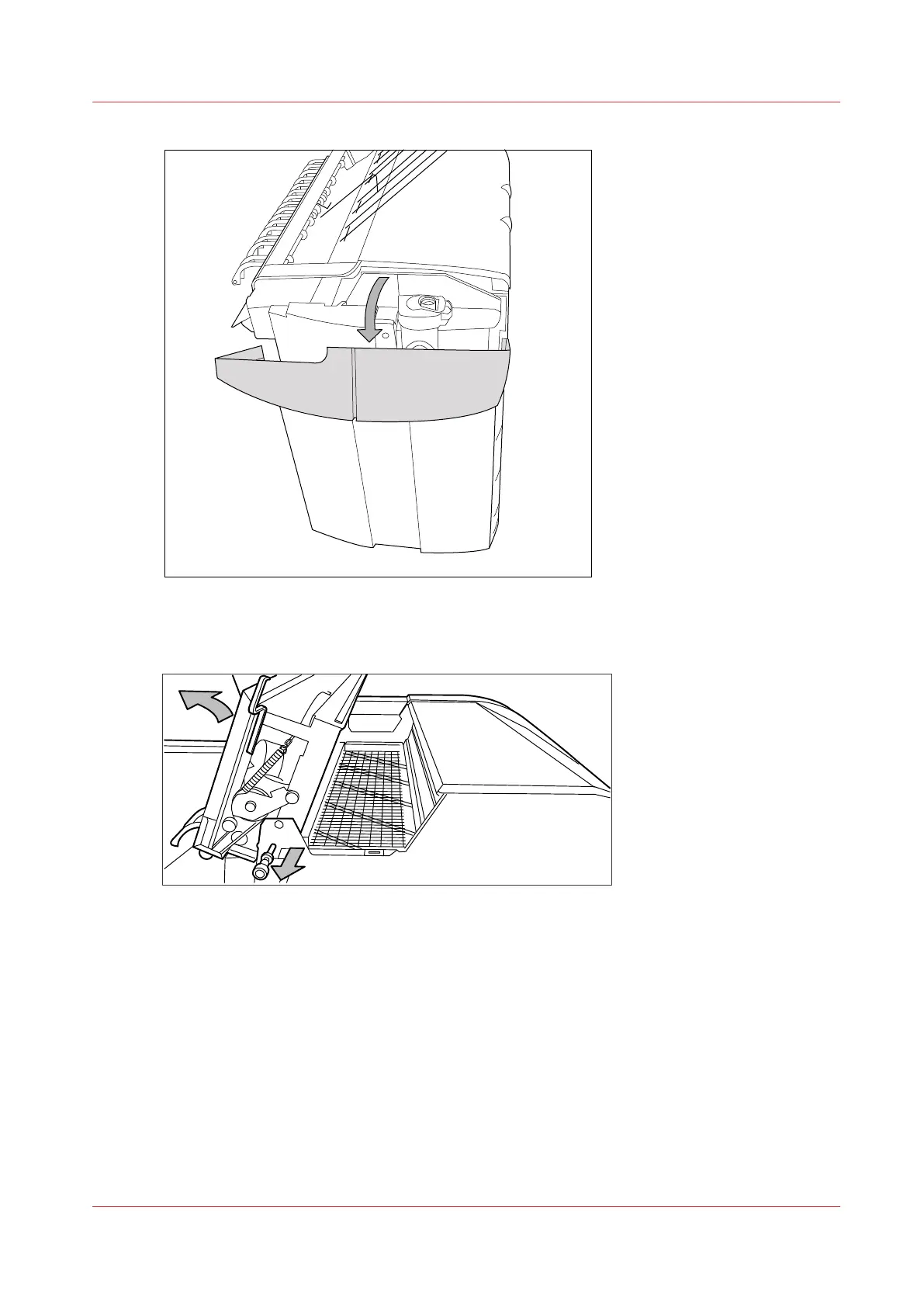
[143] Open the left-hand cover
5.
Open the fuser section cover by lifting the cover by the green handle.
[144] Opening the fuser section
6.
Remove any jammed printing material from the top delivery tray.
7.
Pull the green knob to release the fuser section cover and close the cover with the help of the
green handle.
8.
Close the left-hand cover.
9.
Turn the printer on again.
Paper jam at the top delivery tray
Chapter 8 - Maintain and troubleshoot the Océ PlotWave 750 system
329



 To Next Page