10.13
Date Code 20171006 Instruction Manual SEL-400 Series Relays
Testing, Troubleshooting, and Maintenance
Test Methods
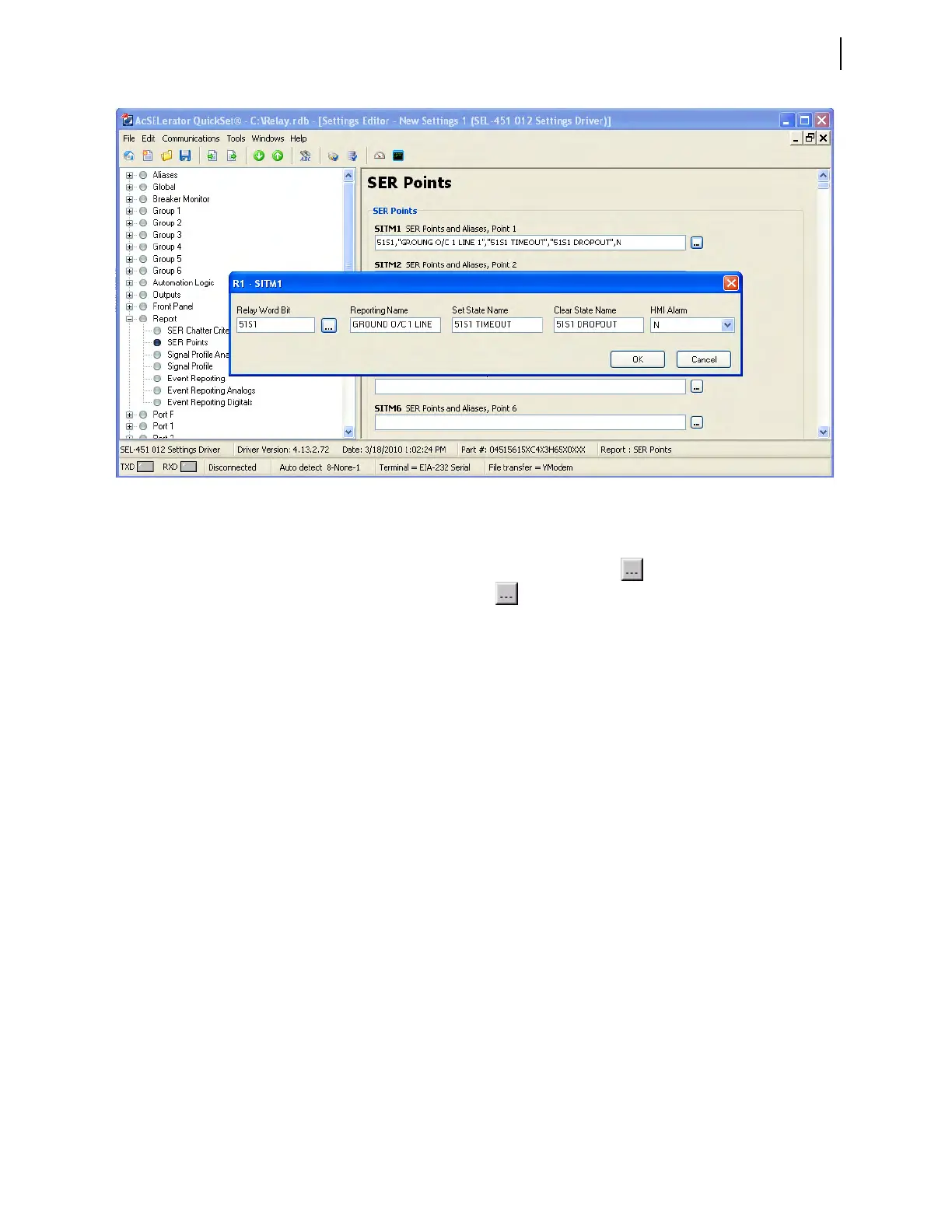
Step 4. Enter SER element names and aliases.
a. Scroll down to find SITM1 SER Points and Aliases, Point 1
entry field, and then click the button beside the entry box.
b. Click the button beside the Relay Word Bit entry field.
c. Select Overcurrent Element Bits.
d. Double-click on 51S1T to copy the name into the Relay Word
Bit field.
e. Type GROUND O/C 1 LINE 1 in the Reporting Name field.
f. Type 51S1 TIMEOUT in the Set State Name field.
g. Type 51S1 DROPOUT in the Clear State Name field.
h. Click on the OK button.
i. Repeat Step a–Step h for SITM2 SER Points and Aliases, Point 2,
with setting values 51S1, GROUND O/C 1 LINE 1, 51S1
PICKED UP, 51S1 RESET. Figure 10.5 shows the entry field
for SITM2 just before pressing the OK button.
You can enter as many as 250 relay elements in the SER Points and
Aliases list (see Sequential Events Recorder (SER) on page 9.28).
Step 5. Click File > Save to save the new settings in QuickSet.
Step 6. Upload the new settings to the SEL-451.
a. Click File > Send.
b. QuickSet prompts you for the settings class you want to send to
the relay, as shown in the Group Select dialog box of Figure 10.6.
c. Select the check box for Group 1 and for Report.
d. Click OK.
QuickSet responds with a Transfer Status dialog box as in
Figure 10.7.
If you see no error message, the new settings are loaded in the relay.
Figure 10.5 Setting SER Points and Aliases: QuickSet



 To Next Page