15.41
Date Code 20171006 Instruction Manual SEL-400 Series Relays
Communications Interfaces
Direct Networking Example
Application
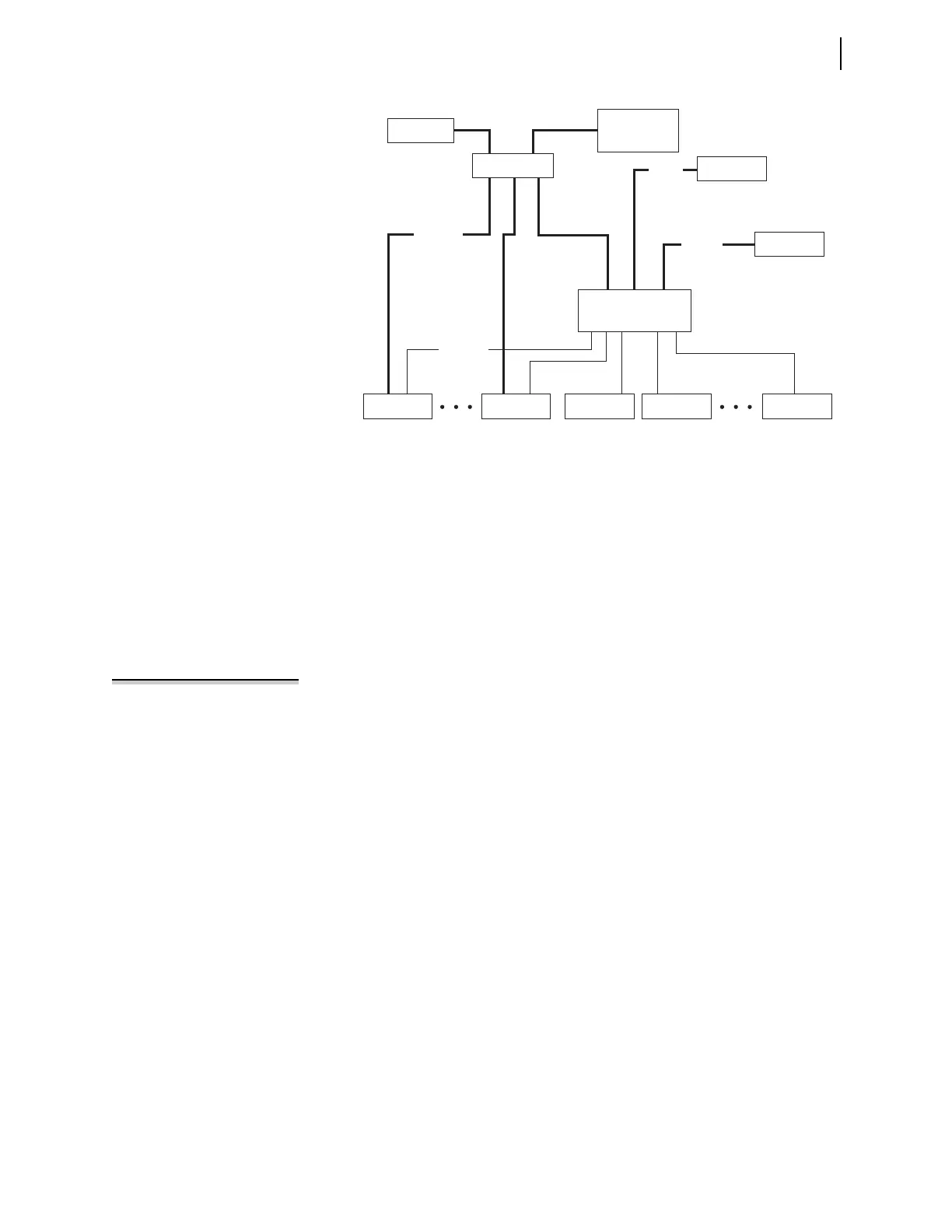
In this application, all IEDs connect to the Ethernet network. The SEL-421
Relays and the SEL-2030 each have an Ethernet card installed. In this example,
the Ethernet network is used primarily for an engineering connection to the
devices in the substation either across the WAN or from the local computer. The
engineer can use FTP to collect settings, oscillography, and other file data
directly from the SEL-421 Relays. The engineer can also use Telnet to establish a
terminal connection to the SEL-421 Relays or through the SEL-2030 to one of
the serial IEDs in order to configure these devices or obtain diagnostic information.
NOTE: The IRIG-B time signal
available from SEL communications
processors is not suitable for high-
accuracy IRIG (HIRIG) timekeeping
mode, which is required for
synchrophasor functions.
There is a serial cable from the SEL-2030 to the SEL-421 Relays. This cable pro-
vides IRIG-B time synchronization from the SEL-2030 that is synchronized by
the GPS clock attached to the SEL-2030. The SEL-2030 provides its output syn-
chronization signal from its internal clock, so that loss of the signal from the GPS
will not result in a loss of synchronization between substation devices as they
will all be synchronized to the SEL-2030 clock. During long periods of loss of
synchronization, the SEL-2030 clock drift will become noticeable, but all substa-
tion devices will remain synchronized relative to each other and the SEL-2030
clock. The serial cables also allow the SEL-2030 to provide a single point for
dial-in communications with the substation IEDs avoiding the high cost of high
bandwidth connections (for example, ISDN or DSL) for this backup to the Ether-
net network engineering connection.
Settings
This example focuses on the relay labeled Line 1 shown in Figure 15.10. PORT 5
settings for the SEL-421 configure the Ethernet card. PORT 5 settings for this
example are shown in Table 15.31.
Figure 15.10 Example Direct Networking Topology
SEL-2030
EIA-232
Ethernet
Engineering
Workstation
SEL-421
Line 1 Line 2
Ethernet Hub
Router
To WAN
SEL-421 SEL-351S SEL-387 Serial IED
GPS Clock
Modem
IRIG-B
EIA-232



 To Next Page