16.33
Date Code 20171006 Instruction Manual SEL-400 Series Relays
DNP3 Communication
DNP3 LAN/WAN Application Example
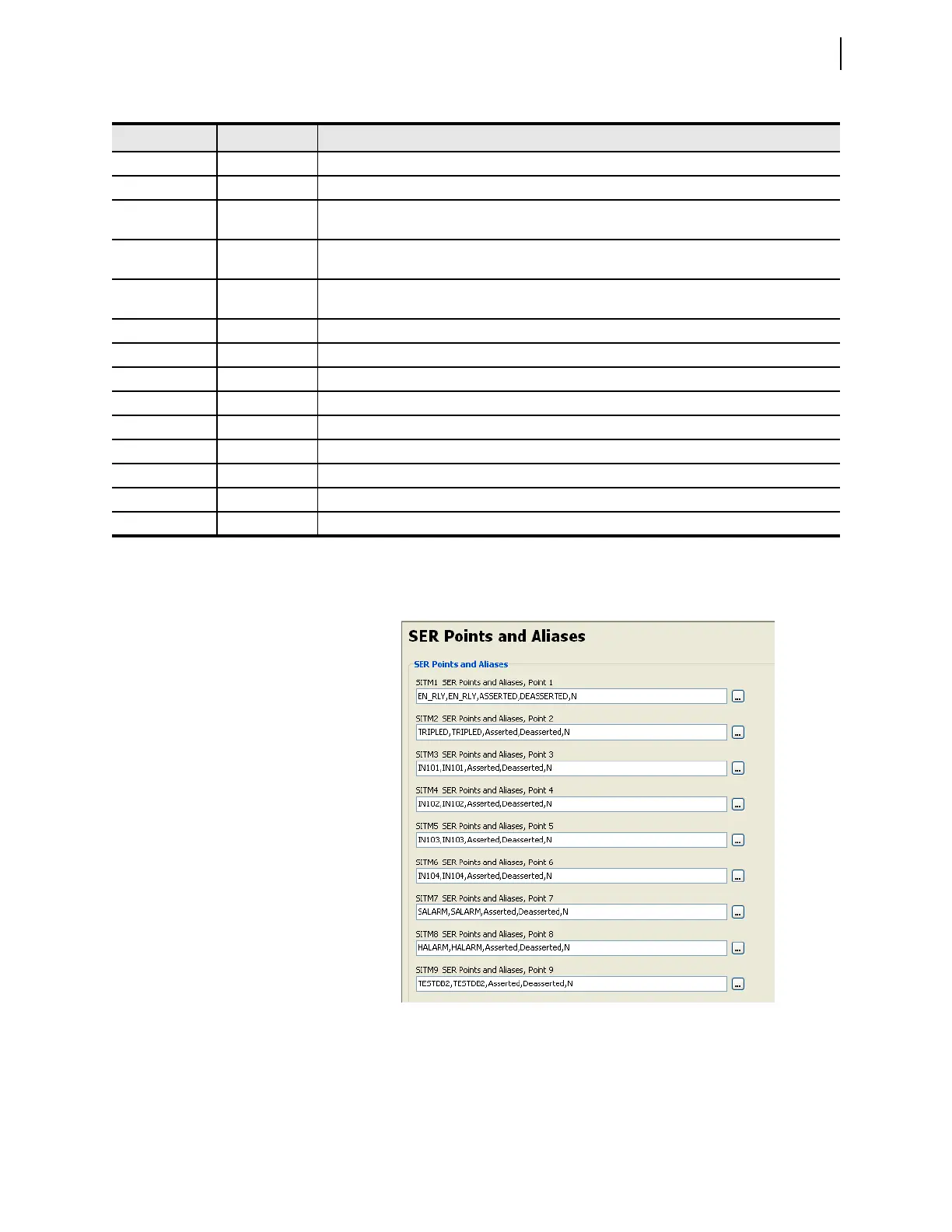
To meet the requirement for SOE-quality time stamps, enter all binary inputs into
the SER report. See Figure 16.9 for a screen shot of the process.
CLASSA1 1 Analog event data = Class 1
TIMERQ1 1 Ignore time synchronization requests from DNP3 Master
DECPLA1 2 Scale analog current data, multiplying by 10 to send whole numbers and tenths. The relay would
report a value of 5.25 as 525, which would remain unscaled at the master. (10
2
= 100)
DECPLV1 2 Scale analog voltage data, multiplying by 10 to send whole numbers and tenths. The relay would
report a value of 5.25 as 525, which would remain unscaled at the master. (10
2
= 100)
DECPLM1 2 Scale analog miscellaneous data, multiplying by 10 to send whole numbers and tenths. The relay
would report a value of 5.25 as 525, which would remain unscaled at the master. (10
2
= 100)
STIMEO1 1.0
a
1.0 second to select before operate time-out
DNPINA1 120
a
Wait 120 seconds to send inactive heartbeat
DNPCL1 Y Allow DNP3 controls for this session
AIVAR1 2 Default AI variation
ANADBA1 200 Analog dead band counts, set to 2 engineering units, based on DECPLA scaling factor
ANADBV1 200 Analog dead band counts, set to 2 engineering units, based on DECPLV scaling factor
ANADBM1 200 Analog dead band counts, set to 2 engineering units, based on DECPLM scaling factor
ETIMEO1 2
a
Event message confirm time-out (2 s)
UNSOL1 N Disable unsolicited reporting for Master 1
a
Default value.
Table 16.14 DNP3 LAN/WAN Application Example Protocol Settings (Sheet 2 of 2)
Setting Name Setting Description
Figure 16.9 Add Binary Inputs to SER Point List



 To Next Page