17.25
Date Code 20171006 Instruction Manual SEL-400 Series Relays
IEC 61850 Communication
IEC 61850 Configuration
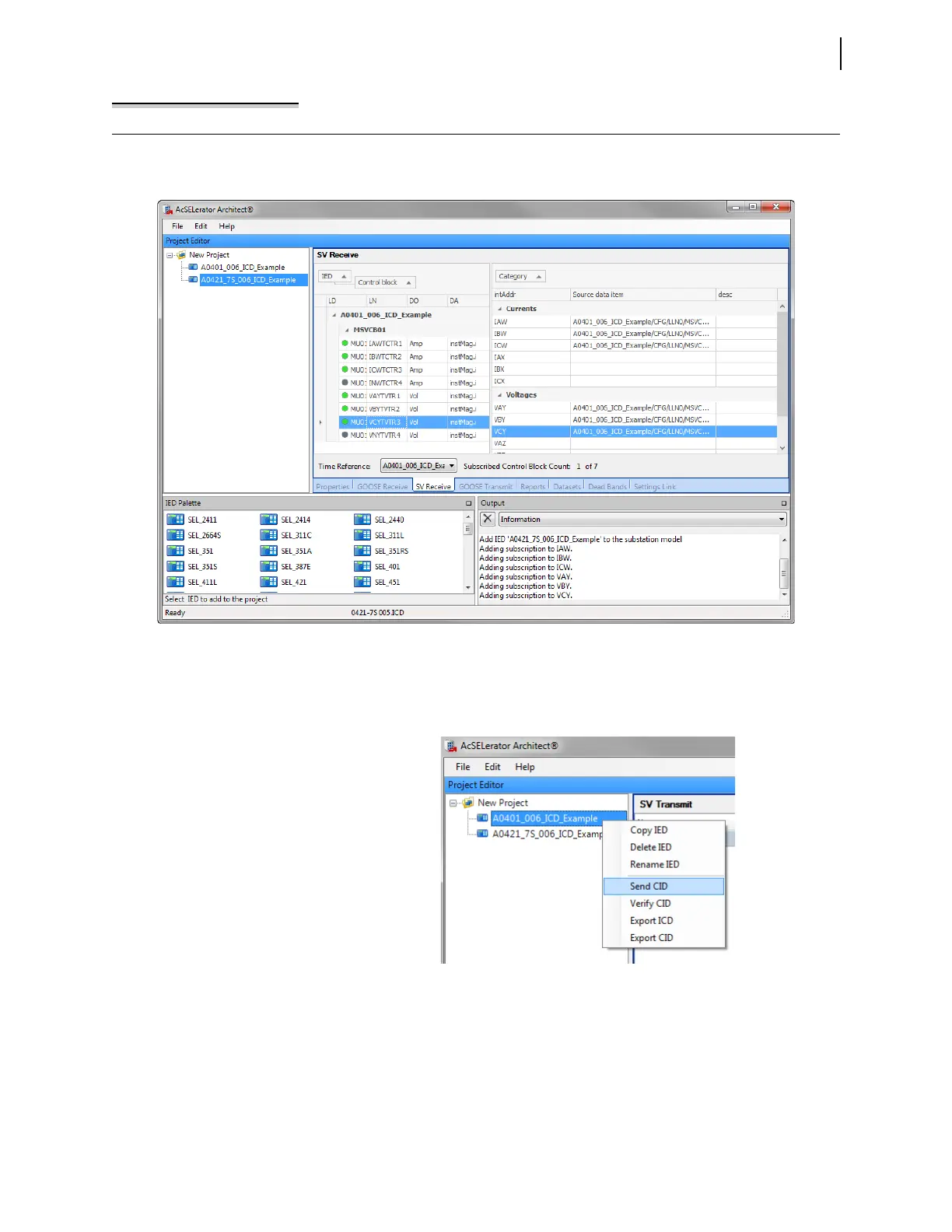
Step 5. Select the SEL-421 and click the SV Receive tab to configure
the SV subscriptions as shown in Figure 17.12.
Step 6. Right-click the IED, and choose to send the CID file. Ensure that
the FTP function is enabled on the IEDs before sending CID
files.
Example 17.1 SV Application (Continued)
Figure 17.12 Configure SV Subscription
Figure 17.13 Send SEL-401 CID File



 To Next Page