17.26
SEL-400 Series Relays Instruction Manual Date Code 20171006
IEC 61850 Communication
IEC 61850 Configuration
Load Device Setting With CID File Download
NOTE: CID file settings are applied
only when the file is initially
downloaded to the relay. If a file is
downloaded to the relay that is
identical to one it already has, it will
not be processed.
One of the features of the Architect software is enabling users to send device set-
tings as part of the CID file. Refer to Settings in QuickSet on page 3.28 for steps
on how to establish communication with the device and how to modify and save
settings using
ACSELERATOR QuickSet SEL-5030 Software. The procedure in
the following steps shows how to use Architect to open the settings file previ-
ously saved in QuickSet and include it in the CID file to be sent to the device.
Step 7. Issue the COM SV command on the merging unit and the relay
to verify successful publication and subscription.
Example 17.1 SV Application (Continued)
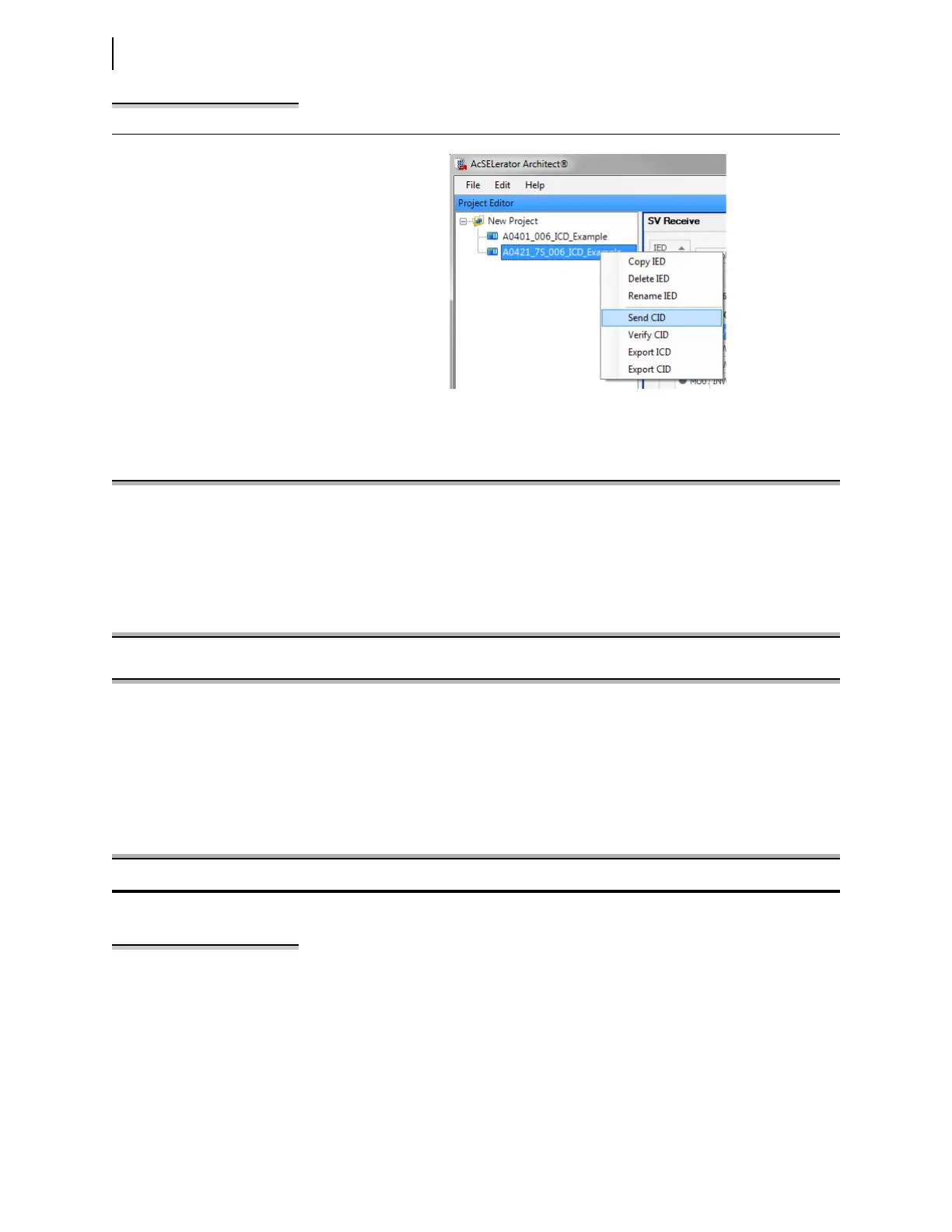
Figure 17.14 Send SEL-421-7 CID File
=>>COM SV <Enter>
TEST SV Mode: OFF
SV Publication Information
MultiCastAddr Ptag:Vlan AppID smpSynch
_________________________________________________________________________________
A0401_006_ICD_ExampleCFG/LLNO$MS$MSVCB01
01-0C-CD-04-00-11 4:1 4001 0
SV ID: 4001
Data Set: A0401_006_ICD_ExampleCFG/LLNO$PhsMeas1
Figure 17.15 SEL-401 Publication Status
=>>COM SV <Enter>
TEST SV Mode: OFF
SIMULATED Mode: OFF
SV Subscription Status
MultiCastAddr Ptag:Vlan AppID smpSynch Code Network Delay (ms)
_________________________________________________________________________________
A0401_006_ICD_ExampleCFG/LLNO$MS$MSVCB01
01-0C-CD-04-00-11 4:1 4001 1
SV ID: 4001
Data Set: A0401_006_ICD_ExampleCFG/LLNO$PhsMeas1
Figure 17.16 SEL-421 SV Subscription Status



 To Next Page