2.15
Date Code 20171006 Instruction Manual SEL-400 Series Relays
PC Software
Create and Manage Relay Settings
Settings Editor
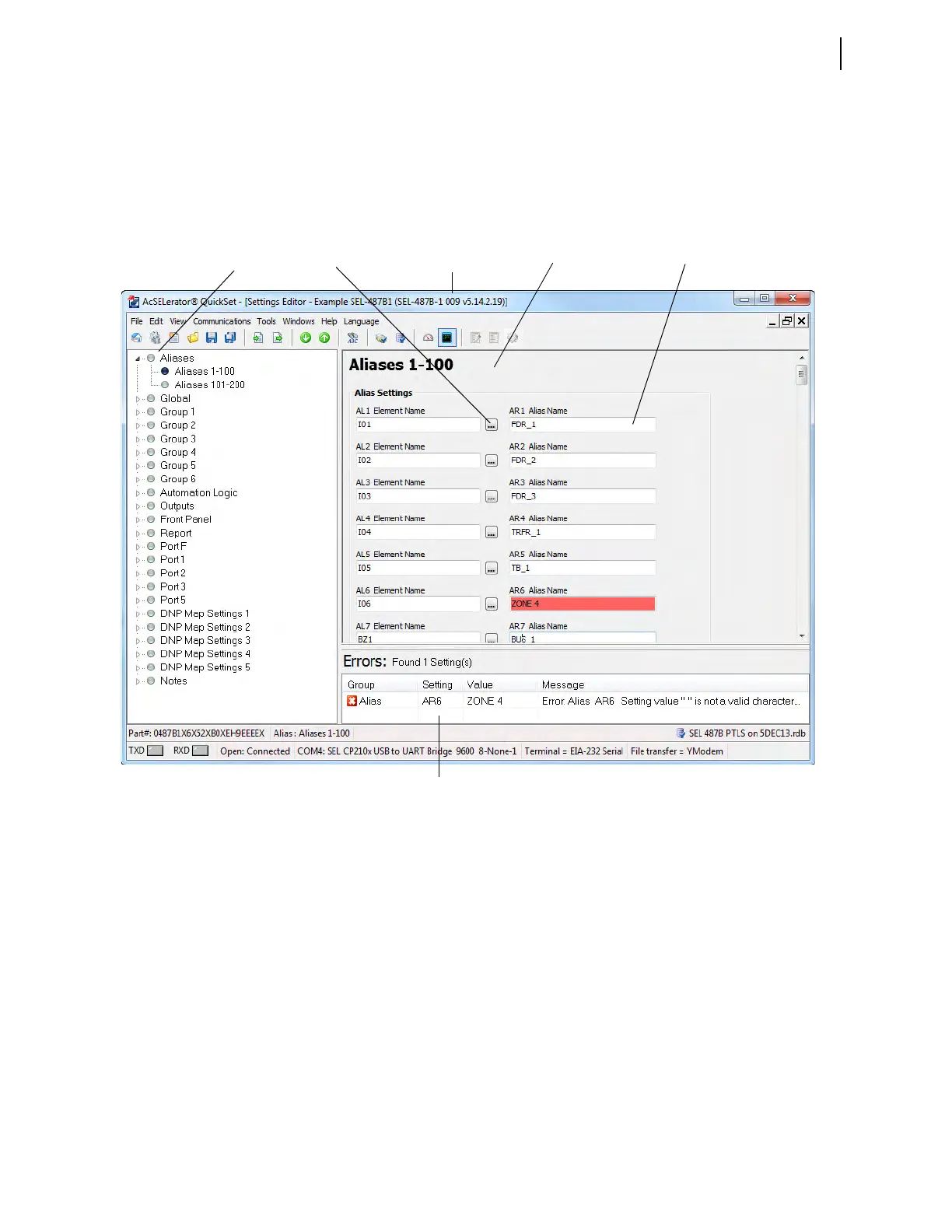
Use the Settings Editor to enter relay settings. Figure 2.14 illustrates the import-
ant features of the editor. These features include the QuickSet settings driver ver-
sion number (the first three digits of the Z-number) in the lower left corner of the
Settings Editor.
Entering Settings
Step 1. Click the arrows to expand the Settings Tree View (see Figure 2.14).
Step 2. Click the circle buttons to select the settings class, instance, and cate-
gory that you want to change.
Step 3. Use the <Tab> key to move to the setting text book and from setting
to setting when entering and editing.
Step 4. The right-click mouse button allows access to two special functions
when you are editing settings: Previous Value and Default Value. It
also allows the user to Add a Comment to the selected setting or
Search for Selected Text.
Figure 2.14 QuickSet Settings Editor
Settings Tree View
Ellipsis Button
Settings Dialog Box Text Box
Relay Settings
Driver Version Number
Error Text Region



 To Next Page