2.18
SEL-400 Series Relays Instruction Manual Date Code 20171006
PC Software
Create and Manage Relay Settings
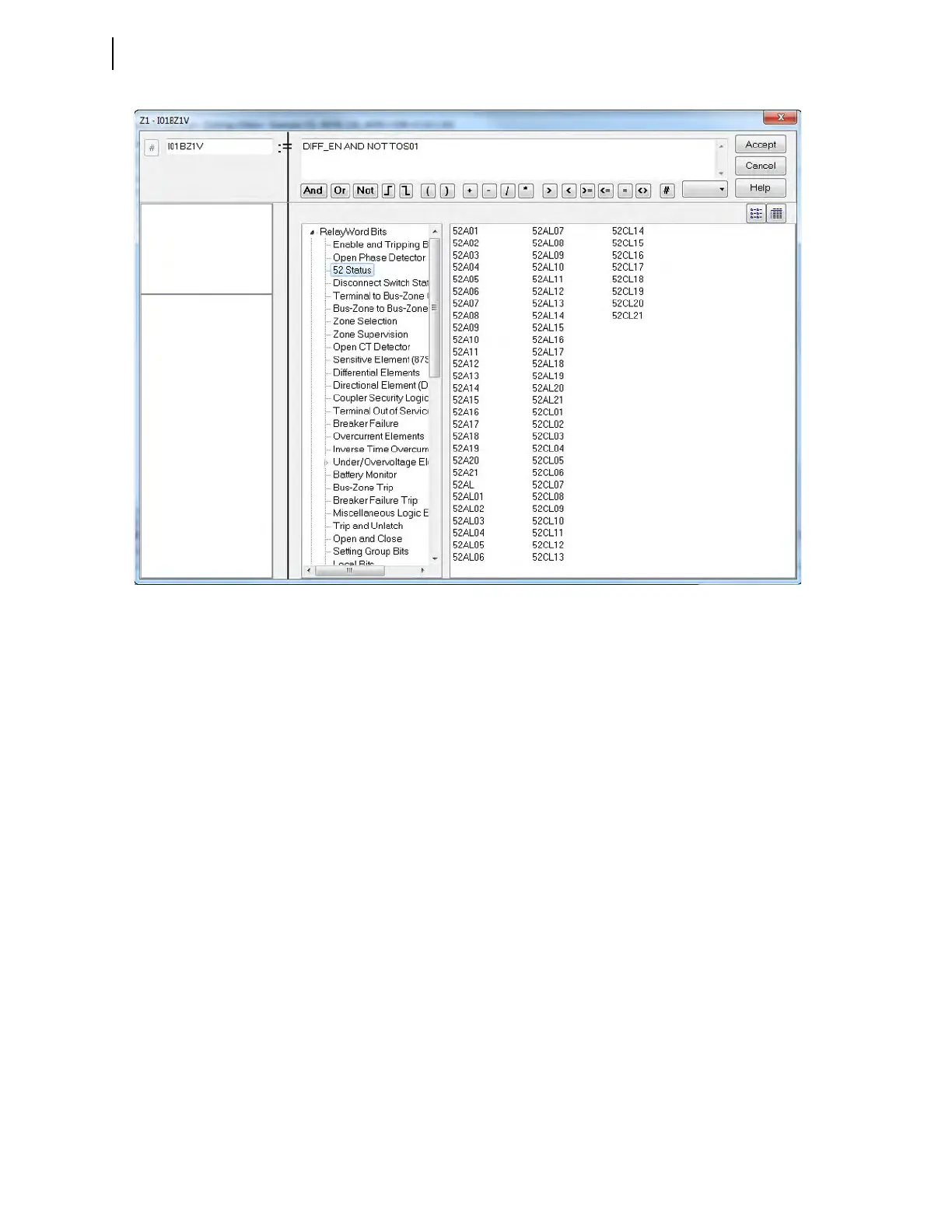
Using the Expression Builder
Step 1. For Protection Free-Form SELOGIC and Automation Free-Form
SEL
OGIC control equations, select the type of result (LVALUE) for
the SEL
OGIC control equation to use the Expression Builder.
QuickSet shows Relay Word bits available for use in compiling
expressions. The program shows the relay elements for each type of
SEL
OGIC control equation (e.g., Boolean Variables, Math Variables).
On the right side of the equation (RVALUE), you can select broad
categories of relay elements, analog quantities, counters, timers,
latches, Boolean variables, and math variables.
Step 2. Select a category in the RVALUE tree view.
The Expression Builder displays all elements for that category in the
list box at the bottom right side. Directly underneath the right side of
the equation, you can choose operations to include in the RVALUE.
These operations include basic logic functions, rising and falling
edge triggers, expression compares, and math functions. For more
information on programming SEL
OGIC control equations, see
Section 13: SEL
OGIC Control Equation Programming.
Figure 2.17 QuickSet Expression Builder



 To Next Page