2.19
Date Code 20171006 Instruction Manual SEL-400 Series Relays
PC Software
QuickSet HMI
QuickSet HMI
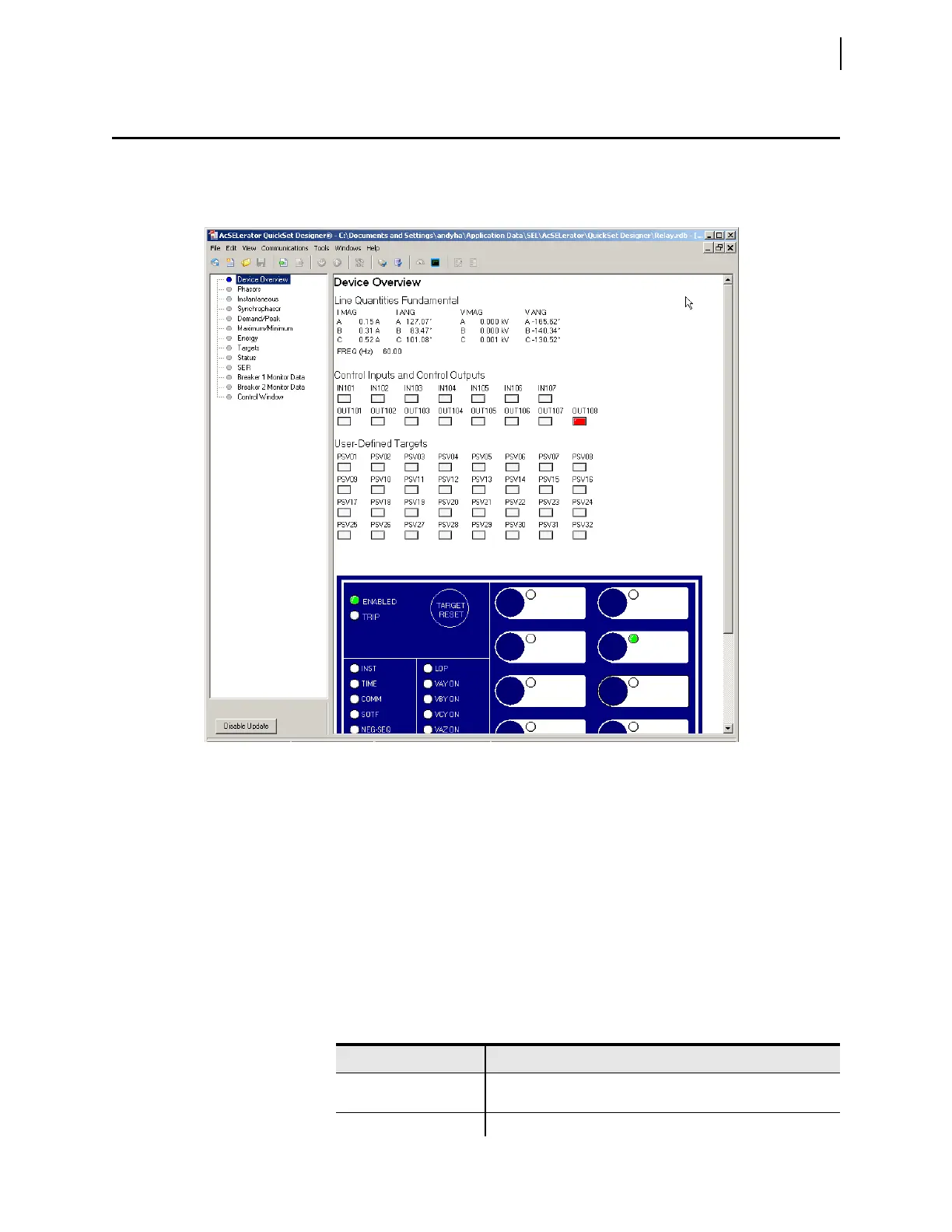
Use the QuickSet human-machine interface (HMI) feature to view real-time relay
information in a graphical format. Use the virtual relay front panel to read meter-
ing and targets (see Figure 2.18) for a representative example.
Open the QuickSet HMI
Select Tools > HMI > HMI in the QuickSet menu bar. QuickSet opens the HMI
window and downloads the interface data. The HMI can also be accessed using
the HMI icon.
QuickSet HMI Features
Table 2.2 lists typical functions in the HMI tree view and a brief explanation of
each function. The specific options available for any specific relay depend on the
features available in that relay.
Figure 2.18 Virtual Relay Front Panel
Table 2.2 QuickSet HMI Tree View Functions (Sheet 1 of 2)
Function Description
Device Overview View general metering, selected targets, control input, control
outputs, and the virtual front panel
Contact I/O View status of contact inputs and contact outputs



 To Next Page