2.31
Date Code 20171006 Instruction Manual SEL-400 Series Relays
PC Software
Analyze Events
Step 17. Click on the Combine button to create a single, combined report
comprising the selected analog and digital selections from three indi-
vidual event reports.
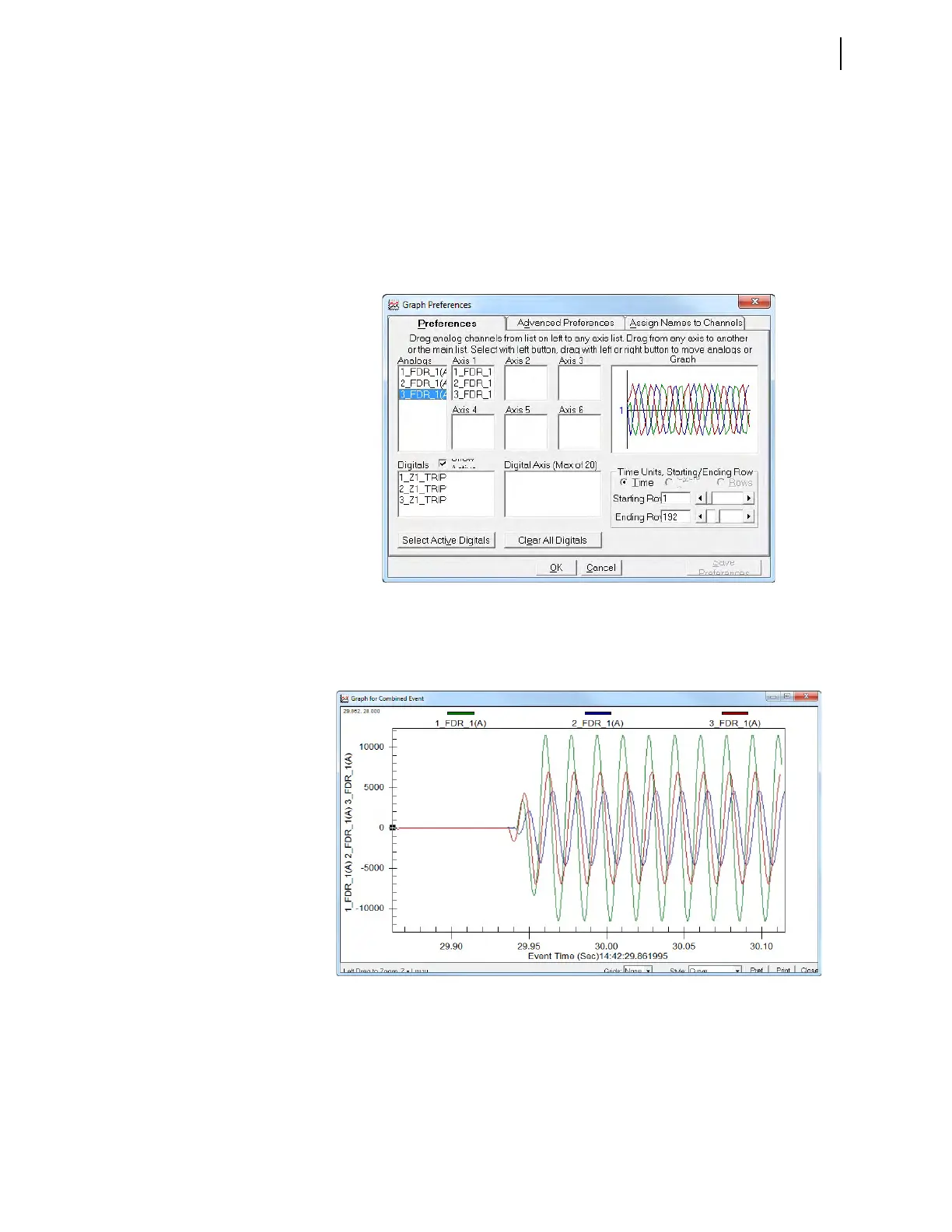
Step 18. On the graph preference form, select the values of interest from the
Analogs window.
Step 19. Drop these selections in any one of the six available Axis windows.
You can select as many as 12 analog channels.
Figure 2.34 shows an example after selecting all three analog
channels on Axis 1 for analysis.
Step 20. Click OK to view the report.
The software displays the three traces on the same graph, as shown in
Figure 2.35.
Figure 2.34 Data From Three Separate Event Reports Combined in a Single Report
Figure 2.35 Traces of the Three Analog Channels



 To Next Page