2.30
SEL-400 Series Relays Instruction Manual Date Code 20171006
PC Software
Analyze Events
The three events appear in the window labeled Event Analogs.
Step 8. Click the + of Event 1 to see a list of the analog channels in the event
report.
Step 9. Click 1_FDR_1(A), the first analog channel in the list.
Step 10. A trace of channel 1_ FDR _1 appears on the right hand window next
to the Combined Analogs list.
Step 11. Right-click on channel 1_ FDR _1.
Step 12. Hold the mouse button down.
Step 13. Drag the cursor to the Combined Analogs window.
Alternatively, press the <A> key to add the selected channel to the list.
Step 14. Release the mouse button to complete the transfer of channel 1_ FDR _1
from the Event Analogs window to the Combine Analogs window.
Alternatively, select the channels to be removed and press the
<Delete> key.
Drag and drop is similarly supported for digital channels.
Step 15. Select a channel.
Step 16. Drop the selection into the Event Analogs or Event Digitals window
to remove channels from the Combined Analogs or Combined Dig-
itals windows.
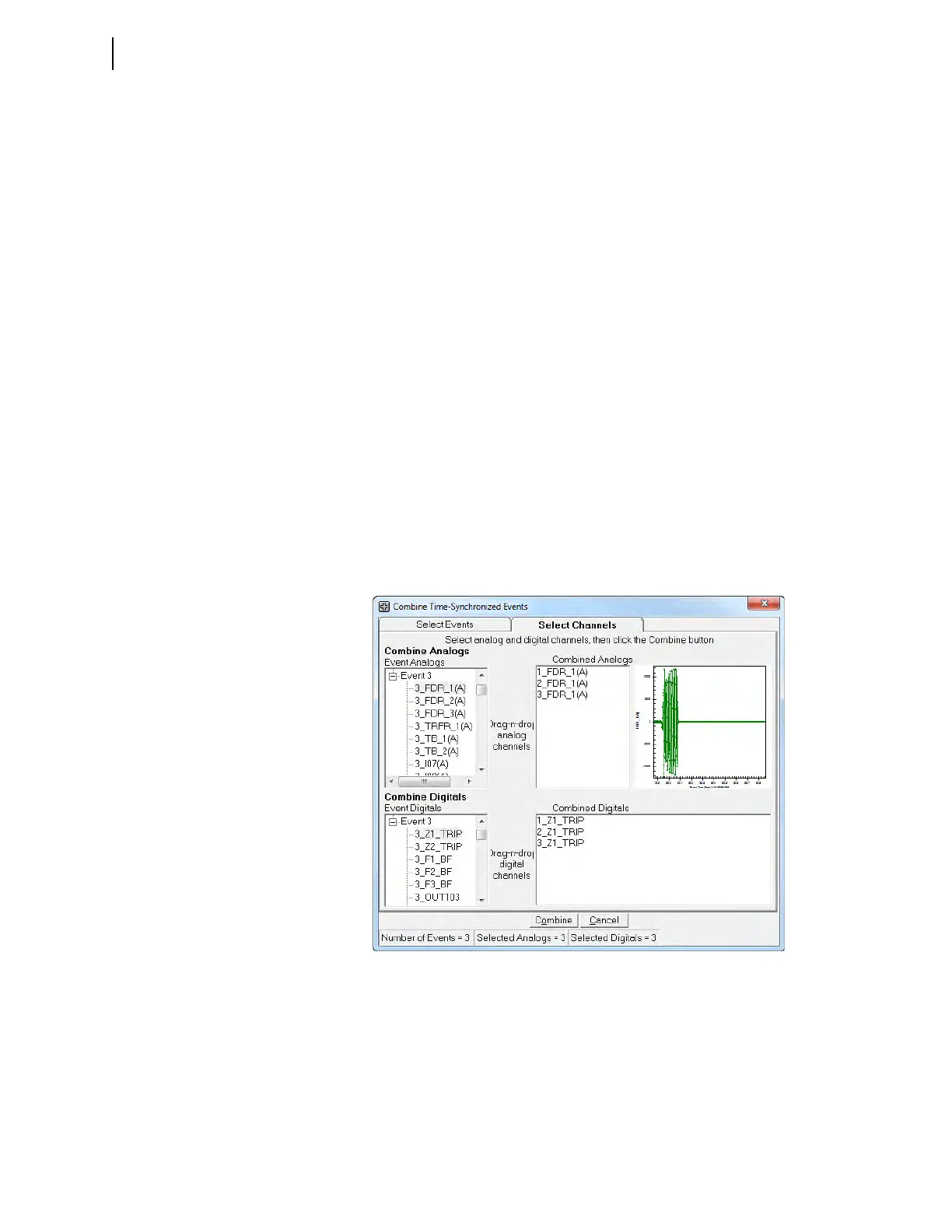
Figure 2.33 shows the screen with Analog Channel 1_ FDR _1 from Event
Report 1, 2_ FDR _1 from Event Report 2, and 3_ FDR _1 from Event Report 3
selected for analysis and appearing in the Combined Analogs window.
Figure 2.33 also shows the differential element from each event report: Relay
Word bit 1_Z1_TRIP from Event Report 1, Relay Word bit, 2_ Z1_TRIP from
Event Report 2, and Relay Word bit, 3_ Z1_TRIP from Event Report 3.
Figure 2.33 Selection of Analog Channels and Digital Relay Word Bits



 To Next Page