4.24
SEL-400 Series Relays Instruction Manual Date Code 20171006
Front-Panel Operations
Front-Panel Menus and Screens
local bit is already in use, the relay displays The local bit element is already in
use. Likewise, if you do not enter valid local bit name, set alias, and clear alias,
the relay returns an error message. If an alias is too long, the relay displays the
message
Too many characters.
The Local Bit Supervision SELOGIC control equation provides supervision of
Local Bit Set, Clear, and Pulse operations.
The Local Bit Status Display SEL
OGIC control equation returns the status of the
local bit switch state.
Ta b l e 4 . 8 Lo c a l B i t S E LOGIC
a
a
n
= 1–32, and only available if the corresponding local bit is defined.
Description Range Default
Local Bit Supervision n SELOGIC Equation, NA 1
Local Bit Status Display n SEL
OGIC Equation, NA LBn
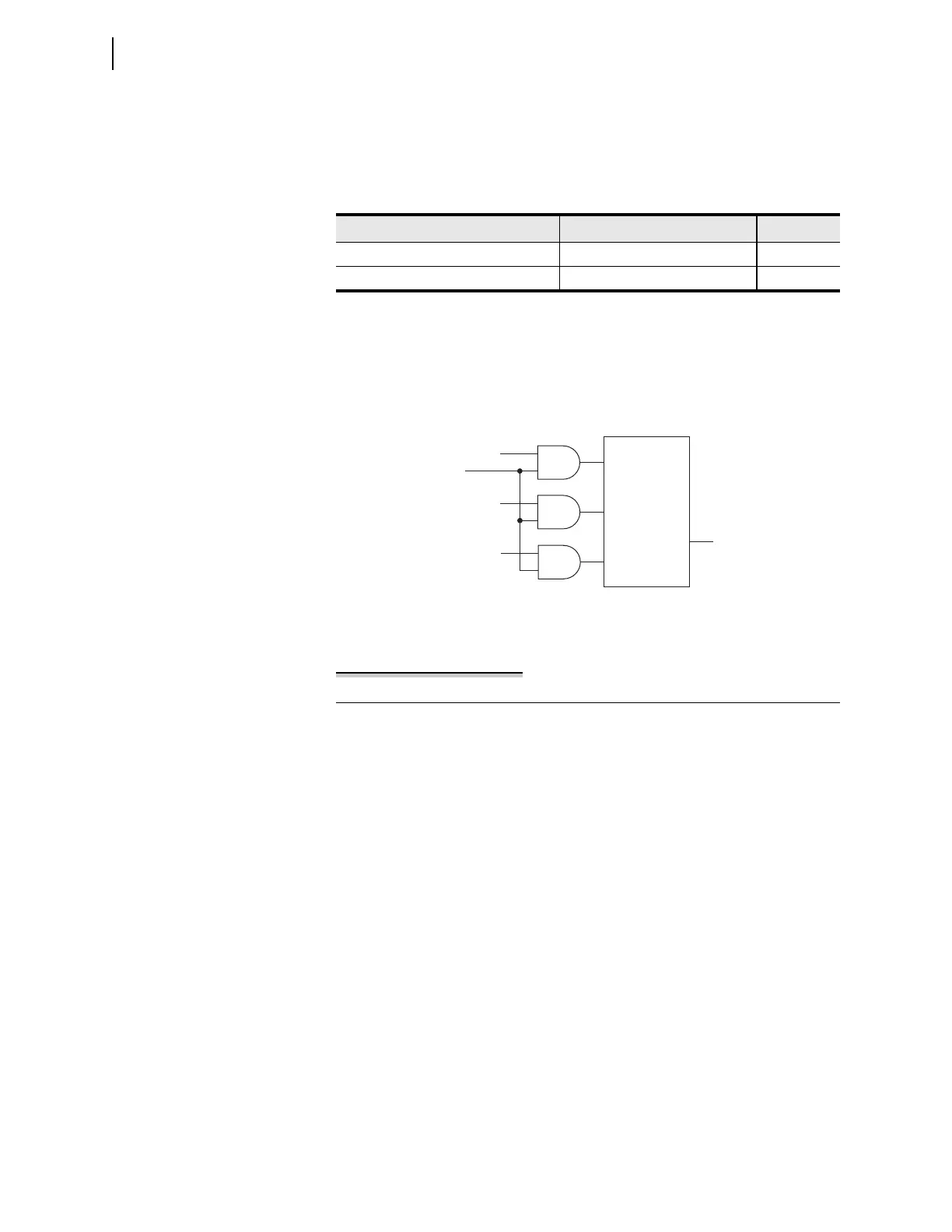
Figure 4.27 Local Bit Supervision Logic
Example 4.4 Enabling Local Bit Control
This application example demonstrates a method to create one of the control
points in the
LOCAL CONTROL screens of Figure 4.26 to control the interlock
on a power bus tie circuit breaker. Perform the following actions to create a
local control bit:
➤ Eliminate previous usage of the local bit and condition the state
of the local bit
➤ Set the local bit
➤ Assign the local bit to a relay output
If you are using a previously used local bit, delete all references to the local
bit from the SEL
OGIC control equations already programmed in the relay. A
good safety practice would be to disconnect any relay output that was pro-
grammed to that local bit.
Logic to Set,
Clear, or
Pulse LBn
LBn
Set
Clear
Pulse
LB_SPn*
*SEL
OGIC Control Equation



 To Next Page