5.14
SEL-400 Series Relays Instruction Manual Date Code 20171006
Control
Bay Control Front-Panel Operations
➤ The Left Arrow pushbutton operates in reverse, i.e., from right-to-left,
and bottom-to-top.
➤ Pressing the ENT pushbutton selects the highlighted symbol.
➤ Pressing the ESC pushbutton returns you to the previous screen.
Additionally, if the one-line diagram spans multiple screens, you can pan
between the portions of the diagram using the up and down arrows:
➤ Pressing the Down Arrow pushbutton while displaying the top bay
control screen, displays the bottom bay control screen.
➤ Pressing the Down Arrow pushbutton while displaying the bottom bay
control screen or the Up Arrow pushbutton while displaying the top
bay control screen, does nothing.
➤ Pressing the Up Arrow pushbutton while displaying the bottom bay
control screen displays the top bay control screen.
Circuit Breaker and Disconnect Definitions and State Representations
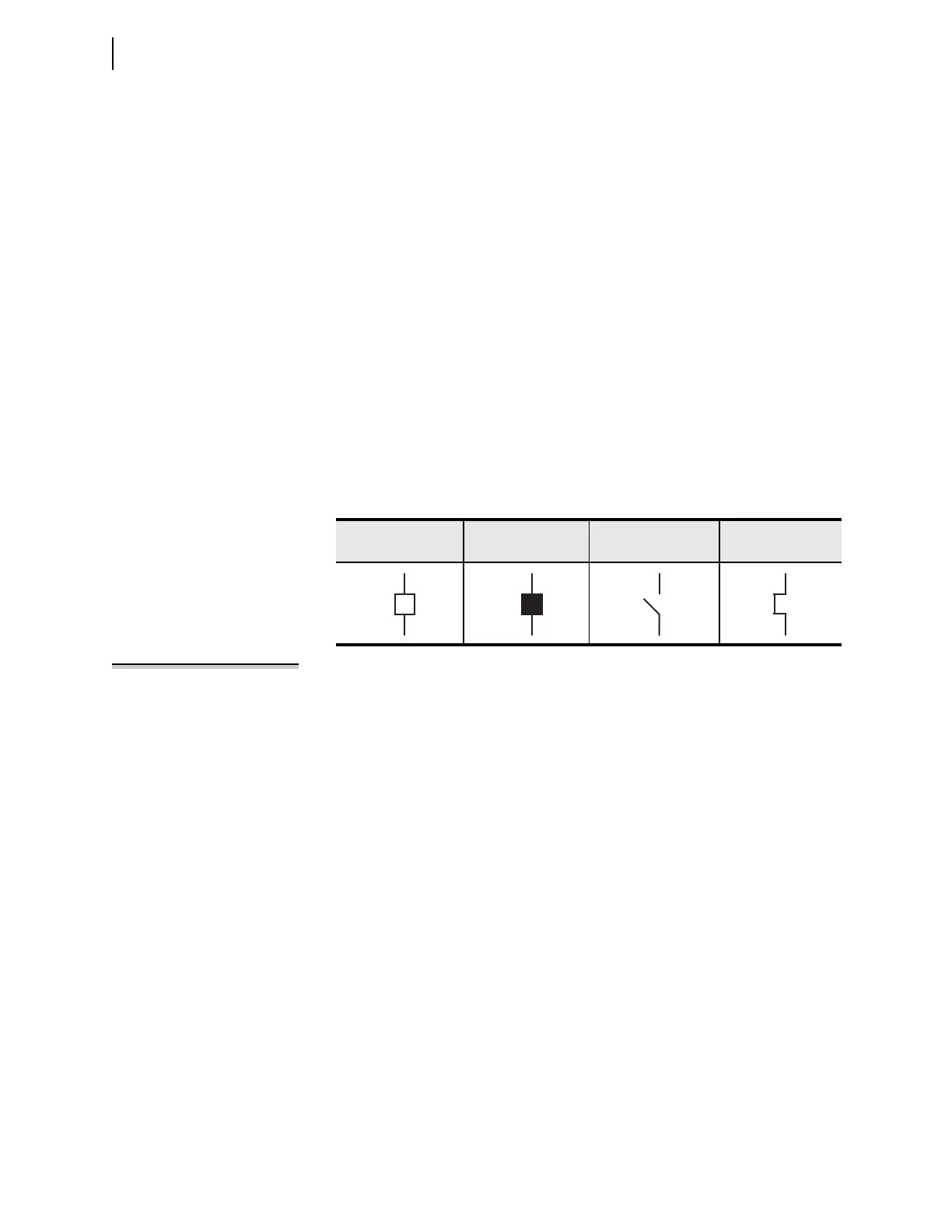
Table 5.1 shows the apparatus definitions and symbols displayed on the one-line
diagram.
NOTE: The intermediate states only
apply to disconnect switches because
circuit breaker operations have a
short duration.
Each apparatus (circuit breaker or disconnect switch) can be in one of the follow-
ing six states:
➤ Open, not highlighted
➤ Open, highlighted
➤ Closed, not highlighted
➤ Closed, highlighted
➤ Intermediate, not highlighted (intermediate = transition between
open and closed states)
➤ Intermediate, highlighted
Table 5.2 describes how the one-line diagram represents the different states of the
breakers, and how highlighting the breaker affects the display of the symbol.
Table 5.1 Circuit Breaker and Disconnect Switch Definitions
Circuit Breaker
Open
Circuit Breaker
Closed
Disconnect Open Disconnect Closed



 To Next Page