5.32
SEL-400 Series Relays Instruction Manual Date Code 20171006
Control
QuickSet Bay Control Screens
Breaker Assignments
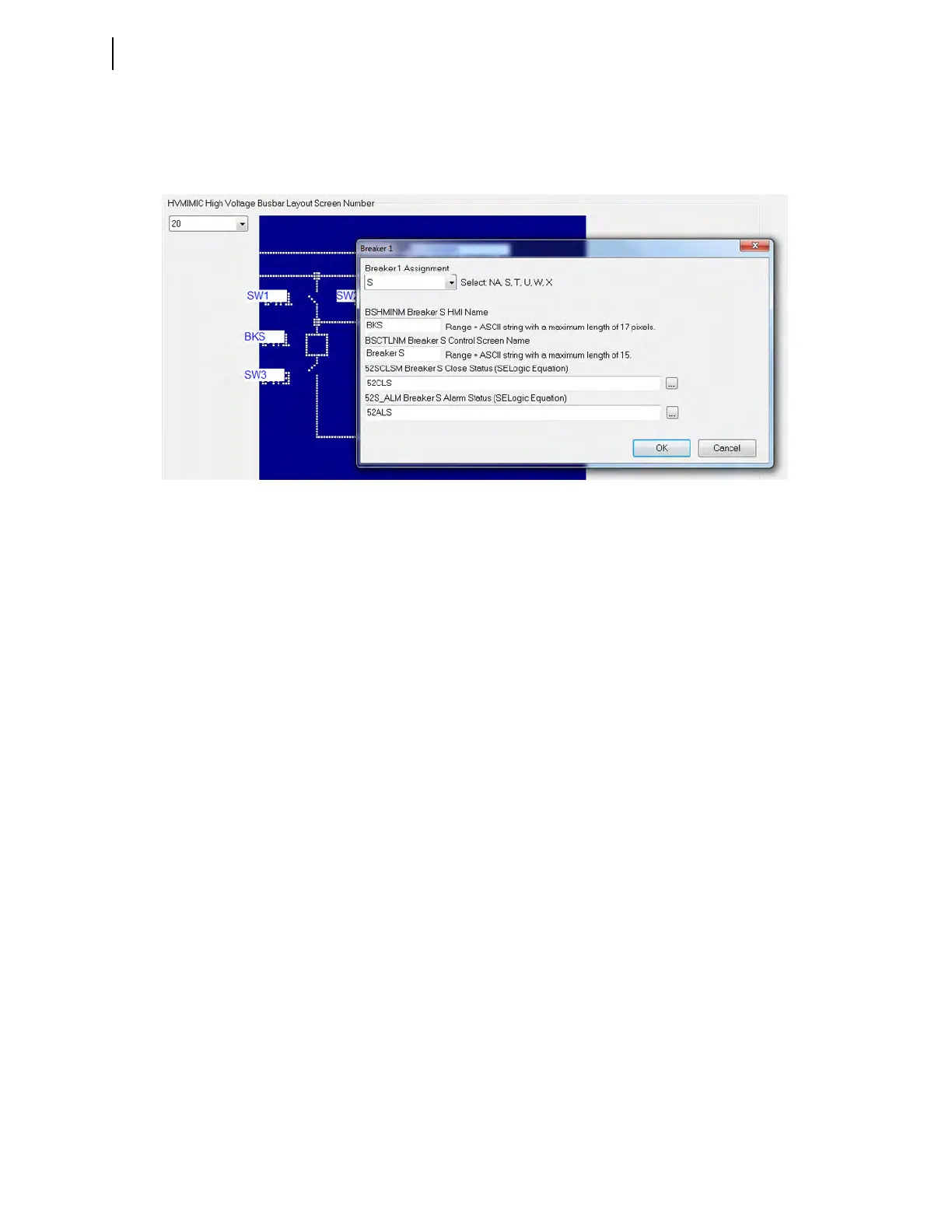
Configure the breaker by clicking the box next to the breakers. A dialog box
appears, as shown in Figure 5.22.
BK
q
In some relays, each numbered breaker (q = 1, 2, 3, 4, or 5) can be assigned to
NA or one of the terminals. No terminal can be assigned twice. Unused breaker
numbers are forced to NA.
B
m
HMINM
Enter a Breaker m label on the HMI (one-line diagram). The number of charac-
ters is limited to a maximum string width of 17 pixels (approximately four char-
acters).
B
m
CTLNM
Enter a Breaker m label on the control screen. Enter a descriptive breaker name
(as many as 15 characters).
52
m
CLSM, 52
m
_ALM
These SELOGIC control equations report breaker close status and breaker alarm
status. Any bit in the Relay Word, as well as logical operators, can be pro-
grammed into these SEL
OGIC control equations.
Analog Display
If analog display points are not required, leave the setting(s) blank, because the
relay displays only the defined display points.
Click on analog display label
MDELE1 in the interactive one-line diagram to dis-
play the form shown in Figure 5.23. Click on the Expression Builder button to
display the form shown in Figure 5.24. The Expression Builder helps build the
analog quantity setting string. Press the Expression Builder button on the form
shown in Figure 5.24 to find the Analog or Fixed Element to be displayed.
Figure 5.22 Breaker Settings, Breaker S



 To Next Page