5.33
Date Code 20171006 Instruction Manual SEL-400 Series Relays
Control
QuickSet Bay Control Screens
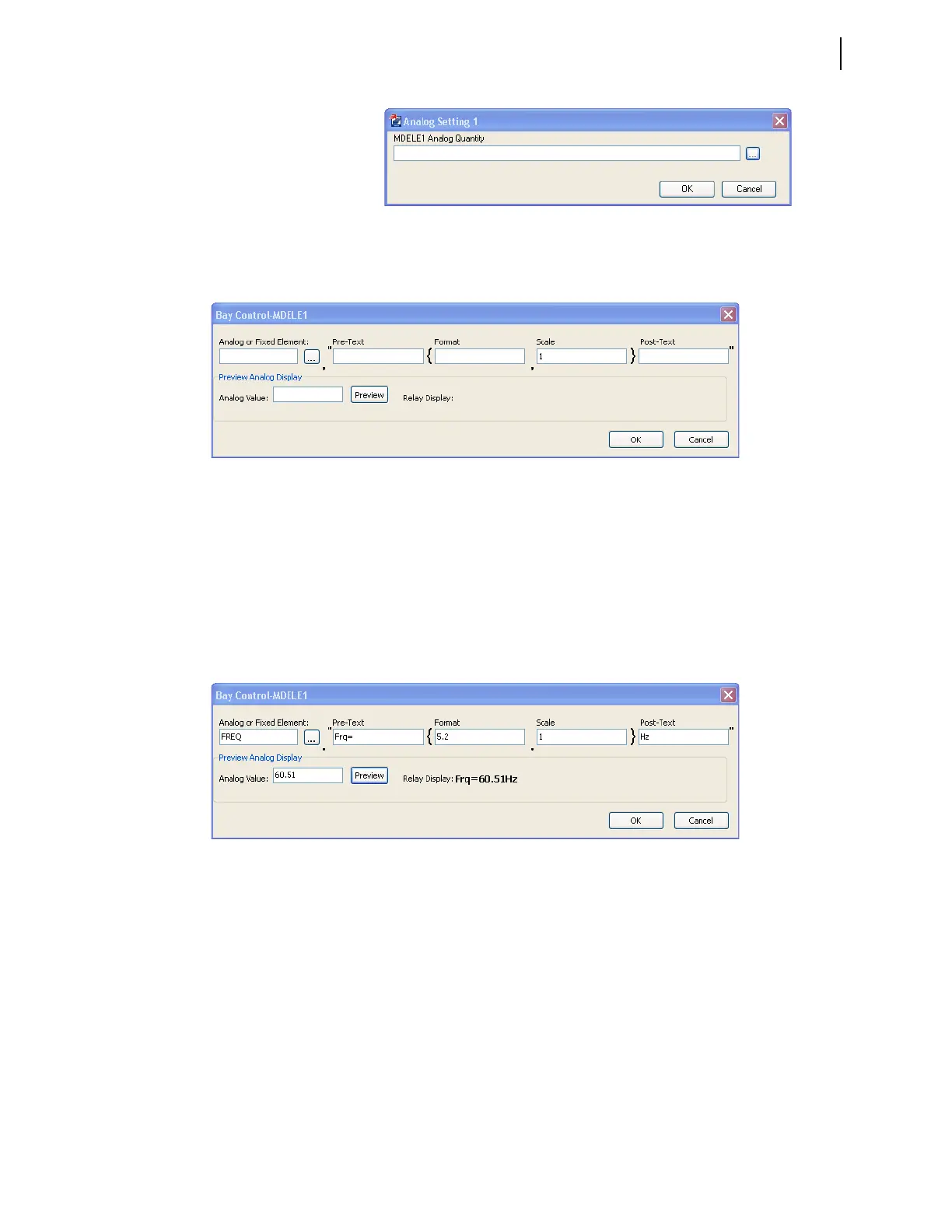
To display fixed text instead of analog quantities, enter the number 1 in the Ana-
log or Fixed Element field.
Select the FREQ System Frequency (see Figure 5.25). Enter a Pre-Text, for
example 'Frq=', as shown in Figure 5.25. Set the numerical display format to 5.2;
this displays frequency up to two decimal places. You can scale the numerical
value of FREQ to display a scaled value of the analog quantity. For example, a
scaling value of 0.5 displays only half the value of FREQ, while a scaling value
of 2 displays twice the value of FREQ. Enter text, such as the units of the analog
quantity in the Post-Text field. Test the entries by typing a value of 60.51 in the
preview analog display field. Click the Preview button, and verify that all entries
are correct and will fit on the screen.
Equipment Name
Edit the equipment name by clicking the text box next to the equipment. A dialog
screen appears, as shown in Figure 5.26.
Figure 5.23 Analog Quantity Setting Form
Figure 5.24 Analog Quantity Setting Form
Figure 5.25 Example of an Analog Quantity Expression



 To Next Page