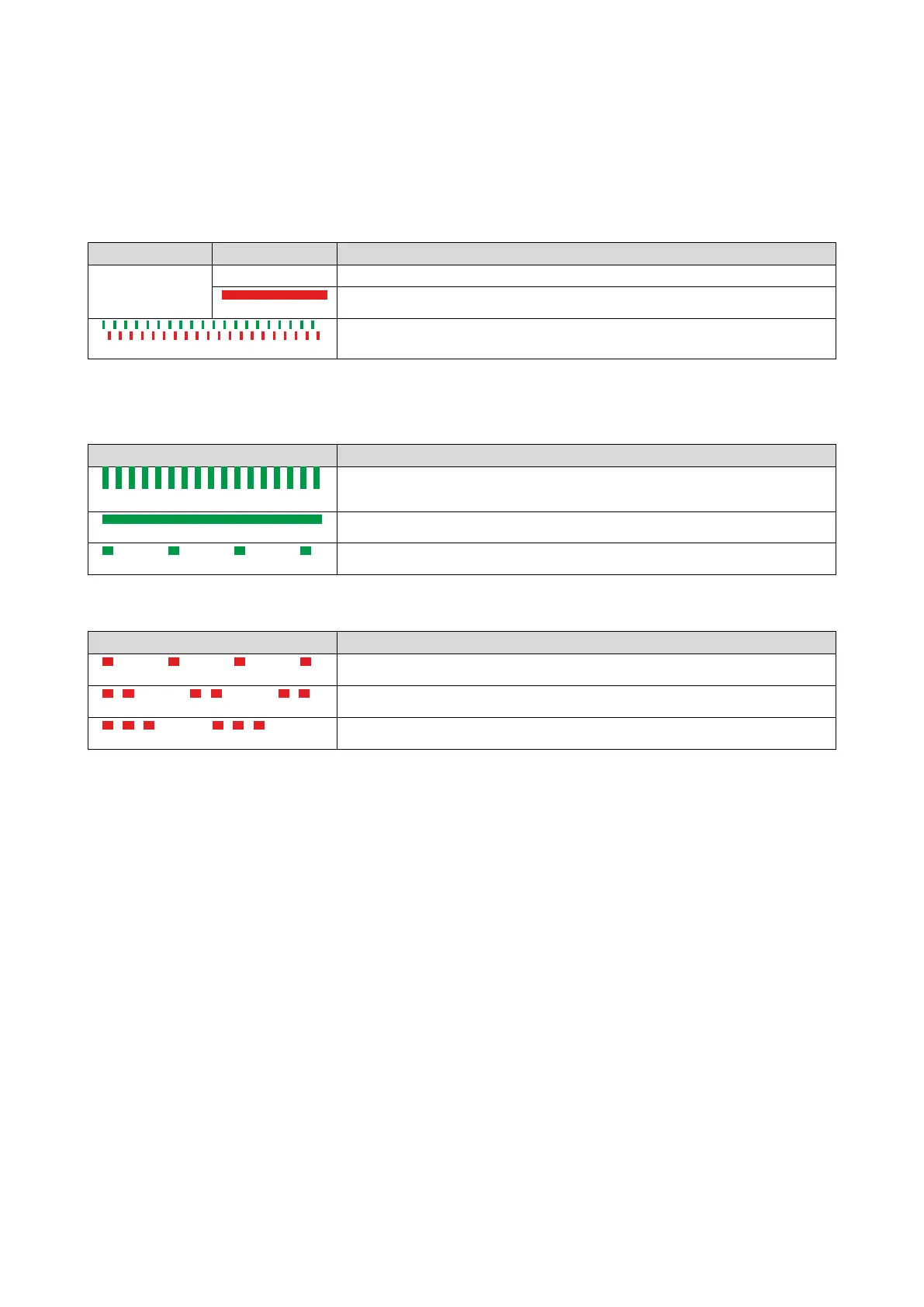
8.5.12. CANopen LED status displays
Information about the CAN bus status can be obtained quickly via the "CAN-RUN" and
"CANERR" LED displays on the front of the inverter.
The meaning can be seen from the tables below.
Inverter not active on the CAN bus (yet)
off
Inverter is not active on the CAN bus.
Both LEDs are flickering alternately
Automatic baud rate detection active.
Inverter active on the CAN bus
The green "CAN-RUN" LED indicates the CANopen state:
blinking fast (5 Hz)
blinking 1x, then goes off for 1 s
Stopped
The red "CAN-ERR" LED indicates a CANopen error:
blinking 1x, then goes off for 1 s
blinking 2x, then goes off for 1 s
blinking 3x, then goes off for 1 s
Sync message error (only possible in the "Operational" state)



 To Next Page