12.2.3. Example 3: Run forward/Run reverse/stop (status-controlled)
The "Run" function automatically becomes a "start enable" if the functions
"Run forward (CW)"/"Run reverse (CCW)" are connected to triggers.
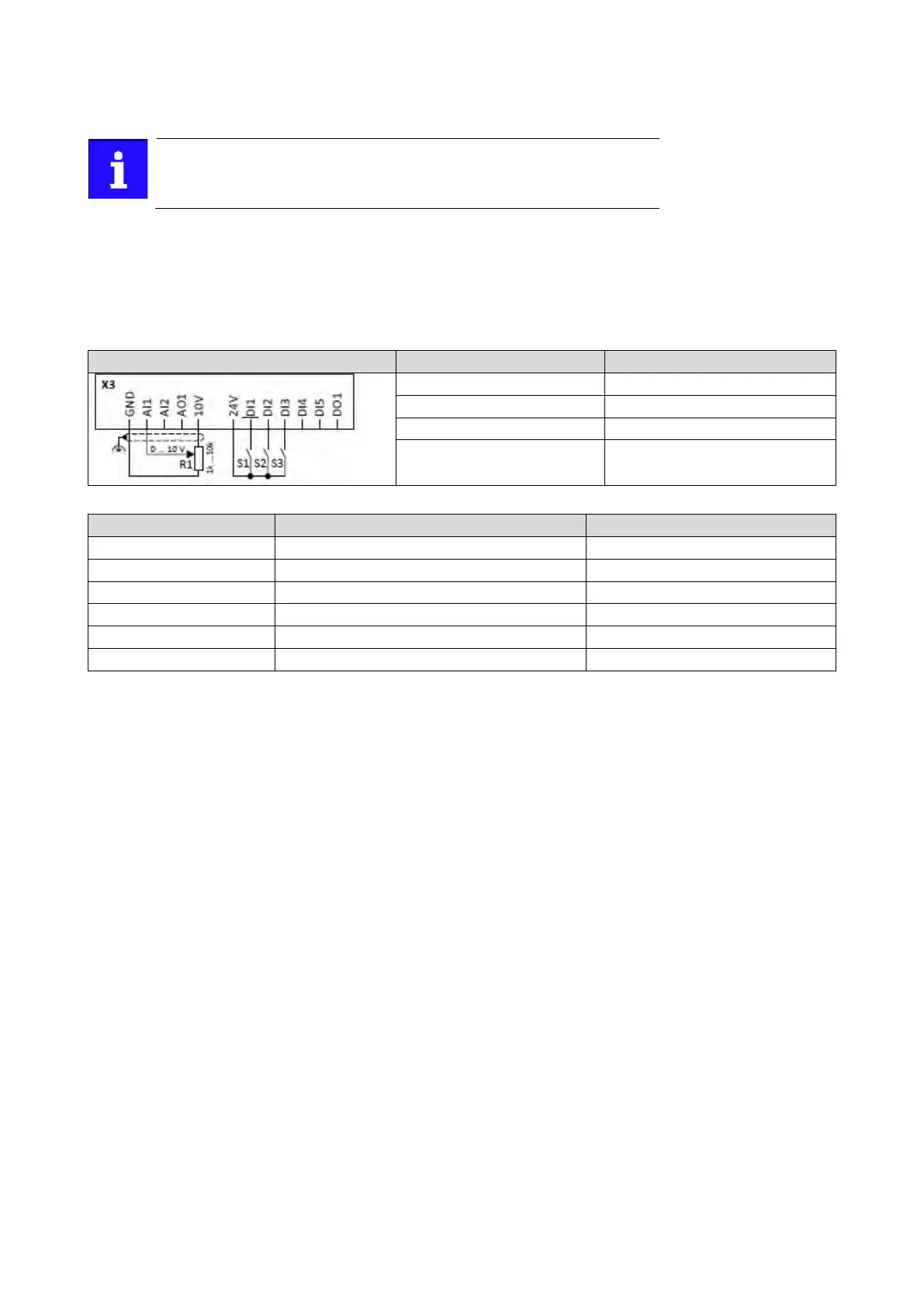
This example shows a status-controlled start/stop via three switches:
• Switch S1 enables the start. Without start enable, the motor cannot be started.
• Switch S2 starts the motor in forward direction of rotation.
• Switch S3 starts the motor in backward direction of rotation.
• The motor is stopped by cancelling the run commands (switches S2 and S3 open) or by
cancelling the start enable (switch S1 open).
Frequency setpoint selection
Switch S2 Run forward (CW)
0x2631:008 (P400.08)
Run forward (CW)
Digital input 2 [12]


 To Next Page