10.1. Device Commands
Device commands are commands for calling organisational functions of the inverter, e.g.
saving and loading of parameter settings, or restoring the default setting.
10.1.1.1. 10.1.1 Reset parameters to default
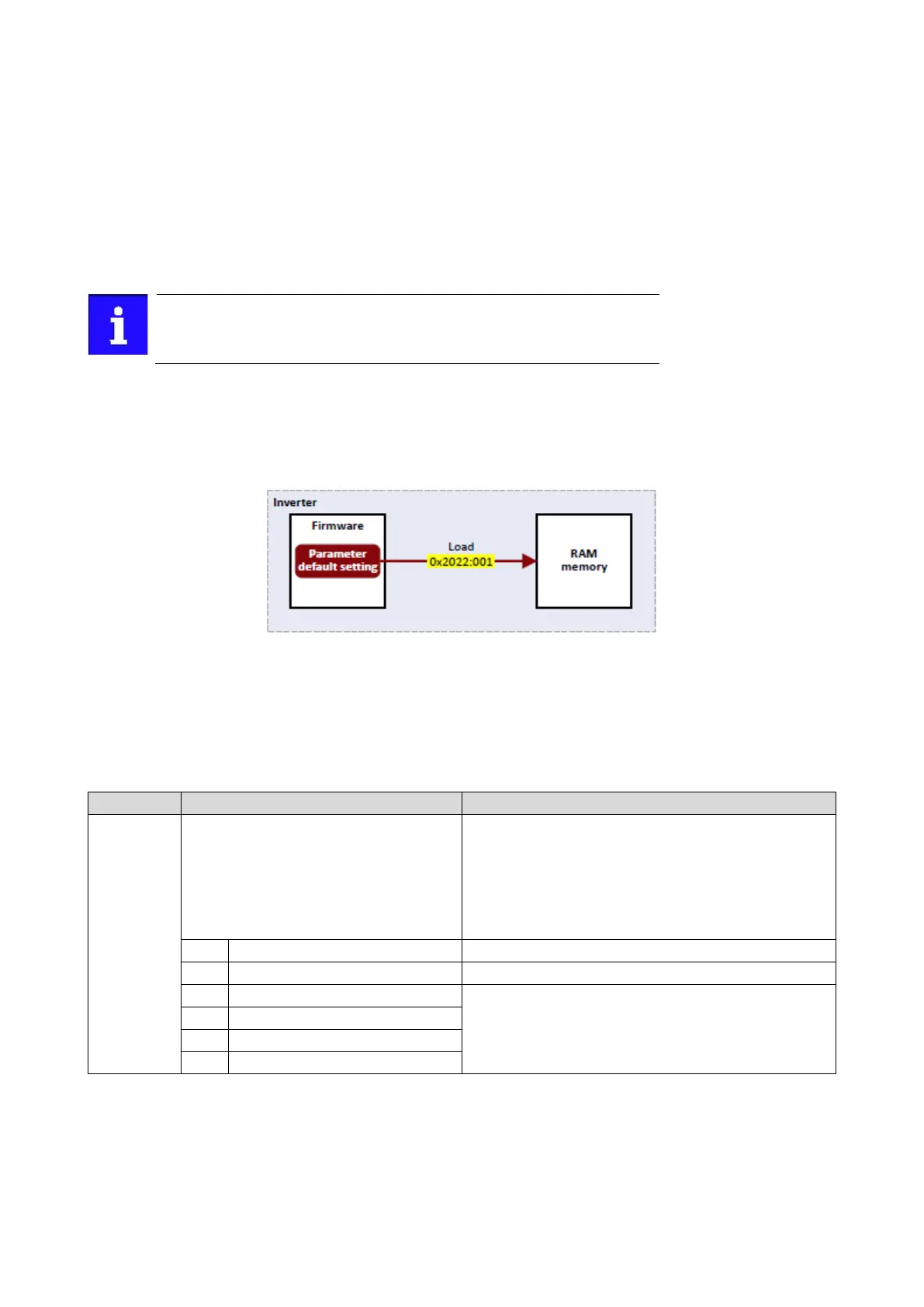
With the "Load default settings" device command, all parameters can be reset to the
default setting.
By executing this device command, all parameter settings made by the user
are lost!
10.1.1.2. Details
• All parameters in the RAM memory of the inverter are set to the default setting stored
in
the firmware of the inverter. (The persistent parameters in the memory module
remain unaffected by this measure.)
• Afterwards the inverter can be parameterised again on the basis of this initial state.
• Typical application: incorrect or unknown parameter settings.
•
The device command only has an effect on the RAM. For a permanent acceptance of
the
changes made, the data must be saved in the memory module.
Saving/loading
the parameter settings
243
Name / value range / [default setting]
(P700.01)
Device commands: Load default settings
(Device commands: Load def. sett.)
Setting can only be changed if the inverter is
inhibi
ted.
1 ≡ reset all parameters in the RAM memory of the inverter to the
default setting that is stored in the inverter firmware.
All parameter changes made by the user are lost during this process!
It may take some seconds to execute the task. When the task has
been executed successfully, the value 0 is shown.
Loading parameters has a direct effect on the cyclic communication:
The data exchange for control is interrupted and a communication
1
On / start
Execute device command
No access (Inverter disabled)



 To Next Page