386 01-6203-01R3, CG Drives & Automation
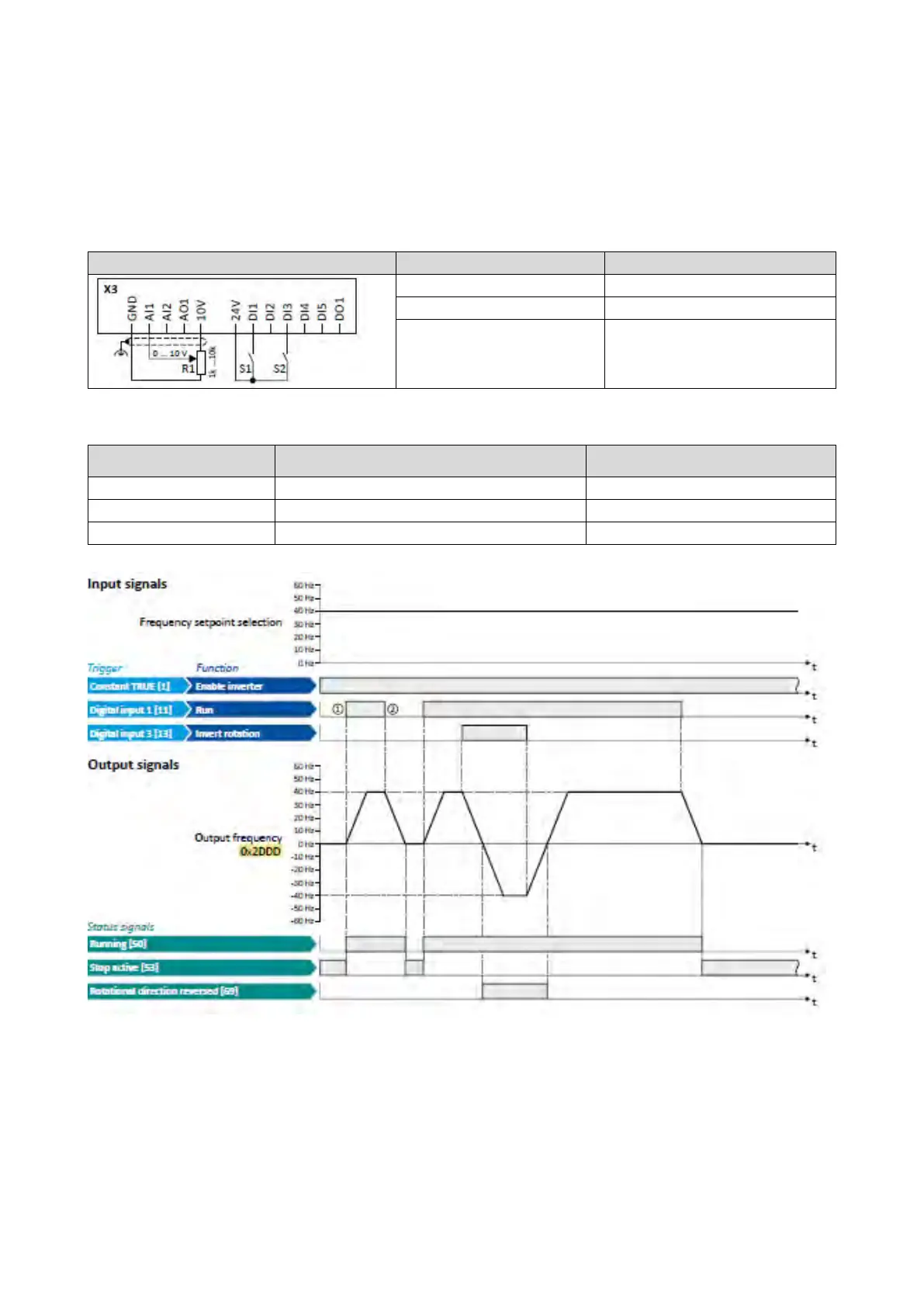
12.2.1. Example 1: Start/stop (1 signal) and reversal
This example shows a simple control option via two switches which should be sufficient
for many applications:
• Switch S1 starts the motor in forward direction of rotation. Switch S1 in the initial
position stops the motor again.
• Switch S2 switches the direction of rotation.
Frequency setpoint selection
The example uses the preset I/O configuration of the inverter:
Setting for this example (corresponds to
default setting)
The status signals can be assigned to digital
outputs
.
Configuration of digital outputs
429
① If the inverter is enabled and no error is active, the motor can be started with the
"Run" function in forward rotating direction.
② If "Run" is set to FALSE, the motor is stopped with the stop method set in
0x2838:003 (P203.03). In the example: Stop with standard ramp.



 To Next Page