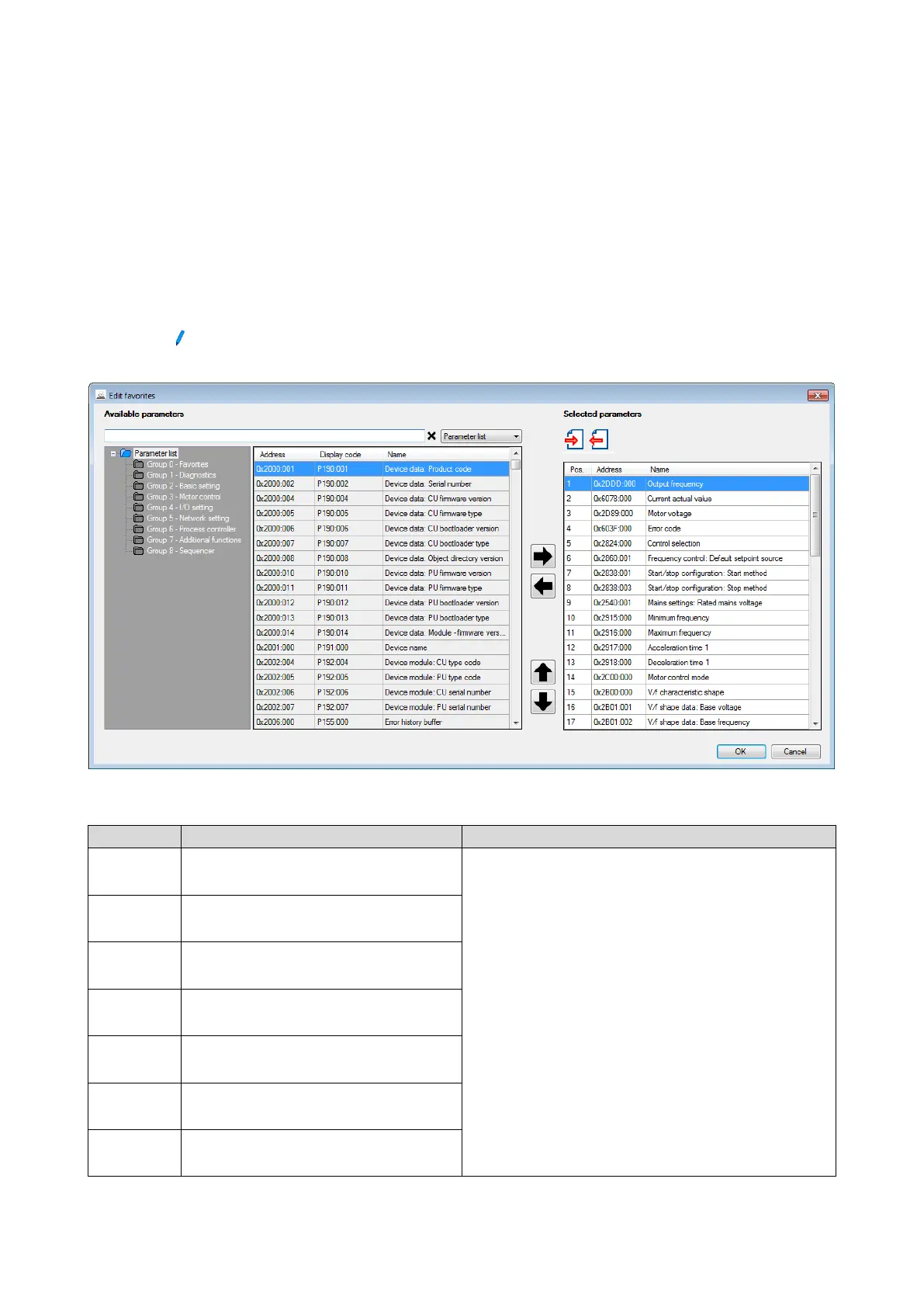
10.8.3. Configuring the "Favorites"
The "Favorites" can be configured by the user.
Details
A maximum number of 50 parameters can be defined as "Favorites".
The easiest way to process the selection of the favorites is via the parameterisation dialog
in the »Emotron Easy starter«:
1. Change to the "Parameter list" tab.
2. Select group 0 Favorites.
3. Click the
button.
4. Process favorites:
Default favorites can be changed with the keypad or via network via the following
parameters:
Parameter
Name / value range / [default setting]
Info
(P740.01)
Favorites settings: Parameter 1
(Favorites sett.: Parameter 1)
0x00000000 ... [0x2DDD0000] ... 0xFFFFFF00
Definition of the "Favorites" parameters.
Format: 0xiiiiss00 (iiii = hexadecimal index, ss = hexadecimal subindex)
The lowest byte is always 0x00.
The keypad can be used to select the desired parameter from a list.
(P740.02)
Favorites settings: Parameter 2
(Favorites sett.: Parameter 2)
0x00000000 ... [0x60780000] ... 0xFFFFFF00
(P740.03)
Favorites settings: Parameter 3
(Favorites sett.: Parameter 3)
0x00000000 ... [0x2D890000] ... 0xFFFFFF00
(P740.04)
Favorites settings: Parameter 4
(Favorites sett.: Parameter 4)
0x00000000 ... [0x603F0000] ... 0xFFFFFF00
(P740.05)
Favorites settings: Parameter 5
(Favorites sett.: Parameter 5)
0x00000000 ... [0x28240000] ... 0xFFFFFF00
(P740.06)
Favorites settings: Parameter 6
(Favorites sett.: Parameter 6)
0x00000000 ... [0x28600100] ... 0xFFFFFF00
(P740.07)
Favorites settings: Parameter 7
(Favorites sett.: Parameter 7)
0x00000000 ... [0x28380100] ... 0xFFFFFF00



 To Next Page