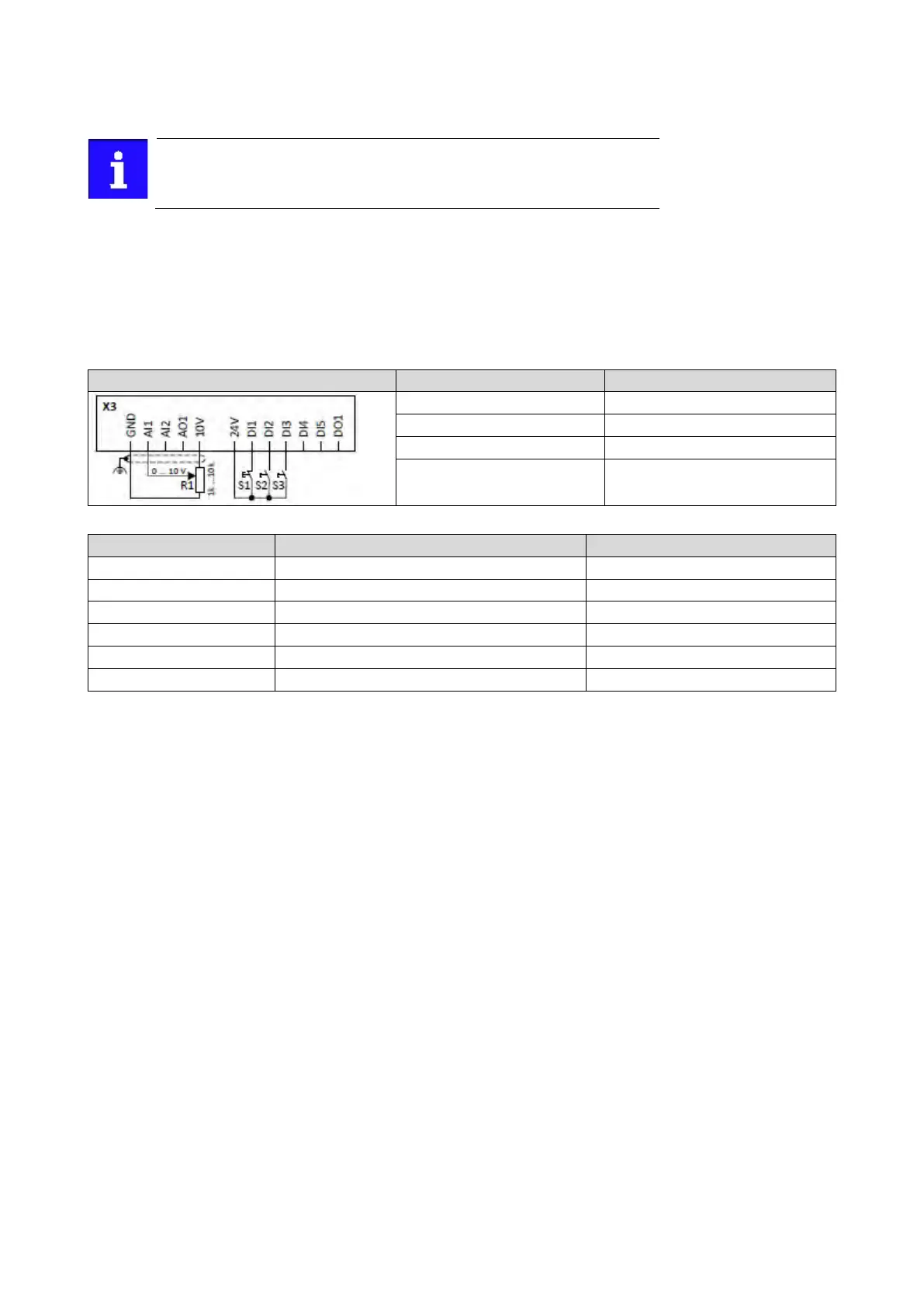
12.2.2. Example 2: Start forward/start reverse/stop (edge-controlled)
The "Run" function automatically becomes a "start enable" if the functions
"Start forward (CW)"/ "Start reverse (CCW)" are connected to triggers.
This example shows an edge-controlled start/stop via three buttons:
• In the non-operating state of button S1 (normally-closed contact), there is already a
start enable.
• Button S2 starts the motor in forward rotating direction.
• Button S3 starts the motor in backward rotating direction.
• Button S1 (normally-closed contact) stops the motor by (short-time) cancellation of the
start command.The inverter then waits for the next start command via button S2/S3.
Frequency setpoint selection
Button S1 Stopping
0x2631:006 (P400.06)
Start forward (CW)
Digital input 2 [12]



 To Next Page