266 01-6203-01R3, CG Drives & Automation
10.2.5. Keypad Configuration of R/F and CTRL buttons
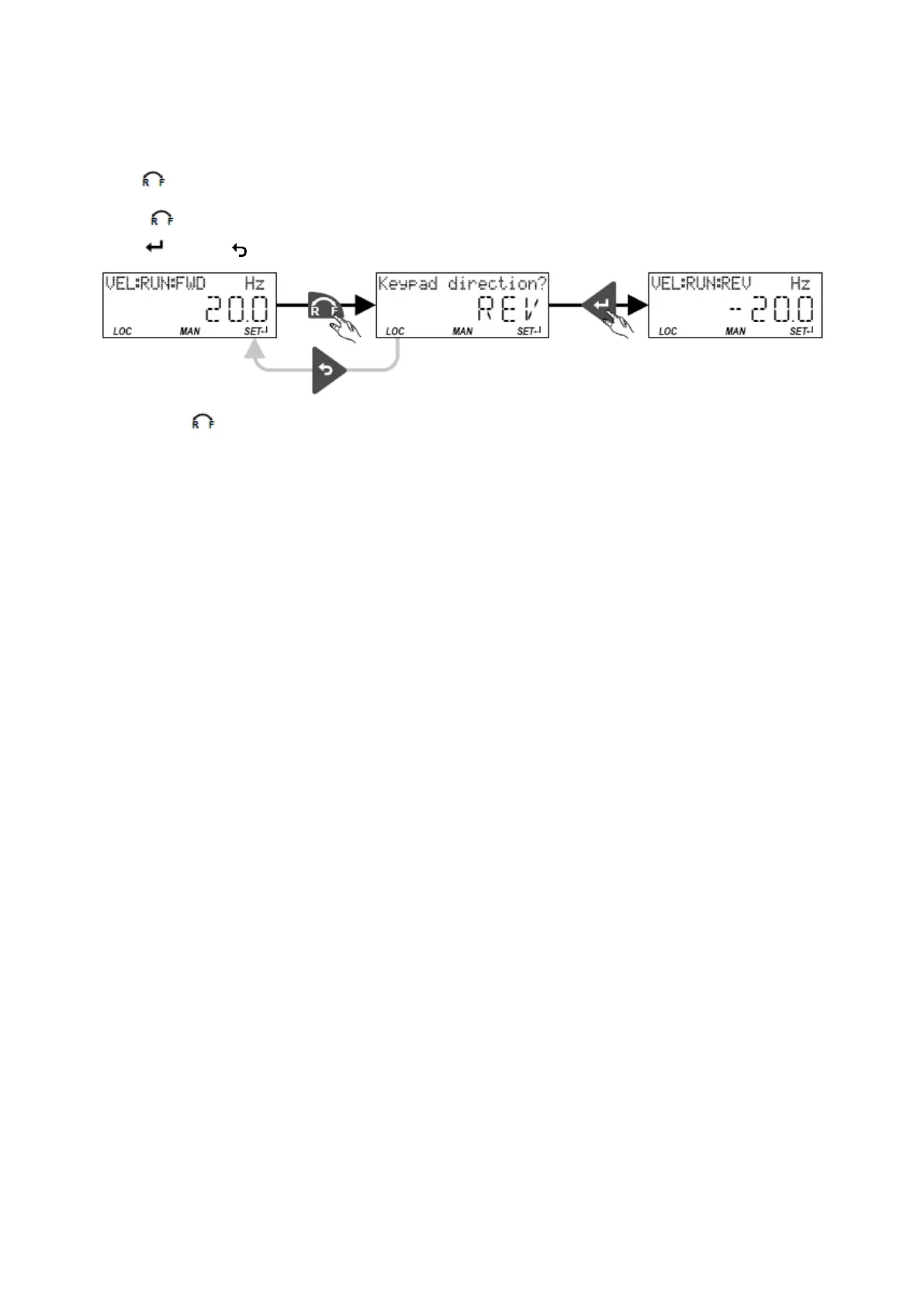
Keypad rotation setup
Use the
keypad to reverse the rotation direction at local keypad control
After the
key has been pressed, the reversal of rotation direction must be confirmed
with the
key. (The key serves to cancel the action.)
The keypad key
• directly changes the keypad rotation setup in 0x2602:002 (P708.02).
• has no function in case of a bipolar setpoint selection (e. g. ±10 V). In this case, the
direction of rotation is determined by the sign of the setpoint.
• has no function if the rotation limitation "Only clockwise (CW) [0]" is set in 0x283A
(P304.00).
• has no function in the operating mode 0x6060 (P301.00) = "MS: Torque mode [-1]".
• has no function if the PID control is activated.
• can be deactivated in 0x2602:001 (P708.01).



 To Next Page