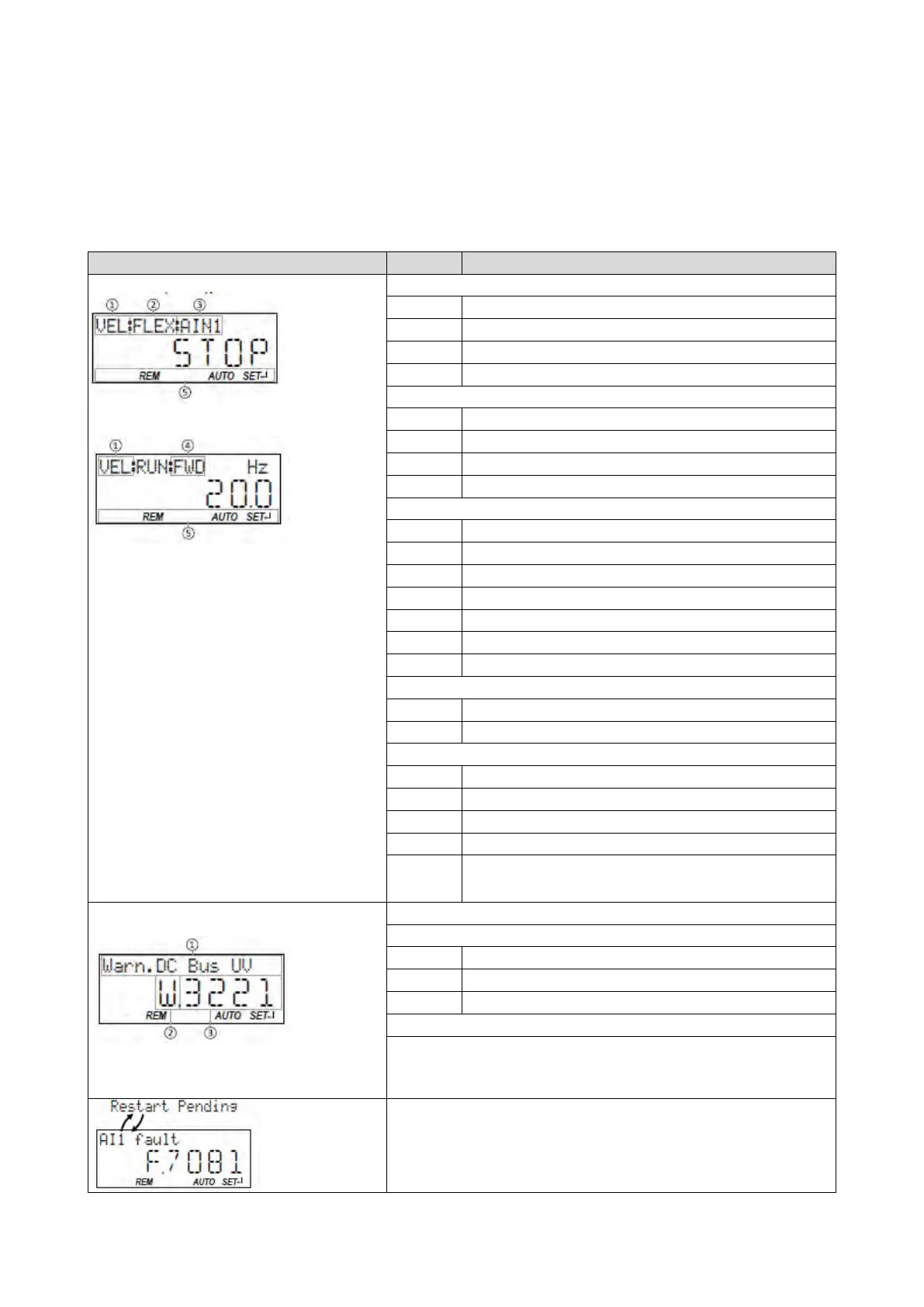
14.1.1. Keypad operating mode
After switching on the inverter, the keypad plugged in is in "Operating mode" after a short
initialisation phase.
14.1.1.1. Keypad status display
In the operating mode, the keypad displays information on the status of the inverter.
If the inverter is inhibited, the keypad shows "STOP":
If the inverter is enabled, the keypad shows the output
frequency of the inverter:
In the process controller mode, instead of the output
frequency, the process controller setpoint is displayed.
The display can be configured in 0x2864 (P703.00).
The language for the keypad display is preset to
"Eng
lish". The language can be changed in 0x2863
(P705.00).
①
②
Flexible I/O configuration
Keypad (complete control via keypad including setpoint selection)
③
④
Current direction of rotation:
Motor is rotating forwards
Motor is rotating backwards
⑤
Local keypad control active.
Remote control via terminals, network, etc. active.
Manual setpoint selection via keypad active.
Automatic setpoint selection via terminals, network, etc. active.
Blinking if one parameter setting has been changed but has not been
saved in the memory module with mains failure protection.
Save settings: Press keypad enter key longer than 3 s.
If an error is pending, the keypad shows the following
information:
Faults (F) and trouble (T) are displayed continuously.
Warnings (W) are only displayed every 2 seconds for a
short time.
①
②
F
Fault
③
Error codes
454
Error handling
84
Error reset with keypad
449
After a disturbance, a restart is possible if the error condition is not active anymore.
The keypad shows this by the "Restart Pending" note. The note is displayed in a 1-
second interval alternating with the error text.
Automatic restart
314



 To Next Page