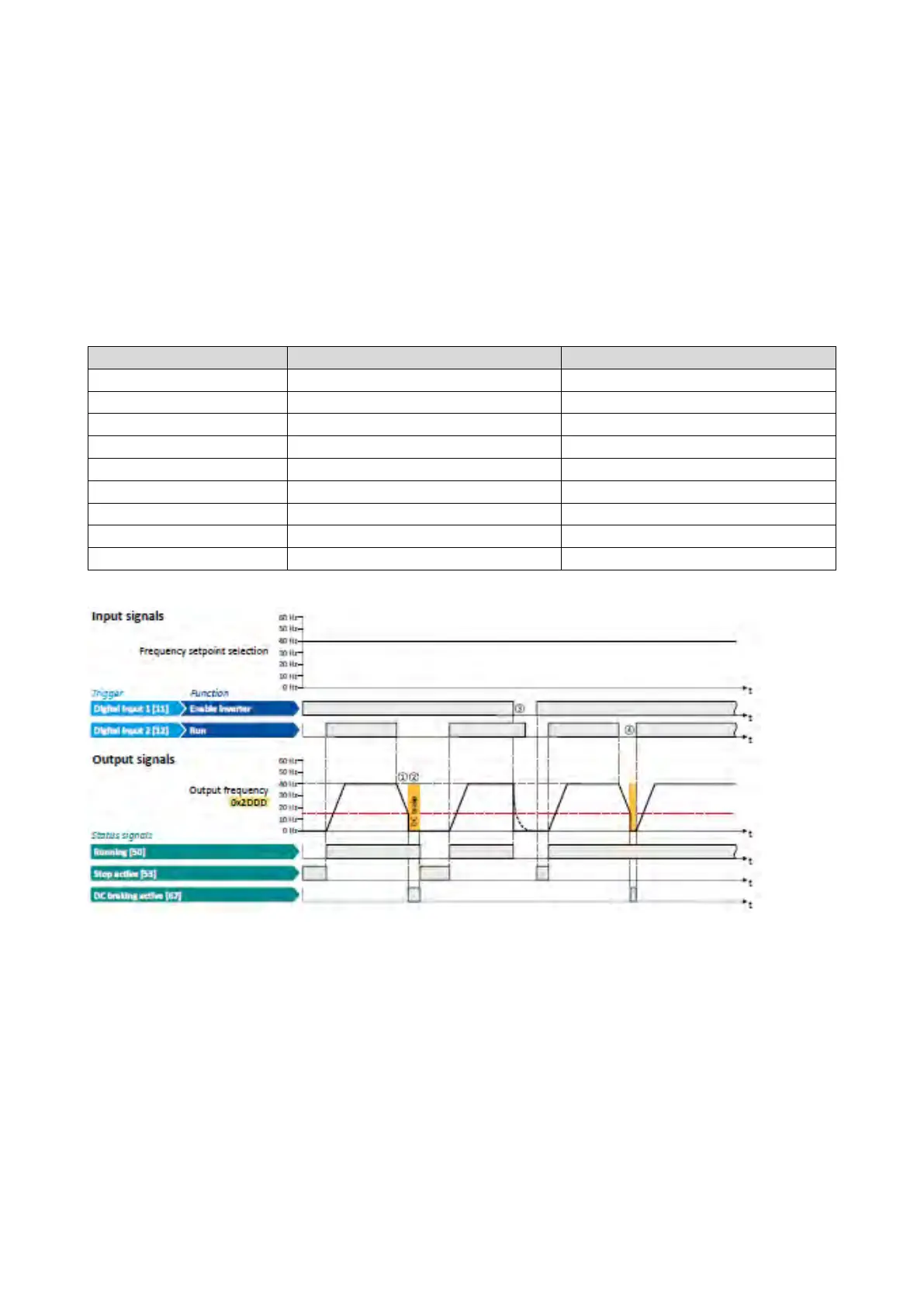
10.4.2. Example 2: Automatic DC braking when the motor is stopped
In order that the DC braking is automatically active when the motor is stopped, the
corresponding operating threshold must be set in 0x2B84:003 (P704.03).
• After a stop command, the motor is first decelerated as set. Only if the output
frequency falls below the set operating threshold, the inverter stops the deceleration
and activates DC braking.
• DC braking is carried out with the braking current set in 0x2B84:001 (P704.01) for the
hold time set in 0x2B84:002 (P704.02).
• The exact behaviour depends on the stop method set in 0x2838:003 (P203.03).
Stop method = "Standard ramp [1]"
0x2631:002 (P400.02)
Run
Digital input 2 [12]
Frequency control: Default setpoint source
Frequency setpoint presets: Preset 1
0x2B84:001 (P704.01)
Current
50 %
Automatic operating threshold
The status signals can be assigned to digital outputs.
Configuration of digital outputs
429
① With the stop method "Standard ramp [1]", the motor is first decelerated normally
until the value falls below the operating threshold set in 0x2B84:003 (P704.03).
② The DC braking becomes active for the hold time set in 0x2B84:002 (P704.02).
③ If the inverter is disabled, the motor coasts. (DC braking is only possible if the
inverter is enabled.)
④ If there is a new start command within the hold time, the DC braking is cancelled.
The motor is accelerated to the setpoint again.



 To Next Page