472 01-6203-01R3, CG Drives & Automation
14.1.1.2. Function of keypad keys in operating mode
In the operating mode, the keypad can be used for local control and for manual setpoint
selection.
Function of keypad keys in operating mode
Local keypad control active.
Display "LOC"
active Display "REM"
Deactivate keypad triggered stop.
The motor remains at standstill.
Display changes from "KSTOP" to "STOP".
Display "KSTOP"
Shortly
Operating mode
Change to parameterisation mode.
Keypad parameterisation mode
450
Save parameter settings in the user memory of the memory
module.
Shortly
During operation
Scroll through information in the above status line.
Manual setpoint selection via keypad
active.
Display "MAN"
Change frequency setpoint.
Activate full keypad control
Display "ON?"
à
Confirm with
Control and setpoint selection can now only be carried out via
keypad.
Renewed clicking: Exit full keypad control.
Display "OFF?"
à
Confirm with
Keypad Configuration of R/F and CTRL buttons
248
Local keypad control active.
Display "LOC"
Reversal of rotation direction.
Display "REV?"
à
Confirm with
Keypad Configuration of R/F and CTRL buttons
248
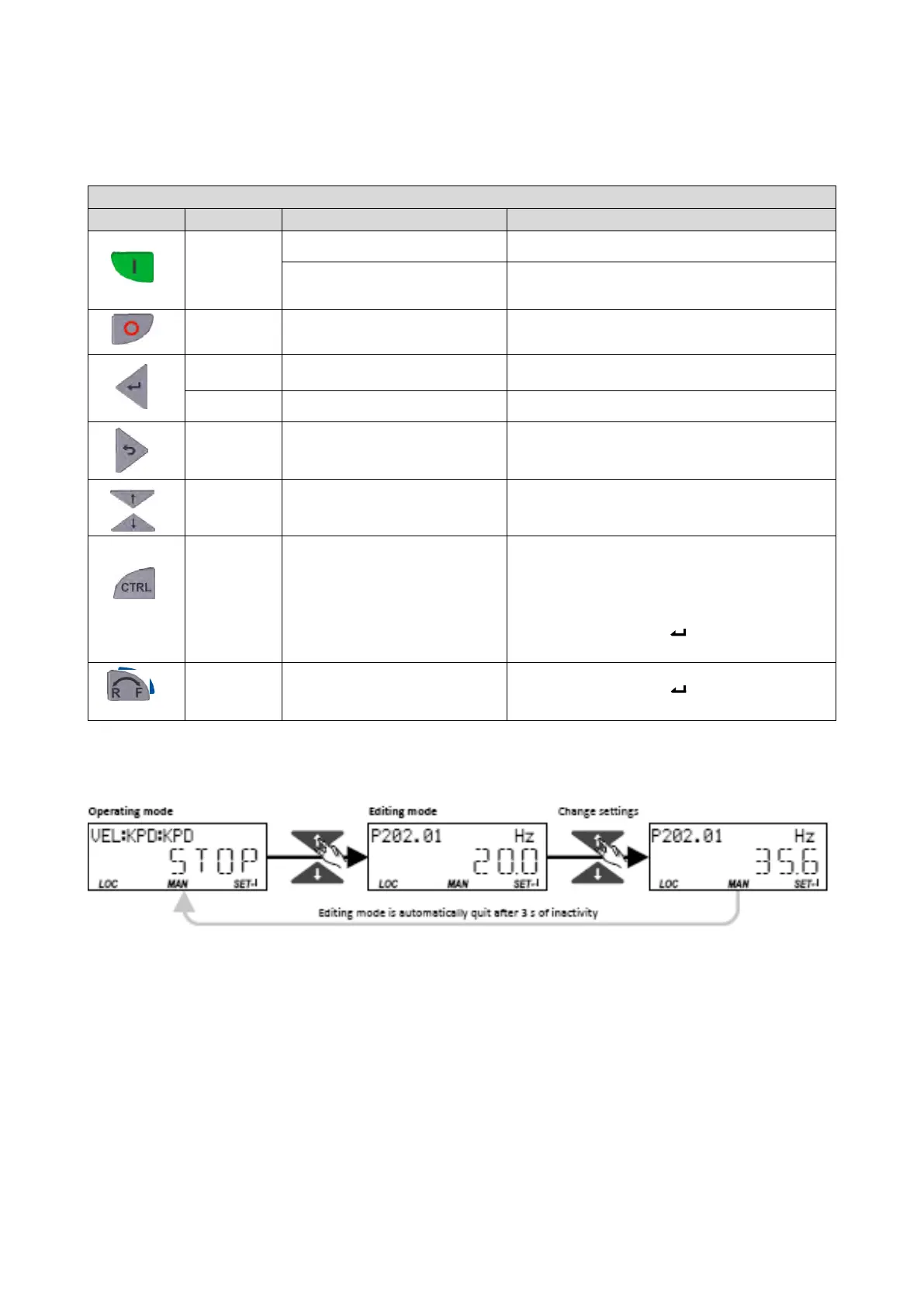
Example: Change setpoint
If the setpoints are selected manually via keypad, the frequency setpoint can be changed
in the operating mode via the arrow keys (even while the motor is running):



 To Next Page