12.6. Releasing holding brake manually
The "Release holding brake" function serves to release the holding brake immediately.
Brake application time and brake opening time as well as the conditions for the automatic
operation are not effective.
Preconditions
•
Observe setting and application notes in the "Holding brake control" chapter!
302
• The brake mode "Automatic [0]" or "Manual [1]" must be set in 0x2820:001 (P712.01).
• The "Release holding brake [115]" trigger has to be assigned to a digital output or, in
the simplest case, to the relay which then switches the brake supply.
Details
Detailed information about the function and configuration of the holding brake control
can be found in the "Holding brake control" chapter.
302
Name / value range / [default setting]
(P400.49)
Function list: Release holding brake
(Function list: Release brake)
Setting can only be changed if the inverter is
inhibi
ted.
For further possible settings, see parameter
0x2631:001 (P400.01).
364
Assignment of a trigger for the "Release holding brake" function.
Trigger = TRUE: Release holding brake (immediately).
Trigger = FALSE: no action.
Notes:
Function is only executed if the brake mode 0x2820:001 (P712.01) is
set to "Automatic [0]" or "Manual [1]".
CAUTION!
The manually triggered "Release holding brake" command has a direct
impact on the "Release holding brake [115]" trigger.
brake can be manually released if the power section is switched off!
The responsibility for a manual release of the holding brake has the
external trigger source for the "Release holding brake" command!
No trigger assigned (trigger is constantly FALSE).
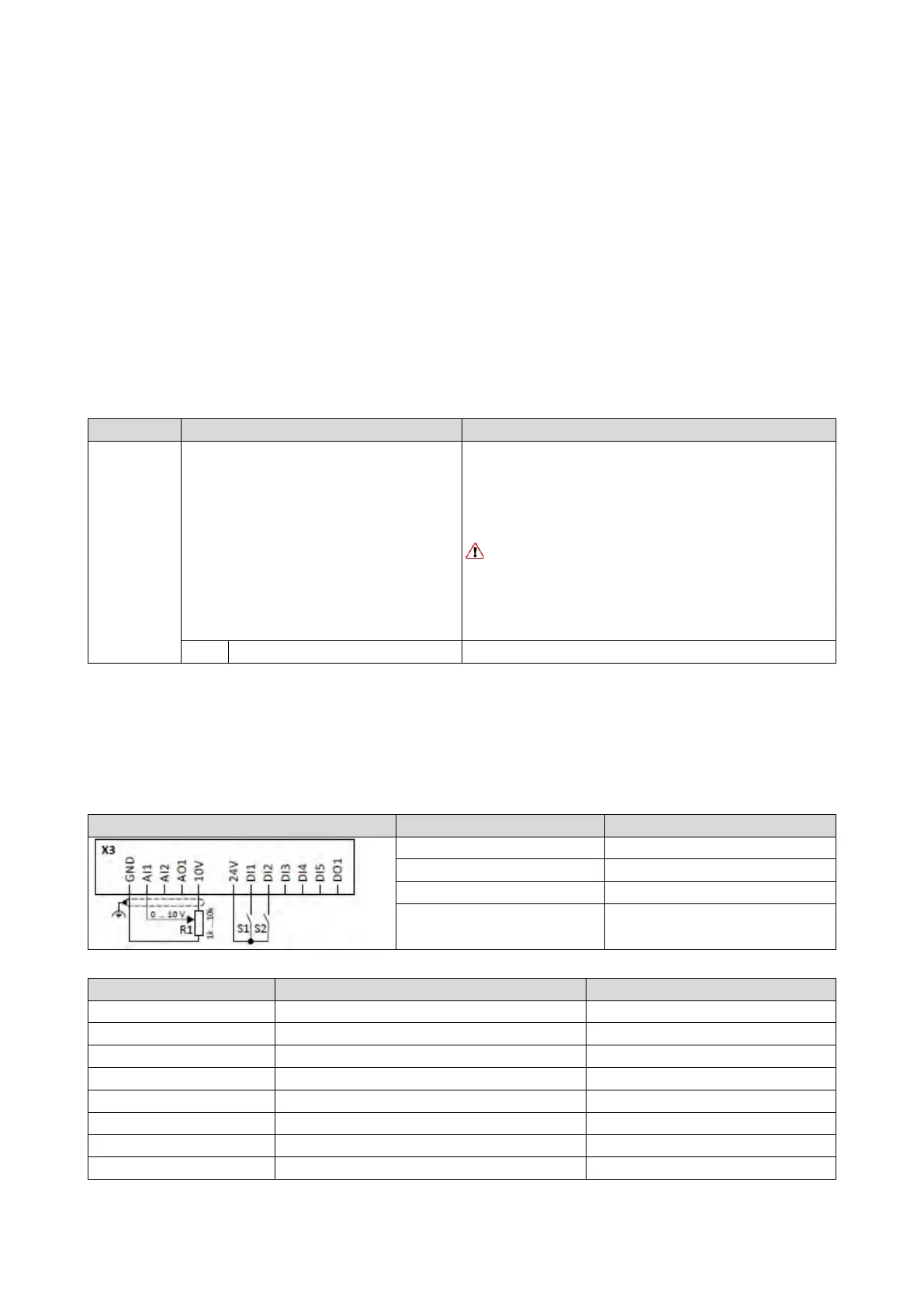
Example for operating mode
• Switch S1 starts the motor in forward direction of rotation. Switch S1 in the initial
position stops the motor again.
• Switch S2 releases the holding brake. For this purpose, in this example, trigger "Release
holding brake [115]" is assigned to the relay that switches the brake supply.
Potentiometer R1 Frequency setpoint
0x2631:002 (P400.02)
Run
Digital input 1 [11]
Release holding brake [115]
Flexible I/O configuration [0]
0x2838:003 (P203.03)
Stop method
Standard ramp [1]
Frequency control: Default setpoint source



 To Next Page