EasyManua.ls Logo

Emotron VS10 - Canopen;Modbus RTU

Emotron VS10
528 pages
Print Icon
To Next Page IconTo Next Page
To Previous Page IconTo Previous Page
Loading...
3.2.5. CANopen/Modbus RTU
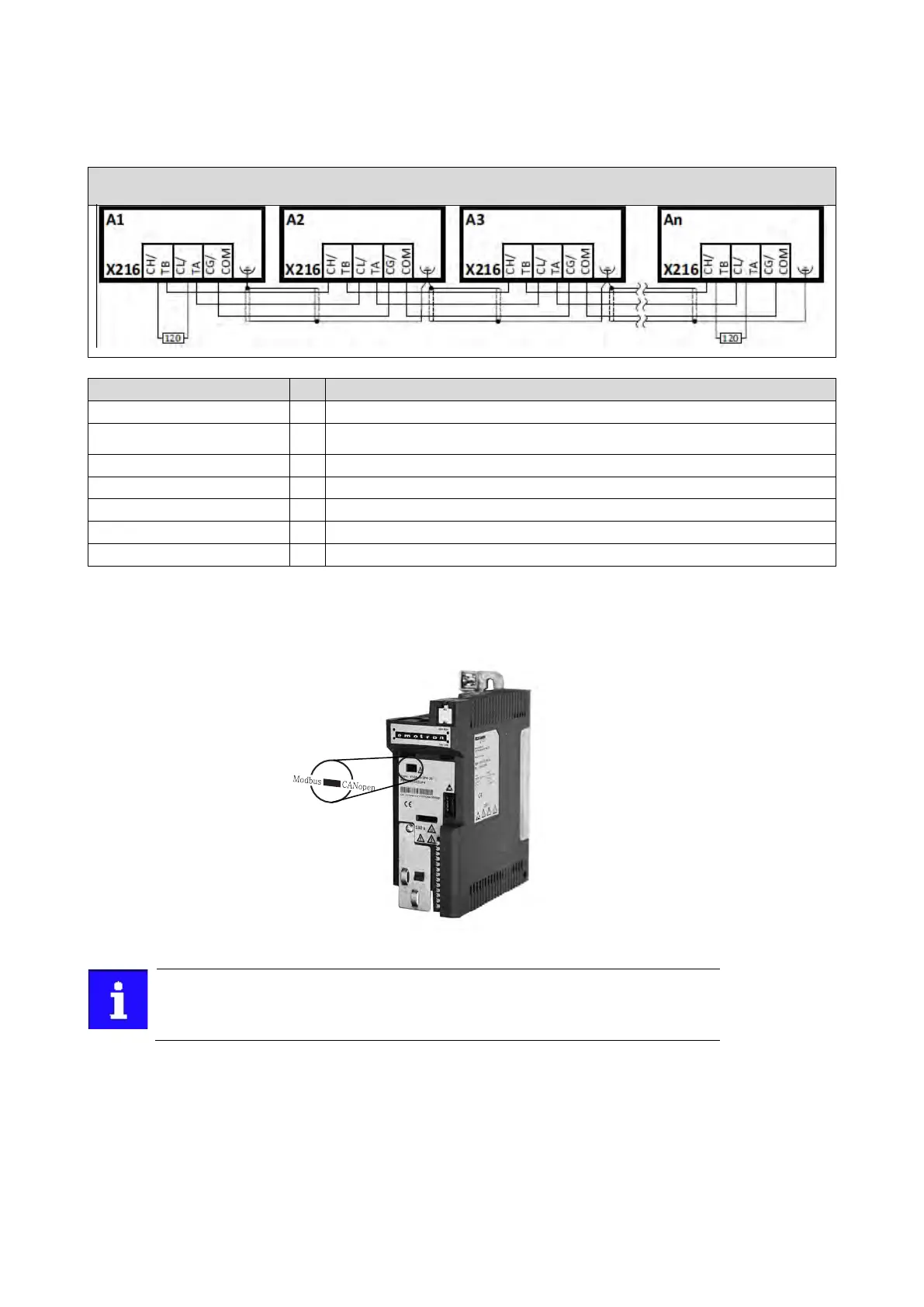
Typical topologies
Line
Terminal description
CANopen/Modbus
Connection
X216
Connection type
pluggable spring
terminal
Min. cable cross-section
mm²
0.5
Max. cable cross-section
mm²
2.5
Stripping length
mm
10
Tightening torque
Nm
-
Required tool
0.4 x 2.5
Basic network settings
1. Select network CANopen or Modbus using the switch on the front of the inverter
2. Set node address and baud rate via the corresponding parameters.
The network must be terminated with a 120 Ω resistor at the physically first and last
node.
Connect resistor to terminals CH/TB and CL/TA.

Table of Contents

Other manuals for Emotron VS10

Related product manuals